

Download Telegram for PC - Full Arabic Version
- Telegram Desktop has been updated to the latest version: Telegram Desktop 5.10.3 + Portable Version
Telegram for Desktop is a messaging application that prioritizes speed and security. It's incredibly fast, simple, and free. You can use the app on all your devices simultaneously—your messages sync seamlessly across any number of phones, tablets, or computers.
With Telegram Desktop, you can send messages, photos, videos, and files of any type (doc, zip, mp3, etc.), as well as create groups for up to 1000 people or channels for broadcasting to unlimited audiences. You can message your phone contacts and find people by their usernames. As a result, the app combines the features of SMS and email, catering to all your personal or business messaging needs. You can download the offline installer for Telegram on your PC from the website by clicking the free download button.
This cross-platform messaging app allows you to exchange messages and files with your friends securely, using a simple interface.
Telegram Desktop is a powerful multi-platform messaging application that enables you to communicate with other users without worrying about data interception and theft.
Focusing on security, it encrypts all conversations and shared files, storing them in the cloud, allowing for quick syncing and fast access to your message database from anywhere in the world.
A more secure alternative to other messaging apps
It has released versions for all major mobile platforms like Android and iOS (known as Telegram Messenger) and desktop operating systems (Windows, Mac OSX, and Linux), making Telegram Desktop a good alternative to other popular messaging software like WhatsApp, which is currently only available on mobile platforms.
As mentioned above, an additional feature it offers is enhanced security, placing privacy above all else. Messages sent via Telegram Desktop are automatically encrypted before being stored online.
Broadcasting and file sharing
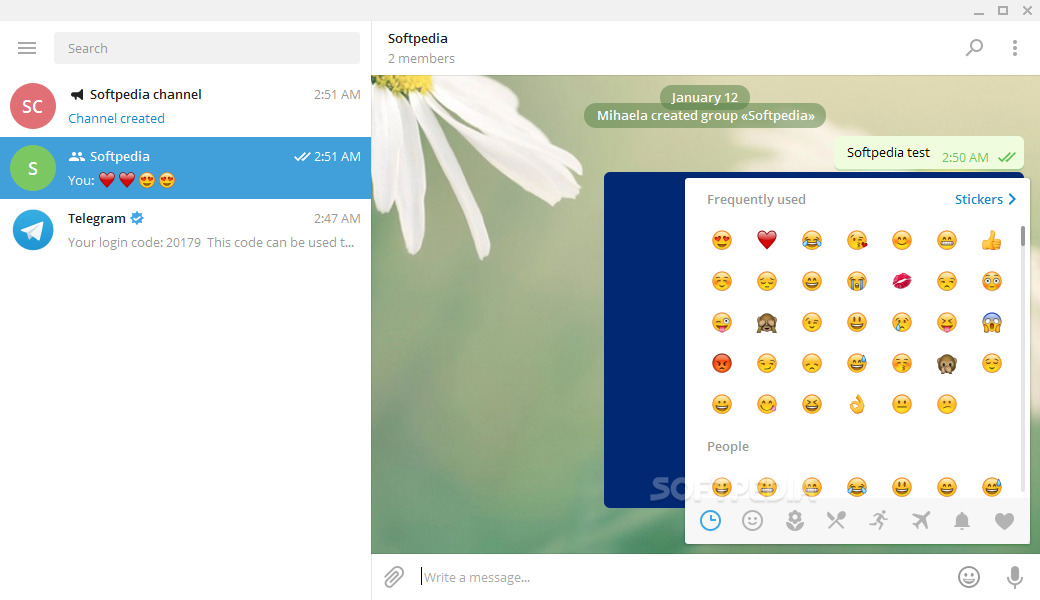
Telegram Desktop features an easy-to-use interface that includes a list of your contacts and displays the conversation with each one. To create your account, you will be asked to enter your name and provide a valid mobile phone number, which is used to generate a security code.
Telegram is a messaging app that focuses on speed and security; it is incredibly fast, simple, and free. You can use Telegram on all your devices simultaneously—your messages sync seamlessly across any number of phones, tablets, or computers. With Telegram, you can send messages, photos, videos, and files of any type (doc, zip, mp3, etc.), as well as create groups for up to 5000 people or channels for broadcasting to unlimited audiences. You can message your phone contacts and find people through their usernames. Consequently, Telegram resembles a combination of SMS and email, capable of meeting all your personal or business messaging needs. Learn more about Telegram...
One of the key features of the Telegram Desktop app is its focus on security and privacy. The app uses comprehensive encryption to protect users' messages and calls, ensuring that they are only visible to the intended recipients. Additionally, Telegram Desktop allows users to set self-destruct timers for their messages, ensuring they are automatically deleted after a specified period.
Among the other features of Telegram Desktop is its speed; the app is known for its fast performance, allowing users to send and receive messages quickly and easily. This is due to Telegram's use of a distributed network of servers, ensuring messages are delivered swiftly and reliably.
Telegram Desktop also offers a range of other features, including support for group chats, voice and video calls, and the ability to share files of any type and size. The app allows users to customize their experience by choosing from a variety of themes and color styles.
Telegram Desktop is a powerful and versatile messaging application that provides a range of features and tools for communicating with others. Whether you're looking to stay connected with friends and family or collaborate with colleagues, Telegram Desktop is an excellent choice. With its focus on security, speed, and customization, Telegram Desktop is a great option for anyone seeking a reliable and secure messaging app for their desktop.
What's New in Telegram Desktop 2025:
Fixed crashes during voice calls.
Telegram Desktop is a powerful multi-platform messaging application that allows you to connect with other users without worrying about data interception and theft. With a focus on security, it encrypts all conversations and shared files, storing them in the cloud, allowing for quick syncing and fast access to your message database from anywhere in the world.
A more secure alternative to other messaging apps
It has released versions for all major mobile platforms like Android and iOS (known as Telegram Messenger) and desktop operating systems (Windows, Mac OSX, and Linux), making Telegram Desktop a good alternative to other popular messaging software like WhatsApp, which is currently only available on mobile platforms.
As mentioned above, an additional feature it offers is enhanced security, placing privacy above all else. Messages sent via Telegram Desktop are automatically encrypted before being stored online.
Broadcasting and file sharing
Telegram Desktop features an easy-to-use interface that includes a list of your contacts and displays the conversation with each one. To create your account, you will be asked to enter your name and provide a valid mobile phone number, which is used to generate a security code.
Users can create groups of up to 200 contacts and send messages to a maximum of 100 people using Telegram, regardless of the platform they choose.
The app features desktop notifications for incoming messages and supports sending files and images, ensuring compatibility with any format, whether in documents, archives, or music files. Like any existing messaging app, conversations can be enriched with various fun emojis.
- Fast: Telegram connects people around the world through a unique distributed network of data centers, making it the fastest messaging app on the market.
- Sync: You can seamlessly access your messages from all your phones, tablets, and computers at the same time. With standalone Telegram apps, there's no need to keep your phone connected. Start typing on one device and continue on another. Your data will always be intact.
- Unlimited: Additionally, enjoy the freedom to send media and files of any type or size. Your chat history won't take up disk space on your device as it is securely stored in the Telegram cloud until you need it.
- Secure: Telegram prioritizes both security and ease of use. With encryption technologies like AES 256-bit symmetric encryption, RSA 2048-bit encryption, and secure Diffie-Hellman key exchange, everything on Telegram—chats, groups, media—is fully protected.
- 100% Free and Open: Telegram offers a fully documented free API for developers, open-source applications, and verifiable releases, ensuring transparency and trust. Rest assured that the app you download is built on the same published source code.
- Powerful: Enjoy group chat experiences with up to 200,000 members. Additionally, you can send large videos and documents of any type (like .DOCX, .MP3, .ZIP) up to 2GB each. If that's not enough, you can also configure bots for specific tasks. Telegram is an ideal platform for fostering online communities and coordinating teamwork.
- Reliable: With a focus on message delivery using minimal data, Telegram is known for its reliability, working flawlessly even on weak mobile connections.
- Fun: Take advantage of Telegram's powerful photo and video editing tools, animated stickers and emojis, fully customizable themes, and an open sticker/GIF platform to express yourself creatively.
- Simple: While offering a wide range of features, Telegram maintains a clean and intuitive interface, ensuring ease of use. In fact, you'll find browsing Telegram to be instinctive.
- Private: Telegram guarantees maximum confidentiality and never grants any third party access to your data. At any time and without leaving a trace, you can delete any message you've sent or received. Rest assured that Telegram will never use your data to display ads.
A secure and user-friendly messaging app
Relying on advanced security protocols, Telegram Desktop offers a messaging application that is worth trying at least.
Not only does it protect your messages at all times, but you can also easily access them from any mobile or desktop device, no matter where you are.
What Can You Do with Telegram?
Connect from most remote locations.
Format groups of up to 100,000 members.
Sync chats across all your devices.
Send documents of any type.
Encrypt personal and business secrets.
Self-destruct your messages with a timer.
Store your media in the cloud.
Build your own tools on the API.
Enjoy your customers' feedback.
Note: Requires a valid phone number.
Unzip Password: 123

 File Name:
 Downloads:
 Version:
 Full Version:
 Created By:
 License Type:
 Release Date:
 What's New:
 Languages:
One thought on “Download Telegram Desktop 5.10.3 in Arabic”
Pingback: تنزيل VCap Downloader Pro - تسجيل الفيديو والصوت عبر الإنترنت - تحميل اوفيس كامل مفعل - تحميل microsoft office