

Have you ever felt exhausted by complicated software that makes audio editing a daunting task? This is where downloading Audacity comes in as a simple and effective solution for recording, editing, and processing audio files - a direct link to a free and open-source program that allows you to easily record and edit audio, whether you're a beginner looking for an easy tool or a professional in need of powerful and reliable features. The new version focuses on bug fixes and stability improvements, making your experience smoother and more comfortable, as if you're regaining your energy with every audio project you complete.
 Download Audacity for recording, editing, and processing audio files - direct link
Overview of Audacity Download
Audacity is a free and open-source audio editor widely used for recording, editing, and processing audio files. It is known for its simplicity and ease of use, along with a robust set of tools that make it suitable for both beginners and professionals alike.
Audacity first appeared in 2000 as an open-source project, developed using C and C++ programming languages with the wxWidgets library to be compatible with various operating systems such as Windows, macOS, and Linux. Thanks to its free and open-source nature, it quickly gained popularity among users worldwide and has been translated into dozens of languages, becoming one of the most widely used audio editing programs globally.
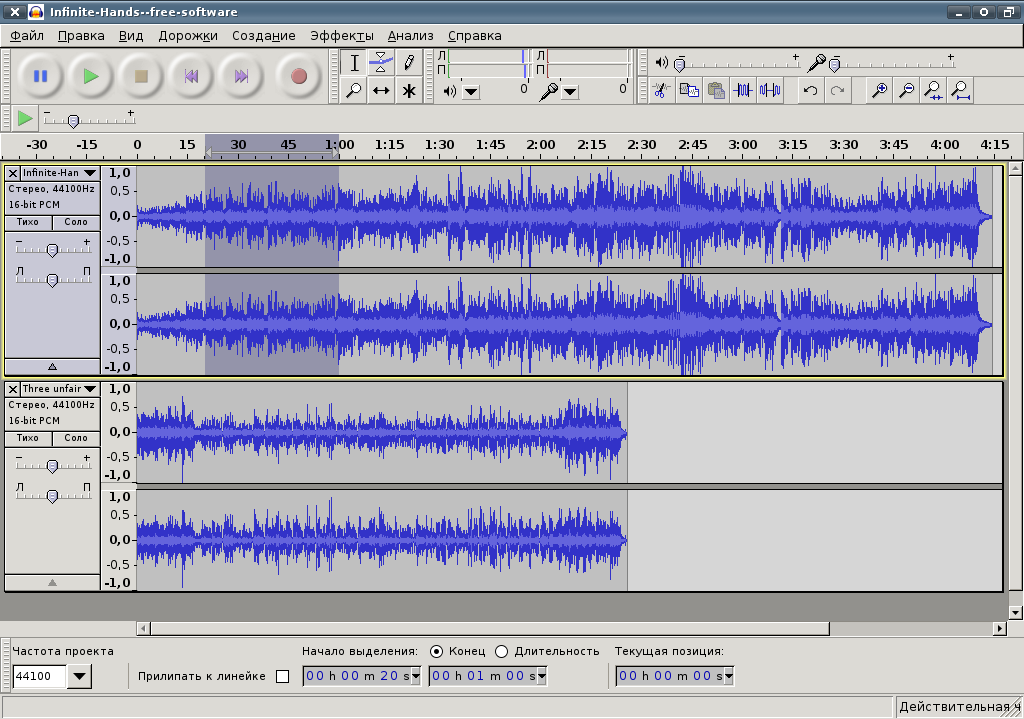
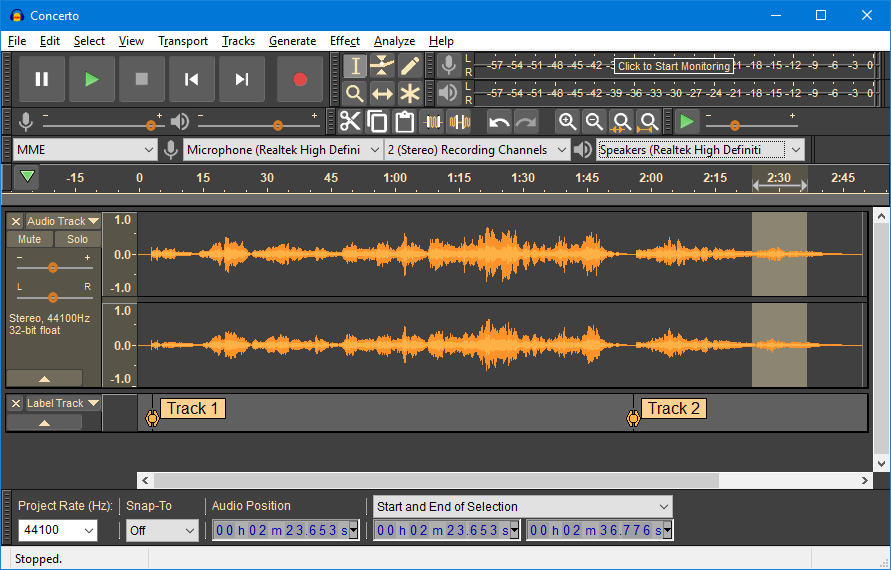
Audacity is used for a wide range of audio tasks, allowing you to record audio directly from a microphone or system playback, then edit clips using cutting, copying, merging, and unlimited undo tools. It also enables noise reduction and the addition of effects like reverb or speed changes, along with support for external effects through VST plugins. It is also a powerful tool for audio analysis, displaying waveforms or frequencies using the Spectrogram.
 Download Audacity for recording, editing, and processing audio files - direct link
The importance of the program lies in its being free and accessible to everyone, with a simple interface suitable for beginners and powerful tools that meet the needs of professionals. Podcasters, musicians, and sound engineers use it in their daily projects, and it is relied upon in schools and universities to teach the basics of audio recording and editing. With the new version, which focuses on bug fixes and stability improvements, the program has become more reliable and easier to use, enhancing its status as an essential tool in the world of audio.
Audacity Download offers many special effects, and you can apply any editing effect with just one click. Later, you can change or modify any music files. Moreover, the amazing feature of Audacity Serial Key is noise reduction in audio files, allowing you to remove any background sounds or noises from audio clips or music files. Additionally, Audacity Keygen provides many other useful audio analysis tools, and with this tool, you can easily create and edit numerous processes, such as converting, mixing, presenting, or converting stereo audio to mono or re-merging audio files.
Features of Audacity
- Applying effects to time-stretched clips: You can now correctly add filters and effects to clips whose speed has been altered.
- Improved folder management: Moving or renaming the installation folder no longer reactivates previously disabled modules.
- Greater stability when adjusting playback speed: A bug that caused the program to crash when opening the "Adjust Playback Speed" window has been fixed.
- Live audio recording: Record from a microphone or computer playback.
- Multi-track editing: Cut, copy, paste, and merge audio clips with unlimited undo support.
- Audio analysis: Envelope editor for volume control, Spectrogram mode for visualizing frequencies, and Frequency Analysis tool.
- Built-in effects: Such as Bass Boost, Wah-Wah, and Noise Removal, with support for external VST effects.
- Audio file conversion: Ability to convert old tapes and cassettes into digital recordings or CDs.
- Support for multiple formats: Such as WAV, AIFF, FLAC, MP2, MP3, and Ogg Vorbis.
- Free and open-source: Available to everyone at no cost, with a large support community.
System Requirements for Running Audacity
 Download Audacity for recording, editing, and processing audio files - direct link
- Operating System:
- Windows 10 or Windows 11 (64-bit version).
- Also supports 32-bit versions, but performance may be lower.
- Processor (CPU):
- Intel or AMD processor with 32-bit or 64-bit architecture.
- A modern multi-core processor is recommended for efficient audio editing.
- Memory (RAM):
- Minimum: 4 GB.
- Recommended: 8 GB or more when working on large audio projects.
- Graphics Card (GPU):
- Does not require a powerful graphics card, basic support for the user interface is sufficient.
- Storage:
- At least 500 MB of free space for installation.
- Using an SSD is recommended to speed up read/write operations and save projects.
- Audio Interface:
- Integrated sound card compatible with Windows WASAPI or DirectSound.
- For professional performance, an external audio interface supporting ASIO is recommended.
Conclusion
Thus, we have reached the end of our journey in this presentation, where we explored the origins of Audacity, its diverse uses, and its significant importance in the world of audio. We have seen how it combines simplicity and power, enabling users to easily record, edit, and analyze audio, along with new improvements that enhance its stability and effectiveness.

 File Name:
 Downloads:
 Version:
 Full Version:
 Created By:
 License Type:
 Release Date:
 What's New:
 Languages:
