


Description of goScreen Corporate
Introducing goScreen Corporate: a handy tool for Windows users! Imagine your computer screen looking like a pile of papers, with only one sheet visible at a time. goScreen gives you multiple "pages" on your screen. Starting the program? No worries about the current page. Switching pages? Your program stays in place for easy access. You can even move program windows between pages. With goScreen, you can organize your work and keep everything tidy and accessible. Say goodbye to clutter and hello to productivity! Download goScreen Corporate now from our website and unlock a whole new level of efficiency on your Windows PC.
goScreen creates virtual pages on your desktop. When you launch a program, it will be placed on the "active" page of the current screen. When you then switch to another page, the program remains on the page it was launched on, and you can still find it there. Program windows can be moved from one desktop page to another.
Free Features of goScreen for Businesses
Visual Appearance:
Resize, reposition, and change the fonts and colors of goScreen's user interface windows,
assign names to screen pages,
and set icons for screen pages, using icons from separate files or extracting them from other applications.
Screen Pages:
You can create up to 80 screen pages, each with a specific desktop color and background images.
Functionality:
Assign a specific hotkey to activate a screen page,
hide screen pages, providing a sort of security mechanism,
define "sticky" windows that appear on all screen pages,
customize a window for a specific page or for several pages,
move application windows from one screen page to another,
set a preferred position for application windows and restore it with a single button press or mouse click,
use the layout manager to find the window you need, or to show the desktop,
perform various actions (close, minimize, maximize, restore) for all windows on the current page.
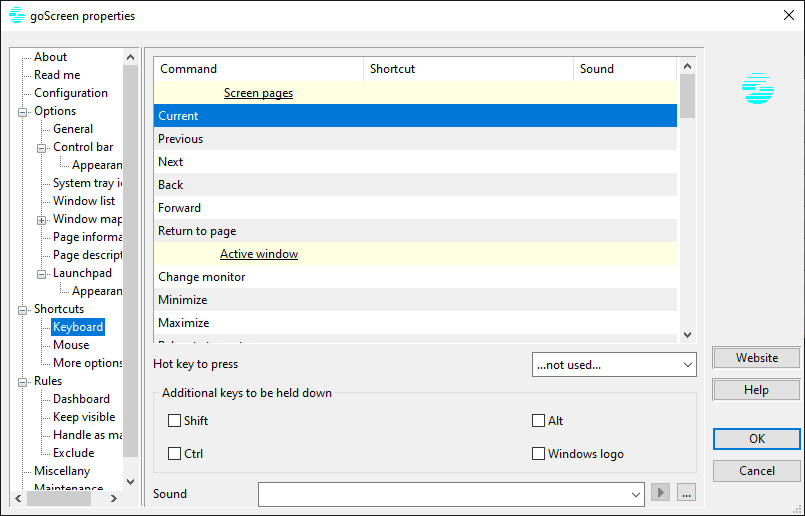
There are several keyboard and mouse shortcuts for goScreen commands that you may want to define.
On multi-monitor systems, run multiple instances of goScreen to manage different screens independently,
and create different configuration profiles to properly handle various goScreen usage scenarios.
Information:
goScreen provides comprehensive information about running applications and specific shortcut keys through a simple "just move the mouse in" mechanism.
Also, try the page information display feature - similar to a channel number display on a TV screen, but more flexible.
- Resize, reposition, and change the font and color of the screen user interface windows,
- Assign names to screen pages,
- Set icons for desktop pages, or use icons from separate files, or extract them from other applications.
- Create up to 80 screen pages, and assign specific colors and themes for each page.
- Assign a specific keyboard key to activate a screen page,
- Hide screen pages, providing a sort of security mechanism,
- Define "sticky" visible windows on all desktop pages,
- Assign a window to a specific page or to several pages, reposition
- application windows from the screen page on the desktop,
- Set the preferred location for application windows and restore it with a single touch or click,
- Use the presentation manager to find the window you need or to display the desktop,
- Execute several actions (close, minimize, maximize, restore) for all windows on the current page.
- Many keyboard and mouse shortcuts for goScreen commands are available for you to define.
- On multi-display systems, run multiple versions of goScreen to manage different independent screens,
- Create different profiles and use them to properly handle various screen usage scenarios.

 File Name:
 Downloads:
 Version:
 Full Version:
 Created By:
 License Type:
 Release Date:
 Languages: