

Are you looking for powerful tools to professionally edit videos within your software applications? Downloading the full SolveigMM Video Editing SDK is your best choice for seamlessly integrating advanced video and audio editing features into your projects. This software package offers a comprehensive solution for developers aiming to incorporate functions like video trimming, merging clips, removing ads, and precise control over audio and video tracks without compromising the original quality. Thanks to its support for multiple formats and fast performance backed by smart media processing algorithms, it's an indispensable tool for any developer working in advanced media applications.
Introduction to SolveigMM Video Editing SDK
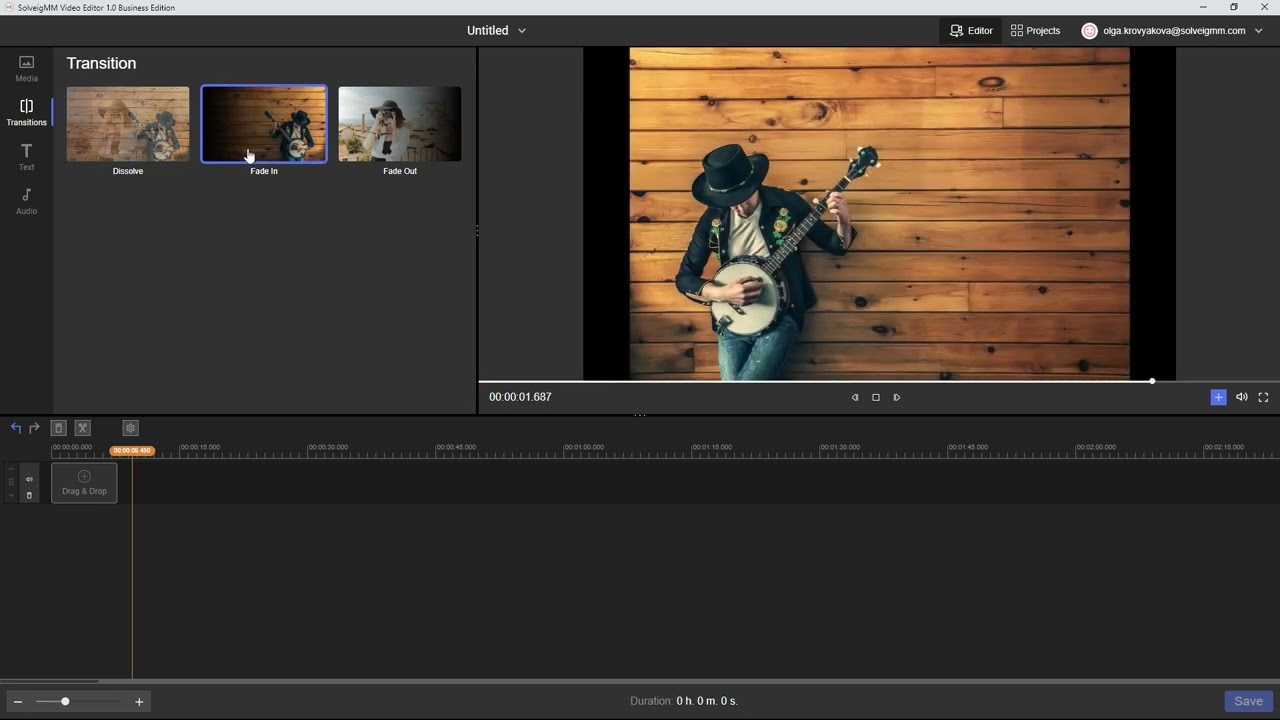
In the fast-paced world of software, video editing tools have become an integral part of modern app development, whether in education, media, live streaming, or even interactive applications. With the growing demand for flexible and fast-performing editing tools, solutions like SolveigMM Video Editing SDK have emerged as the perfect choice for developers seeking powerful video editing tools without quality loss or the need for re-encoding. This SDK version represents a significant leap in supporting online streaming technologies and editing web-hosted videos, making it an essential tool in professional development environments.
What is SolveigMM Video Editing SDK?
This is a Software Development Kit (SDK) specifically designed to enable developers to perform smart, non-linear video and audio editing without the need to re-encode files. This means users can trim, merge, or modify media files without affecting their original quality, saving time and reducing resource consumption. This program was developed by Solveig Multimedia, a company known for providing advanced solutions in media editing.
Practical Use Cases
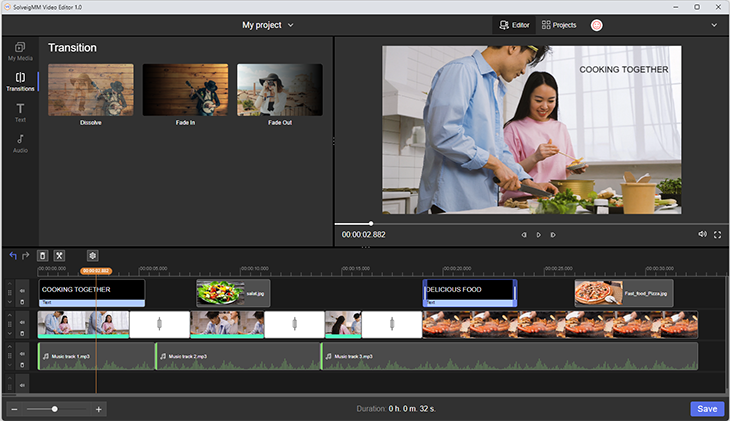
This SDK is used in a variety of applications, including:
- Developing educational tools that allow teachers to easily trim and merge educational video clips.
- Security surveillance systems that require trimming and analyzing long videos without quality loss.
- Digital streaming platforms that need to edit videos hosted online or sourced from YouTube.
- Quick editing applications on mobile or desktop devices, where it’s ideal due to its high performance and lossless editing support.
Overall Evaluation of SolveigMM Video Editing SDK
SolveigMM Video Editing SDK is a powerful and flexible tool that allows developers to perform professional video editing operations without the need for complex external tools. Thanks to its support for online-hosted videos, lossless editing, and easy integration with programming languages, it’s an ideal choice for developing modern media applications.
Main Features in the Version
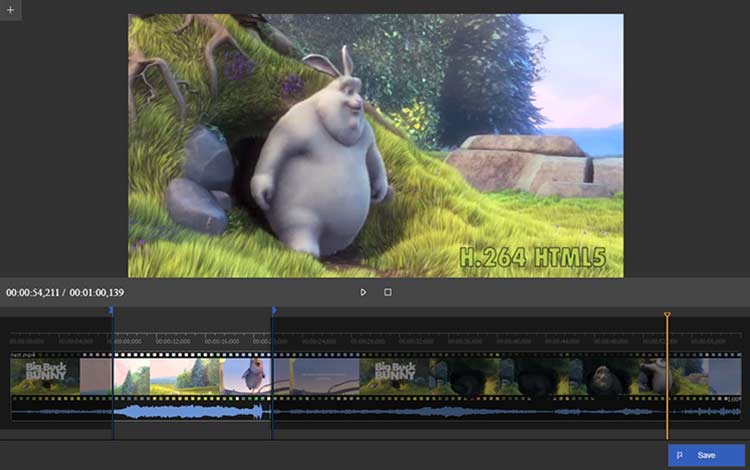
This version comes with several notable improvements, most prominently the support for editing online-hosted videos, including HLS (M3U8) files and YouTube videos. Developers can now play, trim, and merge these files directly within their applications without needing to download them locally. This version also supports editing MP4 files hosted via HTTP, paving the way for developing applications that rely on external video sources.
Among other features, there is broad support for professional video formats such as MP4, TS, MXF, and AVI, as well as audio editing support, including muting, adding voiceovers, and merging multiple audio tracks. The software also offers precise frame-level editing, giving developers full control over trimming and merging points.
Supported Technical Functions
SolveigMM SDK supports a wide range of functions that make it suitable for various types of applications. Key functions include:
- Frame-level precise video editing, allowing for pinpoint start and end points.
- Support for multiple formats including MP4 (H.264/AAC), MPEG-2, AVI, MKV, MXF, and WMV.
- Audio editing capabilities, including muting specific parts, adding voiceovers, and merging external audio tracks.
- Live streaming support, which can be used to trim videos during or immediately after streaming.
- Easy integration with programming languages like C++, C#, and Delphi, facilitating its incorporation into diverse development environments.
Optimal Development Environment for Using SDK
To get the most out of SolveigMM Video Editing SDK, it’s best to work within an Integrated Development Environment (IDE) that supports programming languages compatible with the SDK and offers robust tools for project management, debugging, and linking external libraries. Here are recommendations for the best development environment:
Ideal Development Environment
Microsoft Visual Studio (version 2017 or later)
- It’s the best choice when using C++ or C#, because:
- It supports easy management of references (DLL References).
- It includes powerful debugging tools.
- It integrates seamlessly with ready-made SDK files.
- It provides pre-made project templates for desktop applications.
Embarcadero RAD Studio (for Delphi)
If you’re using Delphi, RAD Studio is the ideal choice, as it supports integration with external libraries and allows for easy graphical application building.
Additional Requirements
- DirectShow SDK: Some SolveigMM functions rely on it for media processing.
- FFmpeg (optional): For advanced functions like encoding support or media analysis.
- .NET Framework 4.5 or later: If you’re using C#.
Files to Include in Your Project
- SolveigMM DLL files (such as SMM_VEditor.dll)
- Header Files if you’re using C++
- Documentation files and ready-made examples to speed up development
Drawbacks of SolveigMM Video Editing SDK
Despite being one of the strongest non-linear video editing tools, SolveigMM Video Editing SDK has some drawbacks and considerations that may affect developers’ experience, especially in complex projects or advanced environments. Key drawbacks include:
Does Not Support Non-Windows Operating Systems
The SDK is specifically designed for Windows and does not offer official support for Linux or macOS, limiting its flexibility in cross-platform projects.
Lacks a Ready-Made Graphical Interface
The SDK is merely a development package (API) and does not provide a graphical user interface (GUI). This means developers need to build everything from scratch, requiring additional time and effort.
Limited Visual Effects
Version 4.2 does not support advanced visual effects like dynamic transitions, filters, or complex visual overlays, which are typically available in tools like Adobe Premiere SDK or FFmpeg with libavfilter filters.
Compatibility Issues with Some Formats
Some issues have been reported in previous versions, such as:
-
- Playback freezing when trimming TS files containing HEVC video and AAC audio.
<

 File Name:
 Downloads:
 Version:
 Full Version:
 Created By:
 License Type:
 Release Date:
 What's New:
 Languages:
 Tags:
Tags:


