

Are you looking for a professional tool that helps you accurately inspect your device and understand all the details of its internal components? AIDA64 All Editions is one of the strongest programs in the field of system analysis, fault diagnosis, and performance monitoring. This program stands out by providing comprehensive reports on all device components, such as the processor, motherboard, graphics card, hard drive, and RAM, as well as displaying real-time temperatures and fan speeds. AIDA64 is used by engineers, technicians, and maintenance companies to test device stability after updates or new installations.
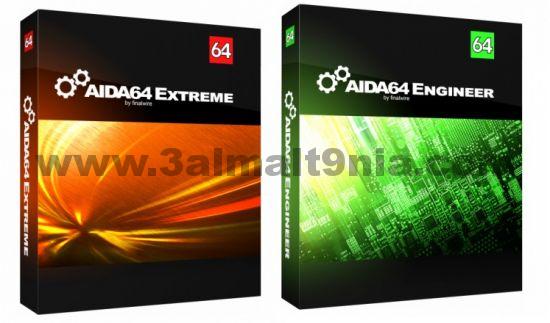
Overview of AIDA64 All Editions Download
AIDA64 All Editions is one of the leading programs specialized in accurately analyzing and diagnosing device components. It provides detailed information about hardware and installed software, helping users understand their devices' performance and the status of each internal component, such as the processor, memory, motherboard, and graphics card.

The program was developed by FinalWire Ltd and is aimed at both regular users and professionals in the field of device maintenance. The version features an improved interface and faster information gathering, with support for the latest processors and graphics cards available in the market.
AIDA64 is used to test system stability, measure temperatures, and monitor performance in real-time, making it an essential tool for diagnosing faults before they occur. It also provides comprehensive reports that can be easily saved or shared.
The importance of AIDA64 All Editions lies in its comprehensive capabilities for system analysis and precise performance monitoring. It helps users detect potential faults and understand device component details without the need to open the device, saving time and effort. Technicians also use it to test device stability after maintenance or upgrades.
The program originated from the development of FinalWire Ltd, which launched the first version of AIDA64 based on a previous program known as EVEREST, which was a pioneer in analyzing device components. Over the years, the program has evolved to become more accurate and efficient, with continuous updates to support the latest technologies, processors, and operating systems.
AIDA64 is considered an essential tool for professional users and tech companies due to the detailed reports it provides, which help improve performance and protect the system from technical issues before they arise.
Features of AIDA64 All Editions
 Download AIDA64 All Editions for device inspection - Direct link
- Provides accurate and detailed information about the processor, motherboard, memory, graphics card, storage, and network.
- Supports the latest processors such as Intel Panther Lake and Zhaoxin KX-6000G/KX-7000.
- Displays detailed information about new graphics cards like AMD Radeon RX 7650 GRE and NVIDIA GeForce RTX 5060 Ti.
- Offers performance benchmarks to measure the speed of the processor, memory, and hard drives.
- Helps detect potential faults in devices through advanced diagnostic tools.
- Supports stress tests to evaluate system stability under load.
- Displays real-time data on temperature, voltage, and fan speeds.
- Supports new sensors like MSI MEG Ai1600T PSU.
- Allows customization of the sensor panel with a new shortcut key to reposition it.
- Works on all modern and older versions of Windows, including Windows 11 and Windows Server 2022.
- Supports both 32-bit and 64-bit, making it suitable for a wide range of devices.
- Improvements in support for new hardware and languages (such as Greek translation).
- Regular updates to ensure compatibility with the latest technologies and systems.
- Full customization of the sensor panel, with support for graphs and indicators.
- New shortcuts added for easy repositioning of the panel.
- Supports real-time data display on secondary screens or over the network.
- Generates comprehensive reports in multiple formats such as HTML, CSV, TXT, XML.
- Allows reports to be emailed or saved automatically.
- Very useful in corporate environments for hardware analysis and performance monitoring.
- Monitors CPU and motherboard temperatures to prevent overheating.
- Automatic alerts when thermal or voltage limits are exceeded.
- Supports power monitoring in PSU units like MSI MEG Ai1600T.
System Requirements for AIDA64 All Editions
 Download AIDA64 All Editions for device inspection - Direct link
Supported Operating Systems:
- Windows 11 / 10 / 8.1 / 8 / 7
- Windows Vista / XP
- Windows Server 2003 / 2008 / 2012 / 2016 / 2019 / 2022
- Supports both 32-bit and 64-bit
Processor (CPU):
- Any modern processor from Intel or AMD
- No need for multi-core or high-performance
Memory (RAM):
- 512 MB minimum
- 1 GB or more is preferred for better performance when running multiple tests or continuous monitoring
Storage:
- At least 50 MB of free space on the hard drive for installation
Display:
- Resolution of at least 1024×768
- The program interface is adaptable to high-resolution displays
Conclusion
After this comprehensive review of AIDA64 All Editions, it can be said that it is an integrated and essential tool for anyone interested in monitoring their device's performance or working in maintenance and technical support. Thanks to its high accuracy and speed in gathering and analyzing data, it provides users with a comprehensive view of their devices and internal components. Whether you are a regular user looking to improve your computer's performance or a professional in the tech field, this program will offer you a reliable experience that helps maintain system stability and efficiency for as long as possible.

 File Name:
 Downloads:
 Version:
 Full Version:
 Created By:
 License Type:
 Release Date:
 Languages:
 Tags:
Tags:





One thought on “Download AIDA64 8.30.8300 for Windows: System Information and Diagnostics”
Pingback: تنزيل برنامج RoboTask - لتثبيت البرامج أوفلاين على الكمبيوتر - تحميل اوفيس كامل مفعل - تحميل microsoft office