

File Recovery Program | ApowerRecover Professional
Accidental data deletion can happen to anyone. Fortunately, information can be recovered if you act quickly. ApowerRecover is an excellent solution that scans your drives and locates deleted files. If you've lost documents, photos, or any other files, you can rely on this lightweight tool to find them for you. It works quickly and is exceptionally user-friendly, so you don't need to be a computer expert to recover your data.
You can try the program for free, but with some functional limitations. It works on all common Windows systems and is also available for Mac OS X. There are no special requirements to run this program on your computer, and you don't have to worry about using its resources.
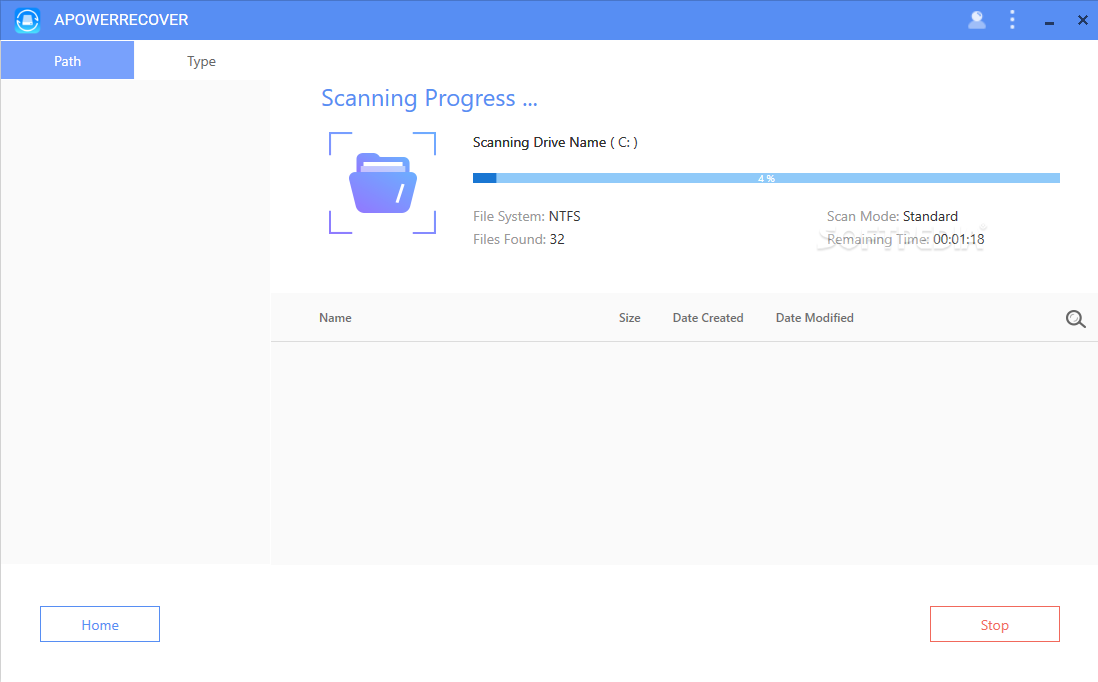
The modern design of ApowerRecover makes the file recovery process straightforward. It features large, colorful buttons on a clean and simple user interface, so you'll quickly find the options you need, no matter what you're trying to recover. All you have to do is select the type of files you want to recover, choose the drive to scan, click a button, and let the application do its work.
You can search for deleted images, videos, audio files, as well as documents, archives, and emails. The program can scan local drives as well as removable drives. You can also target the desktop, recycle bin, or a specific folder if you're sure of the last location of the file. Additionally, you can set it to search for and recover lost partitions.
The scan results appear in a list, with some details. They are neatly organized in a tree structure, just like in an Explorer window, making it easy to find them, especially if you've scanned multiple types of files. ApowerRecover allows you to preview the contents of a file directly on its user interface once selected. Finally, you can check the boxes next to the files you want to recover and click a button to save them in a folder of your choice.

Key Features of Apower Recovery:
- Recover various types of data from hard drives
- Images: jpg, png, gif, psd, bmp, crw, cr2, tiff/tif, etc.
- Videos: mp4, avi, mov, wmv, flv, 3gp, mpg, rm/rmvb, etc.
- Audio: mp3, wav, wma, aif/aiff, ogg, etc.
- Documents: doc/docx, xls/xlsx, ppt/pptx, pdf, etc.
- Archives: zip, rar, 7z, etc.
- Emails: pst, dbx, etc.
- Recover lost partitions - find the missing partition.
- Start and stop easily - begin data searches and pause at any time.
- Smart categorization - discovered files will be intelligently displayed in different folders.
- Preview available - preview data before recovery.
- Deep scan - more thorough scanning and recovery of deleted files.

Why You Should Download ApowerRecover to Recover Deleted Files and Photos Now
Accidental deletion, formatting, virus infections, and improper shutdowns can easily lead to data loss. The professional activation code for ApowerRecover will help you recover it.
It can safely recover deleted files on a Windows or Mac computer, whether they are on the computer's hard drive, an external hard drive, a memory card, a digital camera, a camcorder, or a flash drive.
It can recover various types of data in almost all formats, such as images, audio recordings, videos, documents, archives, emails, and more.
The ApowerRecover Professional license key offers three modes to help users recover lost files intelligently.
You can locate them directly and recover them.
You can perform a full scan of the computer to find them.
The application also allows you to select a drive and search it for data recovery. Better yet, if you still can't find the data you need, you can go to "deep scan" within the search results, which will explore the area more thoroughly to help you retrieve the items you need.
Unlike other recovery tools, this program has a concise and clear interface, making it easy for beginners to learn how to recover lost files.
You can specify different files and certain types of data for scanning and recovery. Additionally, you can choose a specific scan or a comprehensive search based on your needs.
You can rest assured using this program as you can easily recover data without loss.
ApowerRecover Professional is extremely user-friendly. Just run it on your computer, check the types of files you want to recover, and then select the appropriate mode according to the situation.
The program will automatically start scanning the computer or drive. After that, the project will be displayed in two ways - by path and by file type.
You can download the program ApowerRecover now and enjoy the best performance experience.

 File Name:
 Downloads:
 Version:
 Full Version:
 Created By:
 License Type:
 Release Date:
 Languages: