


Download the latest version of Charles Web Debugging Proxy
Charles Web Debugging Proxy
Download Charles Web Debugging Proxy
Latest version available for free download for Windows, supporting both 32-bit and 64-bit systems
Overview of Charles Web Debugging Proxy
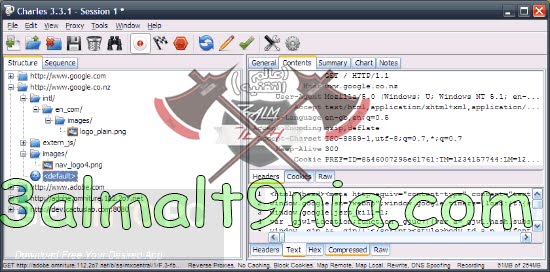
Charles is a tool that allows developers and hackers to monitor any activity and connections happening between the computer and browser cookies.
Charles Web is a very useful application for enabling debugging of various HTTP session content. It simulates modem speeds by throttling bandwidth and introducing latency, allowing developers to experience the site as a regular modem user would. Charles Web is specifically developed for Macromedia Flash developers, as it allows viewing LoadVariables, XML loads, and LoadMovie, making it handy for development involving web browsers like AJAX and XMLHTTP.
Features of Charles Web Debugging Proxy
Here are some notable features you will find in Charles Web Debugging Proxy
Comprehensive and powerful monitoring for both HTTP proxy and HTTP monitor tool.
Allows developers to view all HTTP traffic between the computer and the internet.
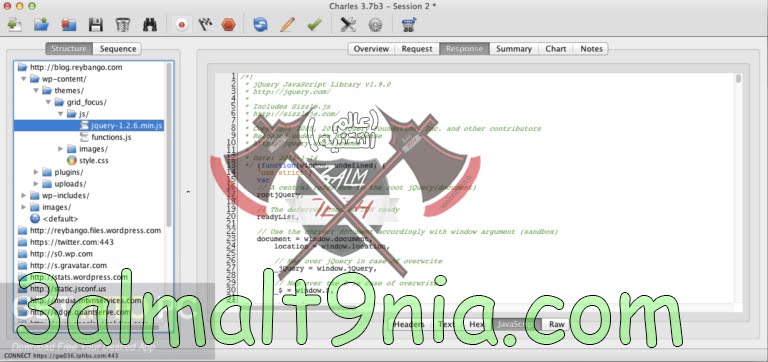
Enables developers to view responses and requests along with HTTP headers containing important cookie and cache information.
Allows you to enable debugging of various HTTP session content.
Especially useful for Macro-media Flash developers.
System Requirements for Downloading the Latest Version of Charles Web Debugging Proxy
Supported Operating Systems: (Windows XP/Vista/7/8/8.1/10)
Required RAM: 1GB of RAM required
Required free disk space: 100MB of free space is required
Processor: Intel Pentium 4 or later
Installation and Activation
You will find the activation patch with the installation file. Copy and paste it into the installation folder after you install the program. You will also find a file named cra*k included with it. Copy the files inside this folder and go to the installation folder of the program. Paste it in the installation folder, which you can access by right-clicking the program's shortcut on the desktop and selecting 'open file location' from the menu, then paste it there.


 File Name:
 Downloads:
 Version:
 Full Version:
 Created By:
 License Type:
 Release Date:
 What's New:
 Languages:
