While browsing social media, watching various videos, and scrolling through new images, many questions may arise in our minds about how to accomplish these tasks and turn them into reality! The ideas may seem simple, but they carry deep meanings, and in a unique and easy way, they manage to capture the audience's attention, like advertising a specific device that moves smoothly, making you believe it has a brain controlling it. However, the topic can become overwhelming when thinking about how this idea works and the ability to design it, leading us to the Alibre Design Expert program for answers to these questions.
Many people do not realize that behind all these ideas lies a vast world of imagination known as the design world. It's not just about drawing and lines, but in reality, it's a world filled with details, ideas, imagination, creativity, software, tools, and even precise measurements.
What’s certain is that it doesn’t always require a huge space or a complete team to accomplish this task. All that design needs is a creative person, passion, a laptop, and sufficiently powerful software to act as a complete team to produce a strong model for a new product that can be worked on, modified, or developed step by step until it reaches its final creative form.
This raises a new question about the tools that can help designers bring their creative ideas to the final form that can be executed in reality. The answer to this question will be found in the following lines, by introducing one of the most important programs and tools that help transform a simple idea into a large project.
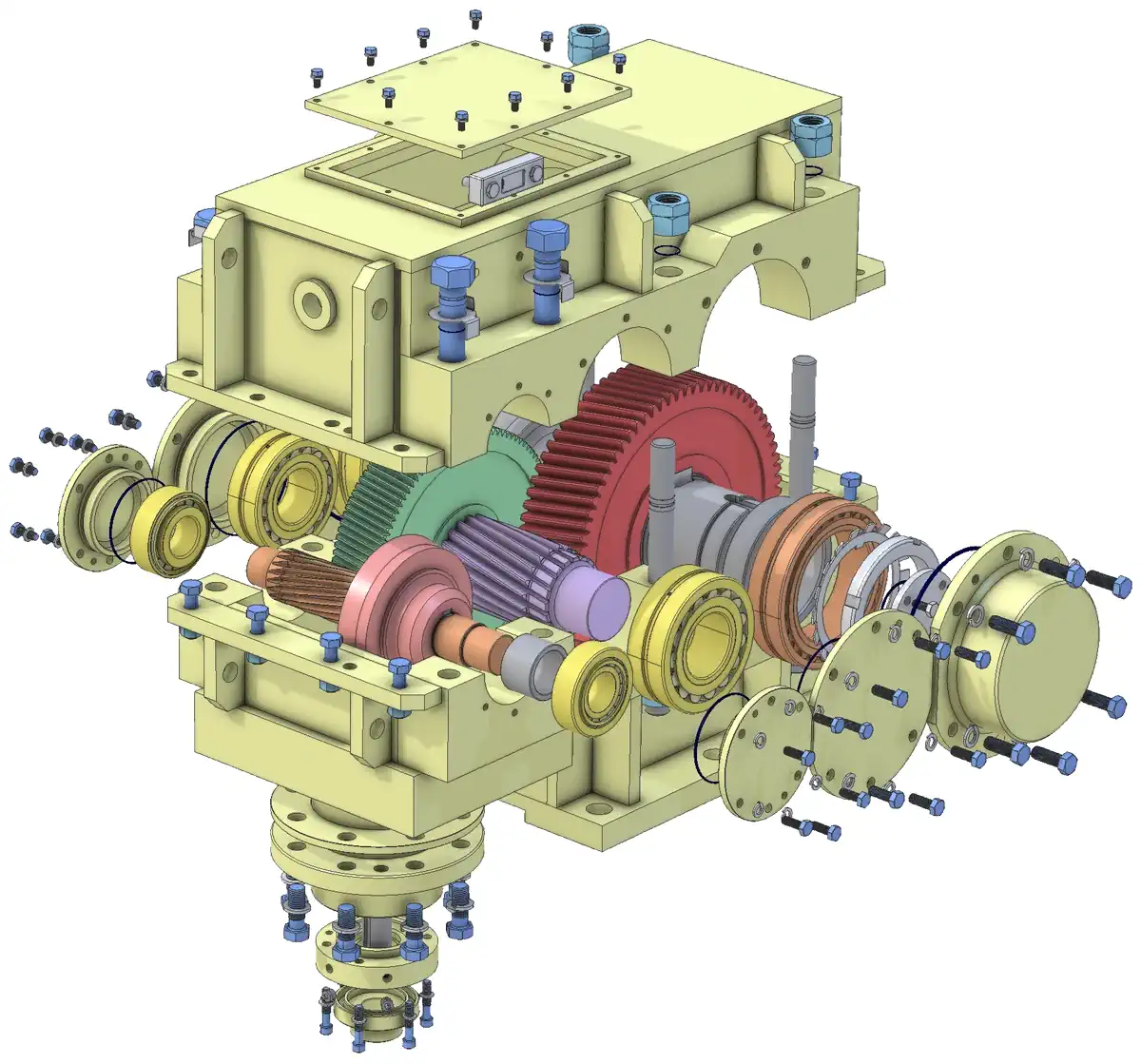
Alibre Design Expert Program
The Alibre Design Expert program is considered one of the most important programs in the field of 3D design. It is specifically designed for engineers, designers, technicians, and anyone working on precise designs with complex details, ranging from small parts to large machines and giant projects.
The program is distinguished by having many tools that combine professionalism with simplicity of performance without complications, making it suitable for beginners with basic backgrounds in design, allowing them to apply and work through it without the need for long training periods.
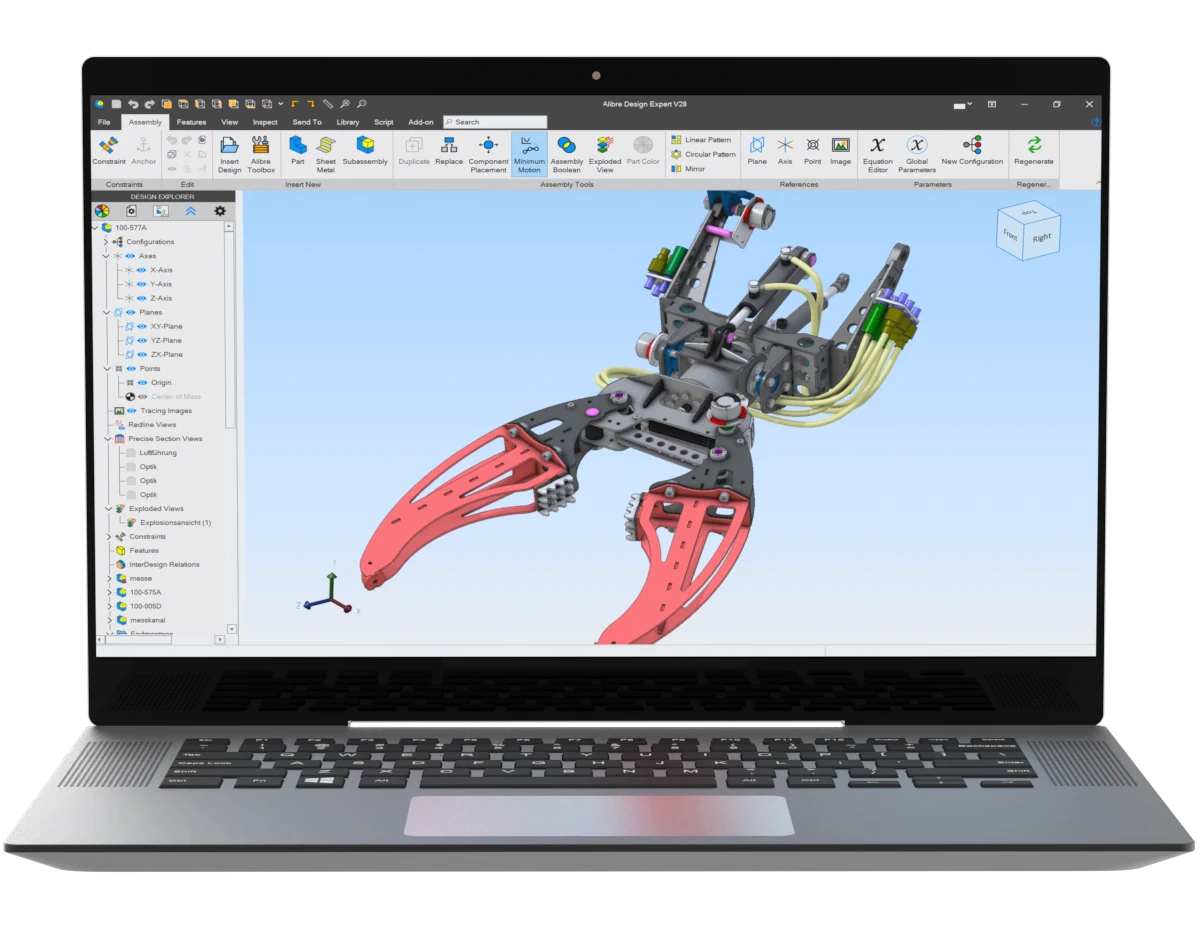
Through the program, you can design parts and assemble them into 3D models to create 2D designs that can be printed for manufacturing. You can also add movement to simulate reality, allowing you to see and modify the design before production.
The program also supports exporting for 3D printing, meaning you can design a model and print it physically, whether it’s a real or prototype model, suitable for small project owners or prototypes.
One of the program's key features is that it supports design on metals and models with mechanical movements, with precision in adjusting equations, engineering standards, and even precise measurements.
Download Maplesoft MapleSim with activation
Key Tools of Alibre Design Expert Program
The Alibre Design Expert program is one of the most important programs in the field of mechanics and design, combining performance power with ease of execution, but through several tools:
- Part Design
- This is the starting point where you begin by drawing a 2D model and then convert it into 3D using some auxiliary tools like Extrude or Revolve.
- Extrude
- This is the tool used to convert any 2D drawing into a 3D model.
- Revolve
- This tool is used to rotate the model around a specific axis to create wrapped shapes like pipes or spools.
- Cut
- This tool is responsible for cutting and hollowing shapes.
- Fillet / Chamfer
- Fillet: This tool is responsible for rounding corners to make them circular.
- Chamfer: This tool is responsible for cutting corners.
- Assembly
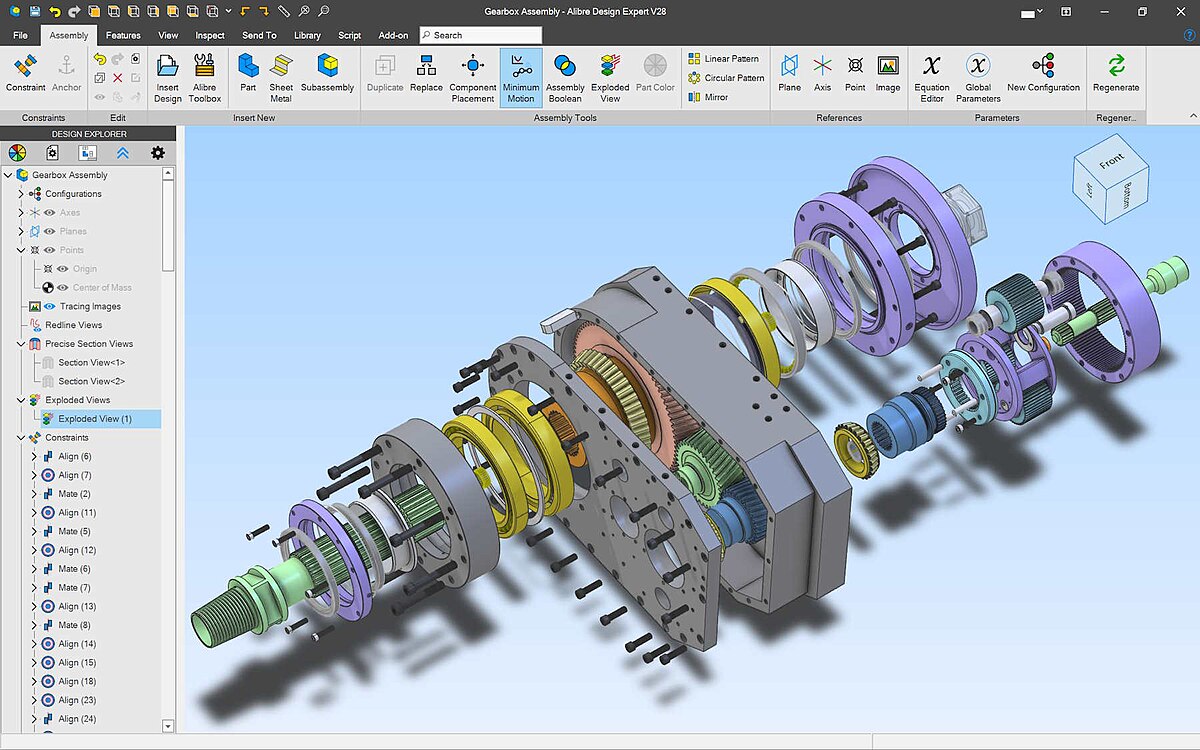
- This tool is responsible for assembling and fitting parts together, with the addition of movement or rotation.
- Sketching Tools
- This tool is used for drawing simple 2D parts like lines and circles.
- Sheet Metal
- This tool is used for designing on sheet metal and bendable metals like metal structures.
- Measurement Tools
- This tool is used for adjusting angles and measurements.
- Conversion Tools
- This tool is used to convert designs from 3D to 2D for printing.
What Distinguishes Alibre Design Expert Program
The Alibre Design Expert program opens the door to creativity and execution and possesses many features used in the design field, including:
- Complete 3D Model Conversion
- The program allows you to convert designs into fully 3D models without needing to repeat multiple steps, with the ability to work on and modify them accurately.
- Assembly of Parts
- The program allows you to assemble parts together and test them before the manufacturing stage, with the ability to add movement and display parts in their form before assembly to clarify the model's appearance.
- Design on Metals
- The program allows for designing on flat metals to produce a ready-to-cut shape.
- Other Uses
- The program can perform other tasks such as providing templates, robots, scientific devices, with precise tools to execute the project.
Download progeCAD Professional with activation, the strongest competitor and supporter of AutoCAD
System Requirements for Alibre Design Expert Program
The Alibre Design Expert program has many features but requires simple requirements to achieve the best results, including:
- Operating System: Windows 10 or 11
- Processor: At least 1 GHz, preferably higher for smooth operation.
- RAM: At least 8 GB, ideally 16 GB for faster performance.
- Hard Drive: At least 1 GB.
Brief Overview of Alibre Design Expert
The Alibre Design Expert program is a comprehensive toolset for designing 3D geometric models, allowing for high-precision part cutting and assembly to visualize the model realistically for any modifications before printing. Additionally, it enables easy and straightforward design on metals, is easy to learn, and saves time and effort in engineering and design tasks.
Frequently Asked Questions about Alibre Design Expert
Does Alibre Design Expert support exporting files in different formats?
- Yes, the program supports exporting files in multiple formats, most of which are compatible with various programs and technologies.
Does the program require an internet connection?
- No, the program works fully without needing an internet connection after installation.
Is the program suitable for educational use?
- Yes, the program is very suitable for students and engineering colleges.
Does the program support designing moving parts?
- Yes, you can design moving parts and control their movement.

 File Name:
 Downloads:
 Version:
 Full Version:
 Created By:
 License Type:
 Release Date:
 What's New:
 Languages:
 Tags:
Tags: