

Every new day brings fresh technological discoveries, proving that traditional methods alone aren't enough. Work in many fields has become more complex than before, especially in engineering and architecture, where projects are massive, and there's a need to work quickly without compromising quality and precision. However, the tools we use often lack the efficiency needed to assist us perfectly, leading to challenges or wasted time and effort on tasks that could be simple if only the tools were better. This is where the Qbitec for Revit program comes in, making work faster and of better quality.
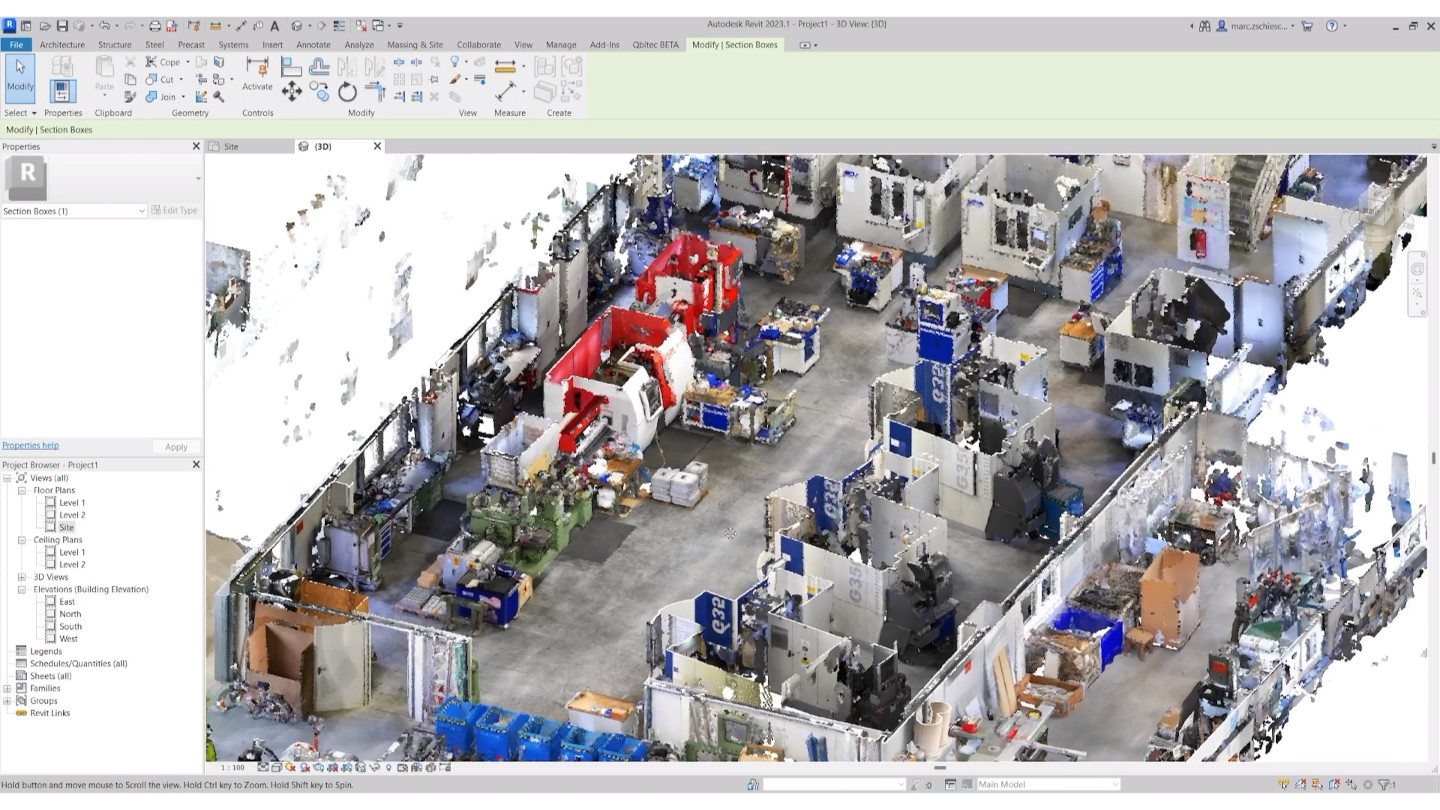
Recently, laser scanning and POINTCLOUD files have emerged, as many people need 3D images to work with on buildings or sites due to their accuracy and clarity. These are preferred over old manual images, but they are often very large, and REVIT programs take a long time to process them.
This has led to the development of programs specifically designed to address this issue, offering practical solutions amidst the evolution of this field and the emergence of many tools that make handling data easier for optimal productivity. In this article, we will introduce one of the most important programs in this field, along with its key features and tools.
Download Autodesk Maya Creative directly
Qbitec for Revit Program
Qbitec for Revit is one of the essential programs designed to solve numerous issues encountered while working with REVIT, particularly when dealing with large POINT CLOUD files. Many designers and engineers face difficulties when opening and operating 3D files and data, affecting work speed and data accuracy, thus slowing down productivity.
This is where Qbitec for Revit comes into play, offering simple solutions for handling REVIT without needing to split or reduce data size. This makes it possible to work with large files without slowdown issues.
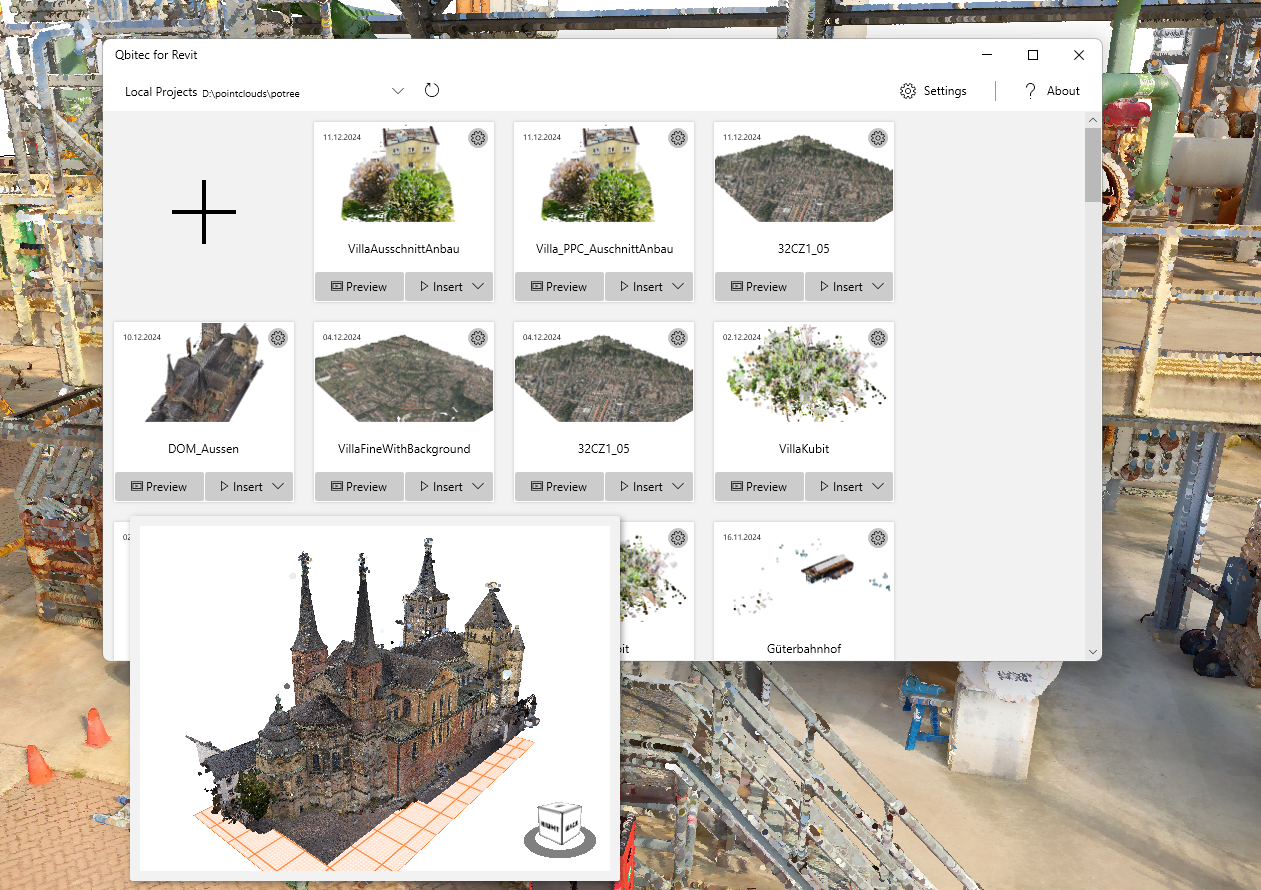
The program operates flexibly, offering many solutions, whether by saving data on a device or an internal server. Multiple people can work on the project simultaneously from different locations.
The program is highly accurate, helping to understand fine details successfully, especially in project restoration when knowing measurements from laser scanning. It's one of the most successful programs for easing work and saving time, allowing focus on design.
Key Tools of Qbitec for Revit
Qbitec for Revit has several tools aimed at faster work, higher accuracy, and ease of handling large files, including:
- Instant Load
- A tool for opening large files without needing to split them.
- Dynamic Filtering
- A tool to filter specific parts by color, level, or density to reduce noise.
- LOD Rendering
- A tool to display details based on the camera's distance.
- Auto-Refreshing
- A tool for automatically updating data to always work on the latest version.
- Seamless Integration
- A tool for smoothly integrating different REVIT levels.
- Measurement Tools
- A tool for measuring angles, distances, and heights accurately.
- Mesh
- A tool used to convert shapes into a 3D model for easier explanation and illustration.
- Collaboration Modes
- A tool that facilitates team collaboration on the project and allows for modifications.
Download Autodesk AutoCAD Design Suite Premium for free
Highlights of Qbitec for Revit
Qbitec for Revit offers numerous features that help in working faster and more accurately, including:
- Instant Point Cloud Loading
- The program allows opening the entire file without splitting it, without encountering any issues.
- Filtering
- It enables focusing on specific areas in the laser scan for clearer work.
- Variable Quality
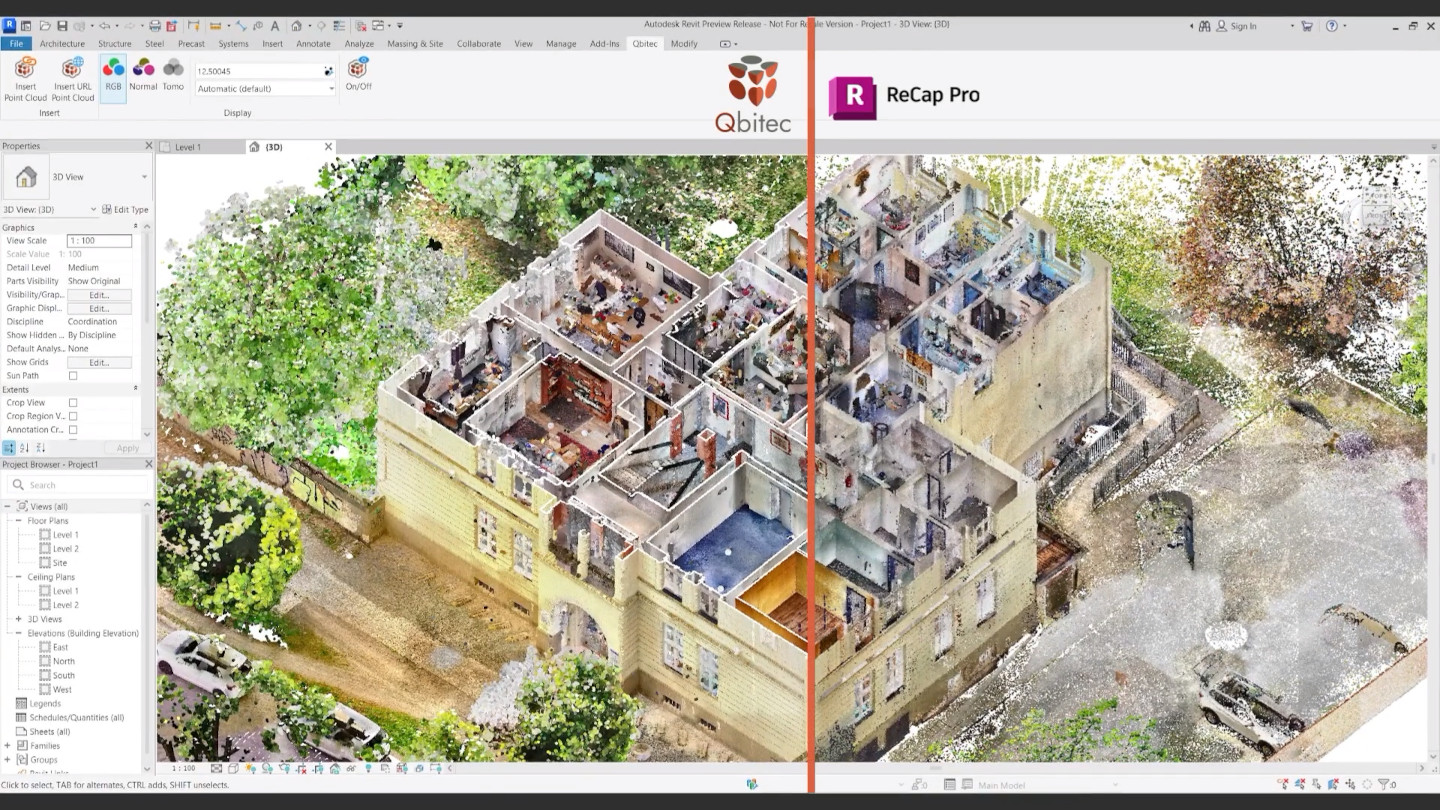
- The detail and clarity of the image depend on the camera's position; if the camera is close, details appear clearly, and vice versa.
- Automatic Updates
- Tools used to automatically modify data without manual adjustment when changes occur to the main file.
- Integration
- Laser scanning is part of the project and can be easily managed as a REVIT element.
- Measurement Tools
- The program has precise measurement tools for measuring angles, heights, and distances.
- 3D Conversion
- It can convert models into 3D for re-exporting or display.
- Data Sharing
- Tools that allow collaborative work and sharing of the same project with editing permissions for each person.
System Requirements for Qbitec for Revit:
Qbitec for Revit runs smoothly but requires certain specifications for optimal performance, including:
- Operating System: Windows 7, 8, 10, 11
- Processor: At least 1 GHz.
- RAM: At least 2 GB.
- Hard Drive: At least 500 MB.
Brief Overview of Qbitec for Revit
Qbitec for Revit is a powerful tool designed specifically for architects relying on laser scanning files within REVIT, without needing to split files or reduce their quality to work on or modify them. The program allows opening these files without slowing down the device or affecting its performance. It can be used on a device, network, or cloud, and offers many smart tools like precise measurement, 3D model display, and team collaboration, reducing effort and boosting productivity.
Download FinalMesh Professional with activation
Frequently Asked Questions about Qbitec for Revit
Does the program work on existing REVIT models?
- Yes, the program can scan any previous project and handle it as a ready element for the program.
Can the scan be shared with the team?
- Yes, the scan can be shared with the team, with editing permissions for each person.
Does the program affect REVIT's speed?
- Yes, it positively impacts REVIT's speed by enhancing performance and reducing load, thus increasing speed.
Can parts of the project be hidden or shown?
- Yes, parts that don't need work can be hidden, or parts you want to focus on can be shown, enhancing accuracy and clarity during work.

 File Name:
 Downloads:
 Version:
 Full Version:
 Created By:
 License Type:
 Release Date:
 What's New:
 Languages:
 Tags:
Tags:


