


Are you looking for the best audio recording software for your computer? If you're feeling confused and can't decide which program would be the best choice for you to record high-quality audio, I recommend reading this article.
- Find the download link at the end of the article by clicking on Show Download Links
Anyone who creates audio recordings for work, school, or even entertainment knows the importance of high-quality sound. Therefore, you should understand that achieving high-quality audio recordings starts with choosing the best audio software that suits your needs. Keep reading, and you'll find a suitable program for every use case.
What is audio recording software?
Audio recording software allows users to record any sound and create audio files. These programs often function as a digital audio workstation (DAW) for sound recording. Many podcast creators use recording software to capture their voices and those of their guests. Typically, the software collects audio from your chosen input device, whether it's a built-in microphone or a professional microphone (which is preferable). You can also use audio recording software to capture audio clips from other sources and edit or process them to fit your content vision.
What are the benefits of audio recording software?
For content creators like podcasters and musicians, choosing the right software is crucial to enhance the quality of their audio files and mix sounds. A good audio recording program can eliminate unwanted noises and offers options to add intros, outros, music, sound effects, or even recorded advertisements. It also helps you share your content on social media.
What makes audio recording software good?
Before we dive into the best free audio recording software for Windows and Mac, let's discuss some features that make audio recording software excellent:
1- The audio recording software should be simple, user-friendly, and suitable for beginners.
2. The program should ideally be able to reduce background noise during recording.
3. The more input sources available, the better the software.
4. The software should have multiple export options to avoid compatibility issues when transferring files to other programs.
Best audio recording software for computers
Here are the top 4 recommendations for the best audio recording software for computers.
1. Audacity
One of the most popular audio recording programs, Audacity offers many amazing features. It is powerful, open-source, and free, known for its ability to create and edit audio recordings with professional quality. This software acts as a multi-track recorder for mixing and merging multiple tracks, editing them with built-in tools, reviewing them, and exporting the final file to your preferred device. Audacity comes with many audio effects that help you customize your audio recordings. You can also remove background noise during recording and delete vocals from music, cut, copy, or paste specific audio segments. Audacity features a very simple user interface, making it easy to navigate the application. This program is a great choice for creators who don't want to spend money and only need to make quick and easy adjustments to improve audio quality.
2. Adobe Audition
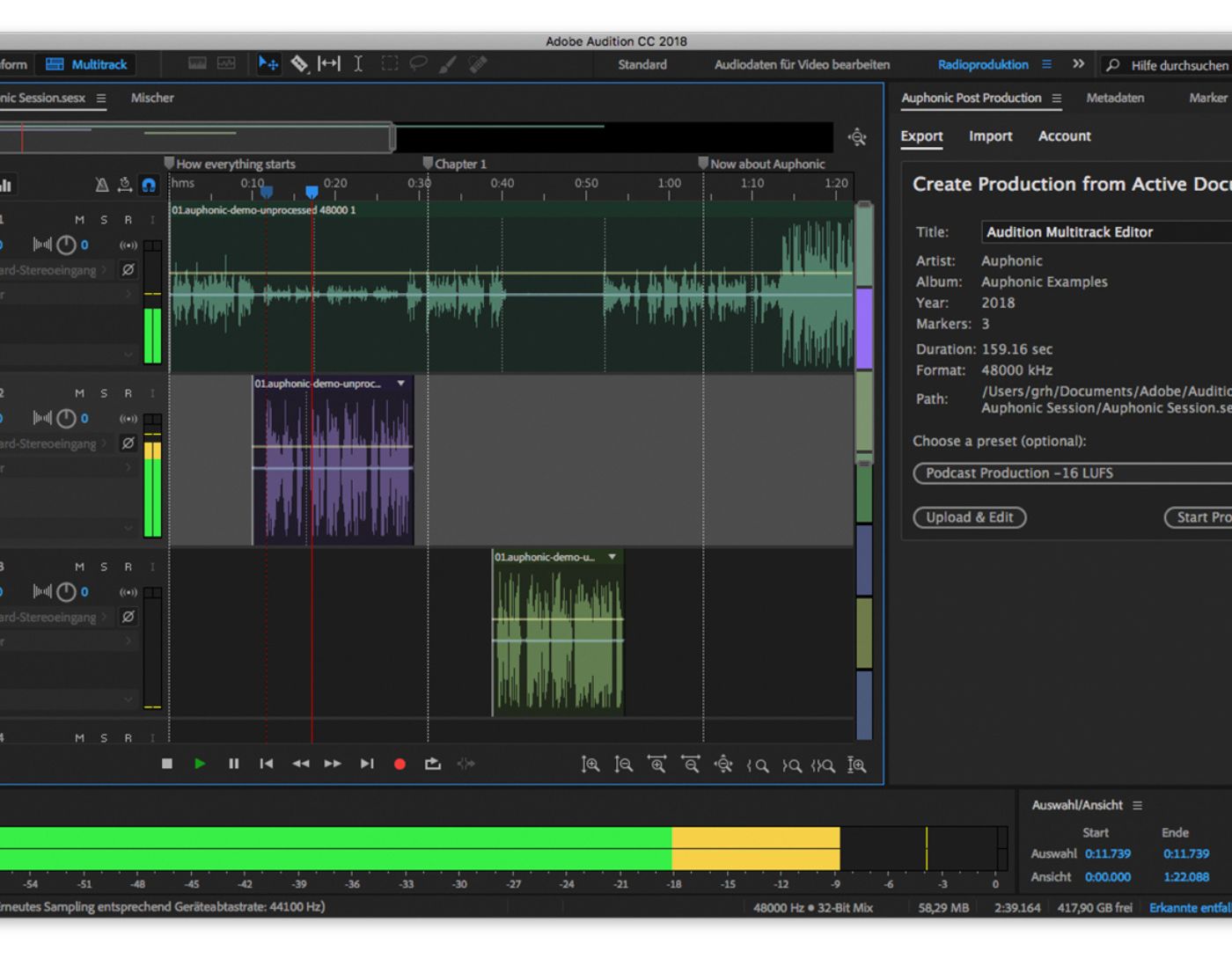
Considered one of the best and most advanced programs, its name is associated with Adobe, which has years of experience. Audio engineers highly recommend it to all users looking for professional audio recording. Many content creators, especially those in the podcasting world, use it to record and edit their content, as if Adobe Audition was specifically designed for creating professional podcast files. However, due to its lack of music composition tools, it may not be the best choice for music composers. Adobe Audition allows you to create a crystal-clear audio mix, providing many tools, including waveform and spectral display, multi-track editing, and audio restoration capabilities. Adobe Audition offers excellent capabilities for cleaning and restoring audio, as many other audio recording programs do not include this feature. It provides you with the "remix to fit" feature, which allows you to rearrange any song to fit the duration you want. You can also design sound effects and integrate your work with other Adobe programs like Adobe Premiere Pro, After Effects, and Adobe Stock. You can open other Adobe programs without leaving Adobe Audition, saving you a lot of time. It is known for being the best for restoring and mixing audio content, possessing many unique features that allow you to record, edit, mix, and restore audio. It enables users to merge multiple audio clips into one file, fix audio gaps, and create audio files in multiple formats. On the downside, the program is expensive, so not all users can afford it, and its high-tech interface requires time to master. The program is supported by Windows and Mac.
3. Wavosaur

This is one of the free programs and is considered better than many paid programs due to its unique capabilities. Files are processed using WAV and MP3 filters, making recording much easier. The program has multiple document interfaces for processing multiple files, and editing features like cut, copy, paste, and editing can be done in one window. The waveform representation of the program is accurate and highly advanced. The program can also be used for audio conversion, music loop production, sound design, and much more. VST effects can be added to the entire audio file collection. The program features a simple user interface containing only the essential tools, but its audio routing and multi-channel support are ineffective. The program can only be installed on Windows. It is one of the oldest audio recorders on this list, but some professionals still use it due to its simplicity. If you're looking for a tool with modern features, you might want to skip this one.
4. Wondershare DemoCreator
I'll conclude with this unique program, which is considered one of the best and most widely used audio recording software. Wondershare DemoCreator features a simple and easy-to-understand interface, equipped with the best and most advanced controls, making audio recording easier than you can imagine. The program can be used on both Windows and Mac, making it highly recommended by professionals. Frequent updates make this program great to use. The software can record audio clearly and easily, supporting over 50 formats for importing audio, video, and other files. It has highly advanced options that help you record professional audio. The program can continuously record video and audio as long as there is space on your disk. However, the program is based on Flash software, which can slow down the system, and it does not offer very advanced audio editing capabilities at all.
Conclusion
In this article, we discussed the best audio recording software for computers and compiled a list of the best programs suitable for Windows 10/8/7. You can use any of the mentioned programs based on your needs, but I recommend Wondershare DemoCreator as it provides a simple interface that you can easily use. Additionally, you can share the recorded audio file on most popular social media platforms like YouTube and Facebook, so if you're looking for the best audio recording software for beginners, download it and give it a try.


