

Are you a podcaster looking to reach millions of people? Have you ever considered audio recording software to achieve high-quality podcasts? Now you can make your dreams a reality; want to know how? The simple answer is audio recording software for Windows 10 and 11.
In this digital age, there are many technological solutions for most of our technical problems, and this also applies to handling the complexities of audio recording, mixing, and creating amazing sound effects.
Audio recording tools are not only used by amateurs but also by professional sound engineers these days, and the reason is the easy availability of such applications along with advanced features that help produce fantastic sound effects.
What is audio recording software?
It is a program that assists in recording and processing audio using unique technology, allowing users to capture different types of sound and output them in high-quality formats. It also enables users to amplify recorded audio clips and equalize them more easily.
What should you look for in audio recording software?
Before you actually choose the right software for audio recording, you should ensure that it also has the following features:
It can record audio from various sources.
It should be user-friendly on your system or smart device.
It should have a wide range of audio filters and special effects options.
It should include many editing features and functions.
Technical support should be available to resolve technical issues.
Now, let's take a look at our list of the best audio recording software for Windows 10 and 11.
Audio Recording Software for Windows 10 and 11
You can transform and reproduce any type of audio using the comprehensive list of audio recording applications mentioned below.
1. Audacity

Platforms: Windows | Mac | Linux
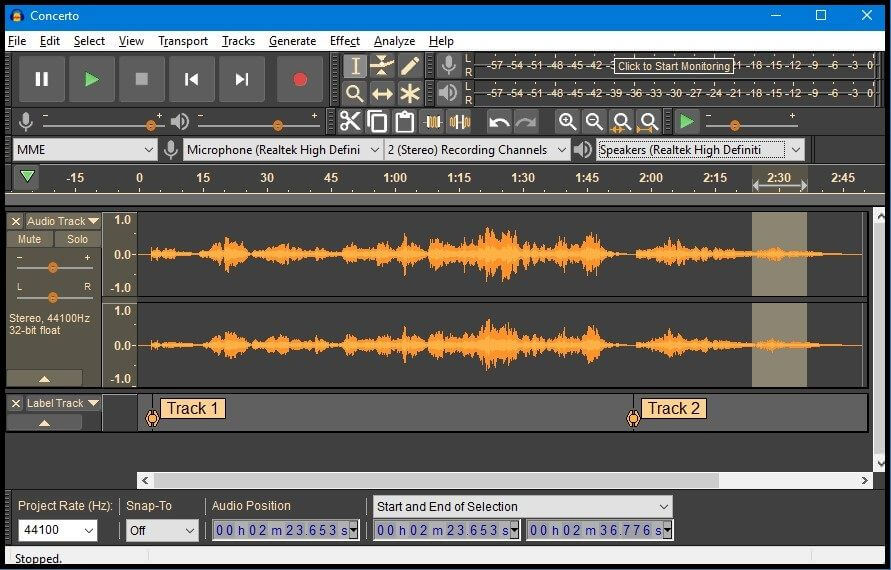
Audacity is a free program developed by a group of volunteers, providing an excellent audio recording software platform for recording, mixing, and editing multiple tracks. The application is ad-free with a built-in interface, and the Plot Spectrum window provides detailed frequency analysis.
Key Features:
- Record live audio using a microphone or mixer.
- Digitize recordings from other media.
- Import and edit audio files.
- Export your recordings to various formats.
- Batch process imported and exported files.
- Output quality – 16-bit, 24-bit, 32-bit.
- Supports countless plugins.
- Reproduce recorded audio with multiple effects using various plugins.
- Multiple editing options and features are available.
- Accessible using keyboard shortcuts.
- Provides a spectral view for frequency adjustments.
2. WavePad
Platforms: Windows | Mac | Android | iOS
Do you need a fully-featured professional audio recording software for Windows 10? Download the highly recommended audio editing program WavePad on your system or smartphone and let it open up vast possibilities with its many features such as ease of use and professional quality.
Key Features:
- Records audio with professional sound quality.
- Supports common output formats in 8, 16, 24, or 32-bit.
- Also supports sample rates from 6 to 192 kHz in stereo or mono format.
- Offers amazing tools for audio editing.
- Use VST plugins to create impactful sound effects.
- Audio restoration features make it easy to reduce noise and remove clicks.
- Provides advanced tools like spectral analysis, FFT, and TFFT.
3. RecordPad
Platforms: Windows | Mac | Android | iOS
This is a fantastic audio recording program from NCH like WavePad, allowing you to schedule a recording session easily in three simple steps to let you record audio at a convenient time. It’s an excellent, fast, and intuitive tool.
Key Features:
- Allows you to easily record audio.
- Lets you convert audio into a suitable digital presentation like an audiobook.
- You can also integrate it with other programs.
- Provides MPEG Layer-3 encoding for audio content at variable bit rates ranging from 8 to 320 kbps.
4. MixPad
Platforms: Windows | Mac | Android | iOS | Kindle Fire
This audio recording and mixing application is another irresistible offering from NCH, featuring some great functionalities outlined below.
Key Features:
- A powerful tool for commercial multi-track audio recording.
- Helps create mixes of sound effects.
- Supports recording and editing podcasts.
- Aids in mixing multiple audio clips and tracks.
- Users can upload created files to SoundCloud, Dropbox, or Google Drive.
5. Adobe Audition
Platforms: Windows | Mac
Adobe offers some truly commendable products, but did you know they also provide an audio recording and design tool for Windows 10 among their offerings? Yes, they offer a professional audio workstation with extensive features, although Adobe Audition is not a free tool, it is worth the price due to its advanced features that catch attention.
Key Features:
- With this tool, you can easily create audio files.
- Record and edit easily using a powerful set of audio tools.
- Easily integrate sound effects into the audio recording.
- Add appeal to the basic recording using the essential sound panel for professional-quality outputs.
- Offers audio restoration tools.
6. PreSonus
Platforms: Windows | Mac | iOS
This tool can definitely be considered the best audio recording software perfectly suited for both beginners and professionals. Studio One 4 is a highly efficient tool that supports a loop-oriented production process.
Key Features:
- Effective screen interface.
- Offers editing tools.
- Compatible with advanced virtual instruments.
- Allows you to share audio clips directly on SoundCloud.
- Capable of reducing latency.
- Also provides technical support and third-party training resources.
7. Wavosaur
Platforms: Windows
Are you wondering how to find free audio recording software with enhanced features and functions? We can recommend this product as it is even better when compared to some paid products.
Key Features:
- Processes files using WAV and MP3 file filters.
- Has multiple document interfaces to handle multiple files.
- Offers VST plugin support.
- Audio routing, multi-channel support, and an output sample rate of up to 192 kHz and 24-bit are some of its audio features.
8. i-Sound Recorder
Platforms: Windows
This audio recording software is available at a low cost, and users can also benefit from its free trial version first. Although it is a very basic tool, it has some extremely useful features.
Key Features:
- Provides high-quality audio input and audio copying features.
- Supports multiple formats for both input and output.
- The advanced scheduling and voice-activated recording features set the tool apart from its competitors.
9. Streaming Audio Recorder
Platforms: Windows | iOS | Android
Do you know what the best audio recording software is in terms of supporting multiple input formats? The Streaming Audio Recorder is a powerful tool capable of recording audio from playlists, audiobooks, radio shows, and even online conferences. Let's take a closer look at some of its other amazing features.
Key Features:
- It helps record any type of audio and outputs it in high quality.
- Clean and simple user interface.
- The built-in audio converter can help convert audio to the desired output format compatible with your device.
10. Free Sound Recorder
Platforms: Windows | Mac
This application is specifically designed to record any type of audible sound. It is a comprehensive solution with great functionalities bundled into a completely free application for Windows


