

Are you seeing the message "Something went wrong on YouTube" on your PC, Mac, Android, iPhone, or iPad? This annoying error can appear on any platform, so follow these steps to resolve the "Something went wrong on YouTube" issue. Although iOS users have reported seeing this error message frequently, it has also appeared on Android and for those using the website. Here, we mention some fixes that may help you get rid of this error.
Tens of millions of people use YouTube every day, making it the most popular platform on the internet today. Unfortunately, this doesn't mean that problems won't occur at all. One of the most common notifications users may encounter is the error message stating "Something went wrong." If you see this annoying error message on your screen while using the YouTube app or website, refer to the solutions outlined in this article to easily fix this error.
What is the "Something went wrong on YouTube" message?
As a YouTube user, you have likely encountered the "Something went wrong" error message more than once. This error can appear when starting a video, in the middle of watching it, or when trying to perform a specific action on the platform. The error indicates a technical glitch preventing YouTube from loading and playing the video as expected.
This error can disrupt video playback and hinder your access to certain features on YouTube. Whether you are a user or a host, understanding the causes of these errors is the first step in resolving the issue.
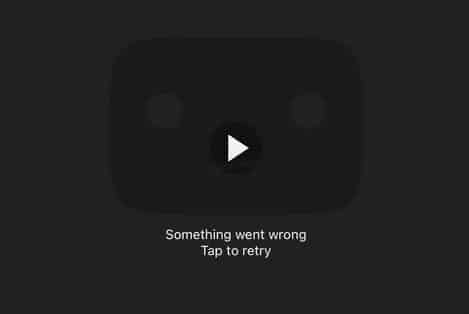
Something went wrong on YouTube
So, let's first take a look at some of the most common reasons that may ultimately lead to the "Something went wrong" error message on YouTube. All you need to do is follow and implement the solutions as outlined. Stay with us.
How to fix the "Something went wrong on YouTube" issue
Fix 1: Restart your device
The first thing you should do not only to fix the "Something went wrong on YouTube" error but also to resolve any other error on any type of device is to restart your device. Whether it's your Android/iOS smartphone, your PC running Windows, or any other device.
The best solution is to restart your device to see if the error has been resolved. Restarting your device will help eliminate any troubling factors and allow YouTube to run smoothly. If this solution doesn't work and the "Something went wrong" error persists in the YouTube app, try the next solution.
Fix 2: Update the app
One of the most common reasons for the "Something went wrong on YouTube" error is an outdated app. An old app may contain unresolved bugs, which the app developers may eventually discover and issue an update to fix the error.
Therefore, the best solution is to update the app to the latest version. The old app may also be discontinued by the company, causing this error. So, update the app, restart it, and if the same annoying error appears, try the next solution.
Fix 3: Try switching your Wifi connection
Here’s another great solution for the "Something went wrong" error on YouTube that has helped many users. If you are using a Wifi connection or any other internet connection to stream YouTube, you should try switching to another mode of connection.
For example, switch from Wifi to cellular data to see if the Wifi network is the cause of the problem. If this solution works and switching allows YouTube to run perfectly, you need to address this issue. However, if the internet is working well but the "Something went wrong" error still appears in the YouTube app, follow the next solution.
Fix 4: Check if the YouTube server is down
Every website operates on some type of servers, which allow users to connect to the site anytime and anywhere. Therefore, if the server is down or something happens, issues like "Something went wrong on YouTube" may arise.
But how do you know if a website's server is down? You can use some websites like DownDetector. You can go to this website, click on YouTube or search for it, and see if YouTube or any other website is down in your area.
If you find that YouTube's servers are functioning well but the "Something went wrong" error still appears in the YouTube app, follow the next solution.
Fix 5: Log out and log back into your YouTube account
The next and final solution for the "Something went wrong on YouTube" error is to log out and log back into your YouTube account. The YouTube app or website you are using may not be able to access and use your account.
So, you can log out of the account and then log back in. This will allow your app to obtain new account credentials and continue accessing content. The procedures for logging out and logging back in may vary on some devices, but they are similar across all devices in one way or another.
Follow these steps to understand what you need to do:
First, open the YouTube app or website and go to your profile.
Look for the log out or sign out option and click on it.
Once you have successfully logged out, go to the login page, enter your account credentials, and then log back into your YouTube account.
Now, run YouTube as you wish.
Once you follow all the steps mentioned above, you should no longer encounter the error message.
Fix 6: Stop using a VPN
The virtual private network (VPN) that protects your privacy can also cause issues with YouTube running properly, so turn it off and try using YouTube again.
Conclusion
Both individuals and businesses greatly benefit from using YouTube as it provides a massive platform for sharing video content. On the other hand, this error message can lead to a poor user experience and negatively impact the online presence of organizations. When the "Something went wrong" error is due to a broken link, it can have a detrimental effect on both SEO for the website and the overall user experience.
When users encounter this error while accessing embedded YouTube videos on your website, it leads to frustration and disappointment. Additionally, this negative experience can result in decreased user engagement and a negative impression of your website. The solution to this problem is to choose a reliable hosting service to ensure that your websites and applications are accessible.
In this article, we discussed how to resolve the "Something went wrong on YouTube" issue. We hope the solutions mentioned above help you eliminate the error in the YouTube app. If you have any questions regarding this article, feel free to reach out to us through the comments section, and our team will respond to you promptly.


