

Download the Lossless Scaling tool for free to enhance your gaming experience. In the following lines, we'll explore what makes an old game feel new. What’s the difference between a pixelated screen and one that bursts with life and clarity?
The answer is both simple and complex: it’s Lossless Scaling.
In an era where technology is advancing rapidly and screen sizes are increasing, the question remains: how can we maintain image quality without sacrificing performance? How can we play classic games on modern screens without the graphics turning into blurry blobs?
This is where the idea of Lossless Scaling comes in, serving as the perfect tool to refine every frame and redraw the essence of gameplay.
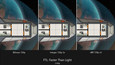
What is Lossless Scaling?
It’s not just an ordinary program added to your toolkit; it’s more like a gateway to a flawless visual experience.
Lossless Scaling is a smart tool specifically designed to enhance the appearance of games and improve their performance on today’s advanced screens, whether you’re playing in small windows, experiencing frame drops, or looking for a way to eliminate the blurriness from older games.
This tool gives you that capability without harming overall performance.
Features of Lossless Scaling that Make a Difference
It’s not easy to find a program that combines simplicity and complexity at the same time, but that’s exactly what Lossless Scaling offers.
Some of its standout features include:
- Advanced algorithms for increasing display quality without data loss.
- Techniques that utilize artificial intelligence for smooth frame generation.
- Support for LSFG technology, allowing you to generate additional frames in older games.
- A wide range of options like LS1, Integer Scaling, xBR, Anime4K, and other modes.
- The ability to scale windowed games to full screen without distortion.
- Support for AMD FidelityFX Super Resolution and NVIDIA Image Scaling to enhance performance and clarity.
- Sharp Bilinear, Bicubic, and Nearest Neighbor options for pure clarity.
Each option gives you a different character, as if you’re moving between artistic paintings, sometimes seeing edges as sharp as a knife and other times experiencing colors as soft as a painter's brush.
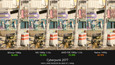
Why Should You Try Lossless Scaling?
Imagine playing an old game that was fantastic in its time but now looks dull. This tool comes in to breathe new life into it.
It removes blurriness, enhances colors, and increases resolution. Whether you’re a fan of classic or modern games, Lossless Scaling gives you complete control over the visual experience, allowing you to choose your preferred display style, from traditional pixelated looks to smooth lines reminiscent of Japanese animations in Anime4K style.
Key Enhancement Modes in Lossless Scaling
Each enhancement mode within the tool has its own unique character; it’s not just a technical option but an aesthetic decision.
Examples of supported display modes include:
- Integer Scaling: Provides sharp pixel clarity without any inaccurate stretching.
- Anime4K: Transforms graphics into a smooth style resembling high-quality anime.
- xBR: Softens edges and gives a classic, elegant graphical effect.
- Sharp Bilinear: Maintains details with some softness.
- Bicubic: A blend of smoothness and precision.
- Nearest Neighbor: For those who want very traditional results without any enhancements.
All these options work with games that do not support scaling or high resolutions, giving them a new chance to dazzle the eye once again.
How Does Lossless Scaling Change the Future of Gaming?
As games evolve, some favorite titles remain stuck in the past, but that doesn’t mean we have to abandon them or accept their modest quality. This is where Lossless Scaling quietly revolutionizes the experience, allowing you to interact with old games as if they were new and enjoy new ones as if they were mimicking reality.
System Requirements for Running Lossless Scaling
Before you embark on this journey, make sure your device meets the following basic requirements:
- Operating System: Windows 10 (latest version) or Windows 11.
- Graphics: Intel HD Graphics or equivalent.
- Compatibility with DirectX version 11.
- The program does not require high-end hardware, making it accessible to a wide range of gamers.
Lossless Scaling Tool
For anyone looking to enhance their visual experience, download Lossless Scaling and start discovering the aesthetics of gaming from a new perspective. This is not just a technical tool; it’s an essential aesthetic addition to any gamer’s library.

Frequently Asked Questions about Lossless Scaling
- What is the primary function of Lossless Scaling?
- Answer: It allows you to switch games from windowed mode to full screen without distortion or loss of quality using advanced techniques.
- Can it improve the performance of older games?
- Answer: Absolutely, it redraws frames with high precision and reduces blurriness caused by older scaling techniques.
- Can I use it with modern games?
- Answer: Yes, it also supports enhancing the quality of modern games, especially those that do not offer advanced resolution options or custom display settings.
- Does it work with all graphics cards?
- Answer: It’s preferable to use relatively modern graphics cards, but even integrated cards like Intel HD can benefit from the tool.
The impact of Lossless Scaling in the gaming world cannot be understated; it’s not just a program added to your device but a transformation in how you appreciate the digital scene, clarity, smoothness, and aesthetics that you may not have noticed before. Once you try it, you’ll understand that it wasn’t the game that had issues, but rather the lack of the right tool.
The Integration of Lossless Scaling with Modern Games
It’s not an exaggeration to say that the impact of Lossless Scaling extends beyond just past games; it also encompasses present and future titles.
Imagine playing a modern title with stunning graphics, but the settings don’t allow you to scale the image or achieve the highest visual quality. This is where the tool breaks those limitations, giving you complete freedom to customize the experience as you wish.
The synergy between the tool and modern graphics systems, whether they rely on AMD, NVIDIA, or even Intel, makes it more versatile. One of the standout features of this tool is its simple interface, so you won’t struggle with complicated menus or commands; everything is clear for you to choose the mode you want and see the results in an instant.
Some users have expressed their amazement after seeing how their games transformed thanks to Lossless Scaling.
One said that an old game he loved looked as if it had been re-released in HD quality.
Another mentioned that he wouldn’t start any game without activating the tool, as it has become a part of his daily gaming rituals.
Technical Specifications for Running Lossless Scaling
- Operating System: Windows 10 version 1903 or Windows 11.
- Processor: It’s preferable to have a modern generation for stable performance.
- Graphics: A graphics card of Intel HD Graphics or higher.
- RAM: A minimum of 4 GB.
- Storage Space: It doesn’t require much space, but a few hundred megabytes will suffice.
- DirectX: Version 11 or higher.
- Screen: Full HD resolution or higher to fully benefit from the scaling effects.
Lossless Scaling is not just a tool; it’s an experience. If you’re a fan of visual details, it’s undoubtedly your ideal companion on the path to visual perfection.


 File Name:
 Downloads:
 Publisher:
 Version:
 Full Version:
 Created By:
 Release Date:
 Languages: