

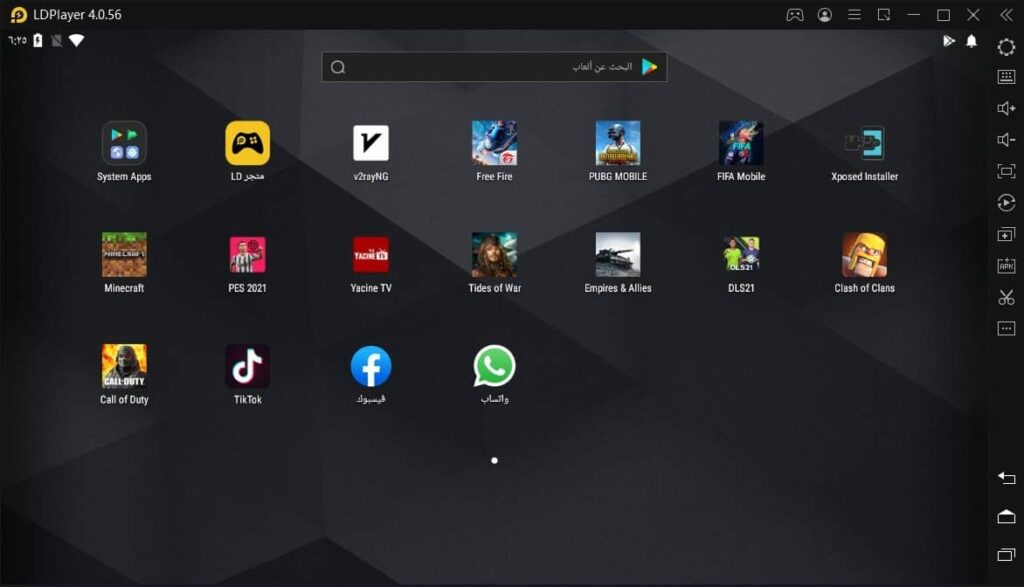
The best Android emulator you can use in 2025: An Android emulator allows you to run the Android operating system on your personal computer, such as Windows or Mac. It’s a great way to run Android apps or play games without needing a phone or tablet.
Android emulators are useful for various users, such as software developers who can test applications on different devices, gamers who can play mobile games using a keyboard and mouse for better control, and anyone wanting to experience Android features on a larger screen.
In this article, we present the best Android emulators to help you choose the right one.
The Best Android Emulator You Can Use in 2025
1. LambdaTest

LambdaTest is an AI-powered emulator that helps you test websites and applications on over 5000 real devices running Android and iOS. You can perform manual and automated testing on browsers like Safari, Chrome, and Firefox. It’s trusted by over 2 million users and more than 10,000 companies worldwide.
You can connect it to over 120 frameworks like Selenium, Cypress, and Playwright. Additionally, it integrates seamlessly with CI/CD tools like Jenkins, GitLab, and CircleCI. You can even link it to bug tracking tools like Jira or Trello for faster issue management.
LambdaTest allows testers to view and debug issues on HTML, CSS, and JavaScript web applications. You can use automation frameworks like Appium, XCUITest, and Espresso to speed things up if you’re running multiple tests.
LambdaTest offers pricing plans for teams of all sizes. It provides a free plan for small projects and trial experiences, with paid plans starting at $15 per month. Higher-tier plans include advanced features like parallel testing, more browser options, and enterprise support.
Main Features of LambdaTest
Biometric Authentication: If you’re working on an app, you’ll love this experimental feature for testing biometric authentication. It makes the user verification process secure and straightforward.
Comprehensive Reports: The detailed reports it generates are impressive, including logs, screenshots, and even videos of test sessions, making debugging easier.
Geolocation Testing: You can test your website or mobile app from different geographical IP addresses to ensure users have an optimal experience across all locations.
Intelligent Testing: This AI-powered tool identifies bottlenecks, analyzes root causes, and prioritizes tests, allowing for faster and more efficient testing.
2. Android Studio
Android Studio comes with a built-in emulator that helps you test your app or game without needing a physical device. You can use it on Windows, Mac, Linux, or ChromeOS.
The emulator helps you see how your app looks and works on different Android versions, screen sizes, and devices. You can also test gestures, screen rotation, or see how it handles low battery situations.
Setting it up might seem a bit challenging if you’re new to Android development. It works with Kotlin, Java, and even C/C++ to build applications. It also has great advanced features like ADB integration, quick boot, and snapshots to save your progress. It’s fast and really helpful for debugging or fine-tuning your app in a virtual environment.
If you want it to run smoothly, make sure your computer has at least 16GB of RAM, 16GB of disk space, and a 64-bit operating system like Windows 10 or Mac 12 or newer. Anything less may slow things down.
Main Features of Android Studio
Device Simulation: Create virtual devices with custom configurations, including different screen sizes, resolutions, and Android versions.
Multi-Touch Support: Simulate multi-touch gestures using emulator controls or an external device.
Sensor Simulation: Test applications using virtual sensors like GPS, accelerometer, and gyroscope.
Quick Boot: Save the emulator state and restore it for faster startup times.
System Image Options: Access different system images (Google APIs, AOSP, or Android TV) to test applications on various platforms.
3. BrowserStack

BrowserStack is one of the best tools I’ve used for cross-browser testing on websites and mobile applications. Its mobile browser emulator allows you to check your website’s performance on a wide range of phones and tablets without needing any physical devices.
You can test directly from your computer on over 3500 real desktop and mobile browsers like Chrome, Safari, and Opera. Trusted by over 50,000 users, it’s a reliable choice for developers and QA teams.
Fully cloud-based. You don’t have to install anything on your computer. Plus, you can test your site on real devices like iPhones, Samsung phones, and even Google phones. This is more reliable than just using emulators.
Workflows like resetting passwords and seamless single sign-on, it even simulates things like SIM card-dependent interruptions. If you’ve ever struggled with testing local environments, you’ll appreciate the real-time debugging and local testing features.
One feature I really liked is how you can test things like custom device timing, time zones, and location-based scenarios for over 100 countries. Additionally, it integrates smoothly with tools you might already be using like Jira, Trello, Slack, Azure DevOps, and GitHub. It’s all about making testing simple and comprehensive for you.
Main Features of BrowserStack
Live Testing: Conduct live tests to see how your website or app looks and functions, and observe how your site adapts to different screen sizes and resolutions.
No Setup Required: Everything runs in the cloud, so there are no downloads or setups.
Built-in Debugging Tools: Use tools like network logs, console logs, and visual comparisons to quickly fix issues.
Accessibility Testing: Check if your site meets WCAG standards using tools for screen readers, dark mode, and device orientation.
Secure and Compliant: Your data remains safe with enterprise-level encryption.
4. BlueStacks
BlueStacks 5 is a popular Android emulator that lets you play mobile games on your PC. With over 500 million players using it worldwide, I found its extensive library of over 2 million games impressive. Setting it up is quick, it uses 50% less RAM, and runs smoothly on your computer without lag.
One feature I really liked is the instant translation. When playing games like LifeAfter, which have a lot of text displayed in other languages, BlueStacks translates it instantly. This helped me understand the story and progress without waiting for the English version.
Its macro feature records a series of actions and assigns them to a key, allowing me to repeat complex tasks with a single press. This was particularly useful in strategy games. I could also save these macros as .json files, making it easy to share them with friends.
You can open multiple apps or games at the same time. The Eco Mode feature helps your computer run smoothly by managing CPU and GPU usage, preventing overheating temperature or lag, ensuring smoother multitasking while gaming or using apps.
If you love Android games with stunning graphics, this is a great option for you. It offers sharp visuals at 240 frames per second and runs popular games smoothly. It’s also very easy to stream on Twitch or YouTube, with no additional tools required. The only downside is that the free version has ads, which might be annoying for some users.
Minimum System Requirements for BlueStacks 5:


