

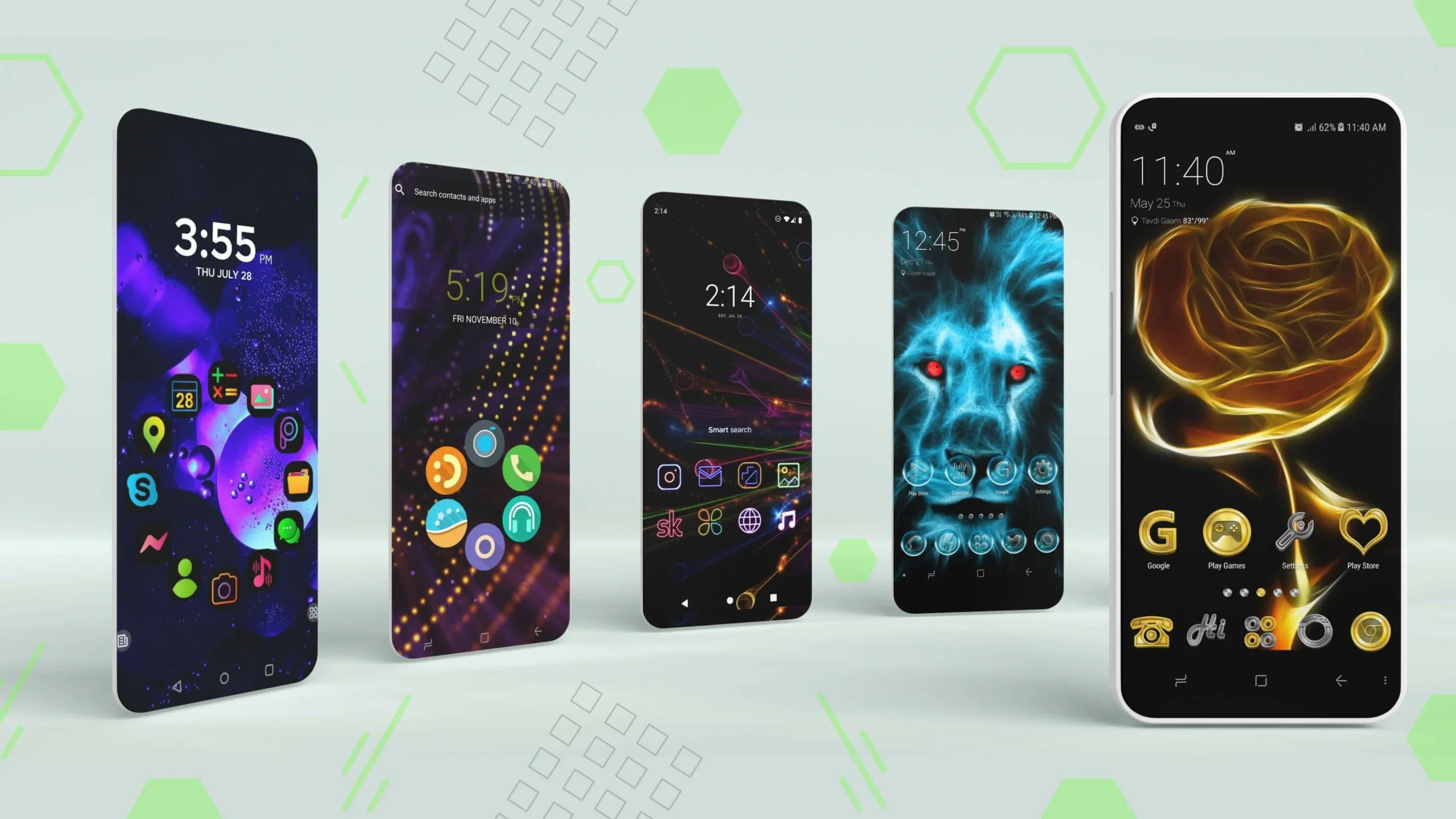
The top 5 free Android themes: As an Android developer, choosing the right theme for your app is crucial for creating an attractive and user-friendly interface. Selecting the right theme greatly enhances the user experience, helps your app stand out, and ensures smooth performance across different devices and screens.
Top 5 Free Android Themes
Here are five of the best free Android themes you can use to give your app a modern and appealing look.
1. Material Components for Android (MDC)
Overview
Material Components for Android (MDC) is a comprehensive set of user interface components that follow Google's Material Design guidelines.
Key Features
MDC ensures a consistent look and feel throughout your app, with components designed for seamless integration.
The toolkit is designed with accessibility in mind, ensuring that everyone, including people with disabilities, can use your app.
You can easily customize elements like colors, typography, and shapes to match your brand identity.
Why It Was Chosen?
MDC is ideal for developers looking to create a professional-looking app. It provides a solid foundation for building beautiful, accessible interfaces that align with modern design principles.
2. Holo Light
Overview
Holo Light is an Android theme with a classic feel, known for its clean and simple design, making it suitable for a wide range of applications.
Key Features
It focuses on simplicity and usability, reducing visual clutter for a tidy and efficient appearance.
Featuring light backgrounds and subtle colors, it provides a fresh and airy interface.
Compatible with a wide range of Android versions, ensuring broad device support.
Why It Was Chosen?
Holo Light is perfect for developers who want a simple and clean design. Its simplicity ensures that your app is accessible and easy to use while maintaining a modern look.
3. AppCompat DayNight Theme
Overview
The AppCompat DayNight Theme allows your app to automatically switch between light and dark themes based on system settings or user preferences.
Key Features
Your app's theme automatically adapts to the system's light or dark mode settings.
Customize the appearance of both light and dark modes to match your app's branding.
Provides a more comfortable viewing experience by adapting to different lighting conditions.
Why It Was Chosen?
AppCompat DayNight is a great choice for developers looking to offer a modern and distinctive user experience. By supporting both light and dark modes, your app can cater to user preferences and provide an enhanced experience across different devices.
4. Material Dark Theme
Overview
The Material Dark Theme is part of Google's Material Design guidelines and provides a sleek, dark interface that is easy on the eyes.
Key Features
It uses dark backgrounds and high-contrast elements to create an attractive and comfortable interface.
Helps preserve battery life, especially on devices with OLED screens.
Offers predefined styles and components to ensure a cohesive look throughout your app.
Why It Was Chosen?
The Material Dark Theme is perfect for developers who want to create a modern and sophisticated-looking app. It is not only aesthetically pleasing but also user-friendly, especially in low-light environments.
5. Bootstrap Theme
Overview
The Bootstrap Theme for Android provides the design language of the popular web framework for mobile applications, offering a familiar and responsive design.
Key Features
The appearance adapts to different screen sizes and orientations, ensuring a good user experience.
Includes a set of predefined UI components that align with Bootstrap's design principles.
You can easily customize colors and styles to match your app's branding.
Why It Was Chosen?
The Bootstrap Theme is ideal for developers looking to use a familiar design language to create modern, responsive applications. Its predefined components and responsive design make it a great choice for building versatile and attractive interfaces.
Frequently Asked Questions
1. What is the Material Components for Android (MDC) theme?
MDC is a set of user interface components designed according to Google's Material Design principles. It helps developers create visually appealing and accessible Android applications while providing customization options like colors, typography, and shapes to match your app's branding.
2. How can I implement the Holo Light theme in my Android app?
Holo Light is a simple theme with a light color scheme, ideal for creating clean and straightforward user interfaces. You can implement it by adding the theme to your app's styles.xml and applying it to your activities. Detailed tutorials on how to implement this theme can be found online.
3. What is the AppCompat DayNight theme, and why should I use it?
The AppCompat DayNight allows your app to automatically switch between light and dark modes based on system preferences or user settings. This enhances the user experience by adapting the theme to different lighting environments and can be easily customized to fit your brand.
4. How does battery life benefit from the Material Dark theme on OLED screens?
The Material Dark appearance uses dark backgrounds with high-contrast elements, helping to reduce power consumption on OLED screens, as dark pixels consume less energy compared to light pixels.
5. Can I customize the Bootstrap theme for my Android app?
Yes, the Bootstrap theme is highly customizable. You can modify colors, styles, and other design elements to match your app's brand. It also comes with predefined components, making it easier to create modern, responsive user interfaces.
6. What is the best Android theme for accessibility?
The Material Components for Android (MDC) is specifically designed with accessibility in mind. It ensures that your app can be used by people with disabilities, making it an ideal choice if accessibility is a top priority for your app.
7. Is it easy to switch between light and dark modes in Android apps?
Yes, with the AppCompat DayNight theme, switching between light and dark modes happens automatically based on system settings or user preferences. This theme makes it easy to provide a comfortable experience for users.
8. Can I use the Holo Light theme on older Android versions?
Yes, Holo Light is compatible with a wide range of Android versions, making it a good choice for developers targeting older devices while maintaining a modern and simple look.
9. Are there any predefined components in these Android themes?
Yes, themes like Material Components for Android and Bootstrap Theme come with predefined UI components, saving time in design and development. These components are designed to work well with each theme and help ensure consistency across your app.
10. How do I choose the best theme for my Android app?
The best theme for your app depends on your target audience, app functionality, and design preferences. If you want a modern and cohesive look, MDC is a great choice. If you prefer a simple and clean interface, Holo Light is the way to go. For apps that support dark mode, AppCompat DayNight is the best option. Consider your users' needs and your app's branding when selecting a theme.
Conclusion
These were the top 5 free Android themes. Choosing the right theme is essential for building a visually appealing and user-friendly Android app. The themes mentioned above - Material Components for Android, Holo Light, AppCompat DayNight, Material Dark, and Bootstrap Theme - offer a variety of options to suit different design types and app needs. By integrating any of these themes, you can enhance the look and user experience of your app. Explore these themes to find the one that best fits your app's requirements.


