

The 7 Best Free JPEG Converters in 2024: Whether it's sharing photos online, saving storage space for new albums, or simply trying to achieve better image quality—these are just a few reasons why people convert their images. JPEG is the most widely used image format on the internet, thanks to its efficient compression technology. Many free tools allow users to easily convert their images to JPEG format. This article will introduce the top seven free JPEG converters available for download. Let's take a look!
What is the JPG/JPEG Format?
The JPG format has been around since 1992. It was created to compress and store digital images. It is widely used in digital photography and social media platforms due to its small file size and high compatibility.
Although JPG is considered the most popular image format online, it does have its drawbacks. Here are some of its disadvantages:
It does not support transparency, making it less suitable for graphic design work.
Editing and saving an image multiple times can lead to a decrease in quality over time.
It only supports 8-bit color depth, which means it is not ideal for printing or capturing high-quality images.
Despite these drawbacks, many still prefer this format for its convenience and ease of sharing.
How to Format an Image as JPG?
To format an image as JPG, you can use various photo editing software or desktop/online converters. Here’s a step-by-step process:
Open your image: Launch the program and upload your image.
Edit as needed: Make any adjustments to your image if necessary. This may include color correction, resizing, etc.
Save as JPG: Choose the "Save As" option or a similar one and select JPG/JPEG from the file format list.
Adjust quality: If the program allows, adjust the quality level. Higher quality means less compression and a larger file size, while lower quality means more compression and a smaller size.
Save: Click "Save" or "Export" to store your file in JPG format.
The 7 Best Free JPEG Converters in 2024
1. Movavi
Movavi is a fast and user-friendly online JPG converter that supports multiple formats, including BMP, GIF, JPG, PNG, and TIFF. While it doesn't offer advanced features, it is perfect for quick conversions.
Pros
User-friendly, fast conversion, high-quality output
Cons
Includes some advanced settings, but only for video conversion.
2. IMG2GO
IMG2GO is another online JPG conversion platform that comes with some image enhancement options. You can convert any image to JPG without needing to install any software. Apply color filters, sharpen the image, or adjust colors using the available tools.
Pros
Safe, simple interface, conversion model
Cons
No advanced quality options and size limitations
3. FreeConvert

FreeConvert offers an easy-to-use tool that also includes some great features like resizing, compressing, and rotating images. It supports many "format to JPG" presets, with over 500 formats supported. In addition to the JPG image converter, FreeConvert also has a mobile app available for both iOS and Android.
Pros
25 conversions per day, with image quality adjustments, and uploads from Dropbox and Google Drive
Cons
Ads, limited file size for free users (1 GB), slower conversion for large files.
4. OnlineConvert
OnlineConvert is another popular option with additional settings. You can either choose the best quality for your image or the smallest file size, or balance it yourself using a slider. This image conversion tool supports over 200 formats and can also convert images from URLs or Google Drive or Dropbox.
Pros
No software installation, user-friendly, supports various formats
Cons
Credit-based system for free users, limited features
5. XnConvert
XnConvert is a free, cross-platform image converter. It supports over 500 image formats and includes 80 conversion actions. The interface is simple, but the program offers advanced features like DPI adjustment, color depth conversion, and multi-page support. You can also save your conversions as presets for easier future use.
Pros
Supports a wide range of formats, batch processing, cross-platform conversion
Cons
A somewhat outdated interface, may not be easy for beginners
6. Picflow
Picflow is an online service designed for quick and easy image conversion. It provides a fast conversion process and a simple interface. No software installation is needed, making it accessible from any device. On the downside, it offers limited features compared to other tools.
Pros
No usage limits, fast conversion, ad-free
Cons: No advanced features
7. iLoveIMG
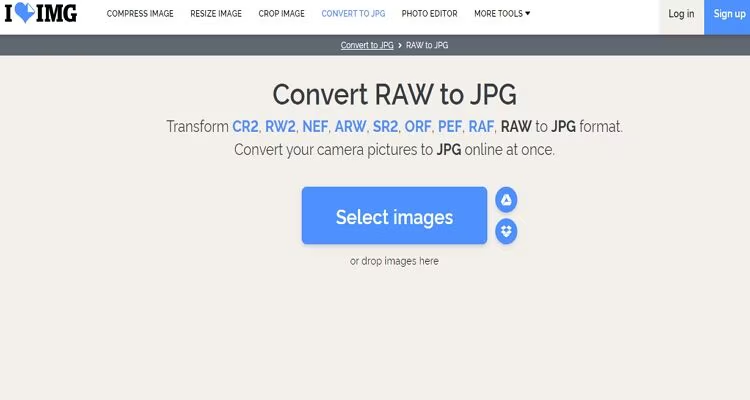
iLoveIMG is one of the simplest free JPEG converters with batch processing capabilities. The online tool is user-friendly and accessible from any web browser. You can rotate the image before conversion or even use the platform's editing tools afterward.
Pros
Fast conversion, easy-to-use interface, supports multiple formats
Cons
Some features in the premium version are still limited
Frequently Asked Questions
1. What is a JPEG converter?
A JPEG converter is a tool that allows you to convert different file formats (like PNG, GIF, BMP, or PDF) to JPEG format or vice versa. These tools are particularly useful for optimizing images for specific uses, such as web uploads or storage efficiency.
2. Why do I need a JPEG converter?
You may need a JPEG converter to reduce file size, standardize image formats for compatibility, or convert an image to high-quality JPEG format for professional use.
3. Are free JPEG converters reliable?
Yes, many free JPEG converters are reliable and provide high-quality conversions. However, it is essential to choose a trustworthy converter to avoid issues like malware or poor conversion quality.
4. Do free JPEG converters support batch conversion?
Some free JPEG converters support batch conversion, allowing users to process multiple files at once.
5. What are the limitations of free JPEG converters?
Limitations may include file size restrictions, watermarked output, slower conversion speeds, or fewer customization options compared to paid versions.
6. Do these tools work on mobile devices?
Yes, many free JPEG converters, like Convertio and Online-Convert, work seamlessly on mobile devices through web browsers or dedicated apps.
7. Are online converters safe to use?
Reputable online converters are generally safe, but always check for HTTPS encryption and read user reviews to ensure your files are handled securely.
8. Can I convert other file formats to JPEG using these tools?
Yes, most JPEG converters allow you to convert multiple file types, such as PNG, BMP, TIFF, and even PDF files, to JPEG format.
9. Do free JPEG converters reduce image quality?
Some tools may slightly reduce image quality to compress files, but many offer settings to maintain or customize image quality during conversion.
10. What are the best free JPEG converters for beginners?
For beginners, tools like Zamzar, Convertio, and ILoveIMG are intuitive and easy to use, providing straightforward interfaces and step-by-step instructions.
Conclusion
We discussed the top 7 free JPEG converters in 2024. JPG is a well-known image format due to its convenience and ease of sharing. However, it may not be ideal


