In the world of computers, the system registry is one of the most crucial components that directly impacts the performance and stability of the operating system. Over time, many unnecessary or corrupted entries accumulate in this registry, leading to system slowdowns and annoying errors. This is where Registry Life comes in, a free tool that offers a comprehensive solution for easily and efficiently cleaning and optimizing the system registry.
What is Registry Life?
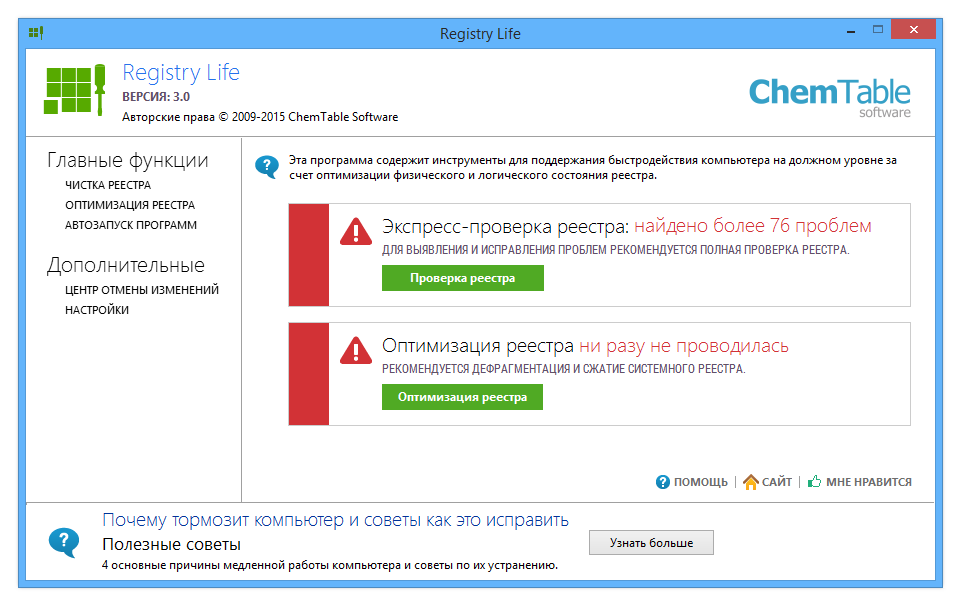
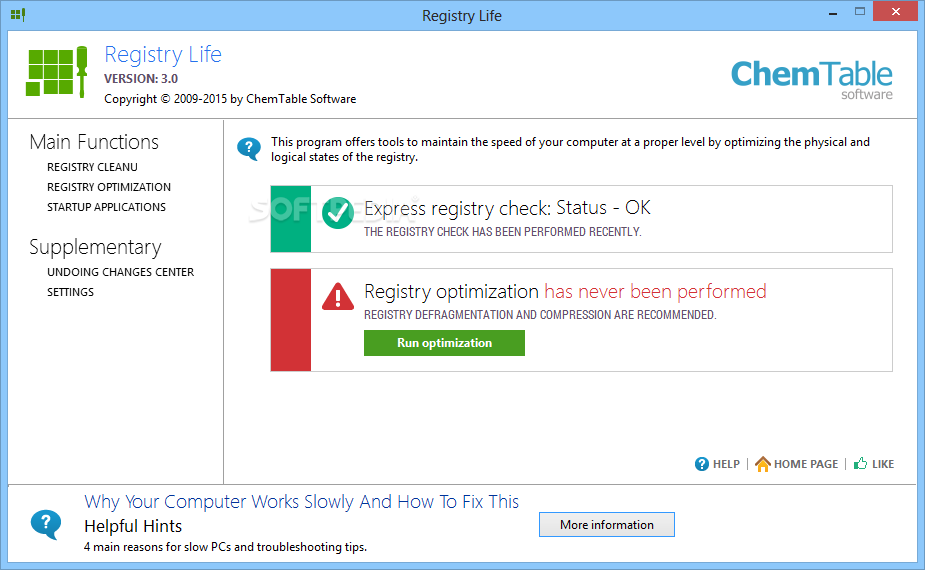
Registry Life is a free program developed by ChemTable Software, aimed at improving the operating system's performance by cleaning the registry of invalid entries, correcting errors, and compressing the registry to reduce its size. It is one of the most stable versions available and features a simple, user-friendly interface, making it suitable for both novice and professional users.
Core Functions of Registry Life
Registry Life includes two main functions:
Registry Cleanup:
This function performs a thorough scan of the system registry to detect errors and invalid entries, such as missing paths, temporary files, and references to programs that have been deleted. The program displays a detailed report of the detected issues, with the option to fix them with a single click.
Registry Optimization
After cleaning, this function can be used to compress and reorganize the system registry, reducing its size and speeding up system response. This process usually requires a device restart to apply the changes.
Features of Registry Life
- The program features a clear graphical interface, allowing users to navigate between functions easily without needing technical expertise.
- The program scans the registry quickly without affecting system performance during operation.
- Users can specify certain parts of the registry to scan, such as startup items, file extensions, shared libraries, and more.
- Before making any changes, the program automatically creates a backup of the registry, allowing for restoration to a previous state in case of any issues.
- The program supports two main languages: English and Russian, with easy switching between them.
- The program size does not exceed 18 MB and operates efficiently without consuming significant device resources.
Comparison with Other Tools
When comparing Registry Life to other tools like CCleaner or Wise Registry Cleaner, we find that Registry Life stands out with a simpler interface, more precise customization options, and being completely free without annoying ads or hidden paid features.
When is it Recommended to Use?
- When noticing a slowdown in system or program performance.
- After removing many programs from the device.
- When encountering recurring error messages related to the system.
- As part of regular computer maintenance.
Tips for Optimal Performance with Registry Life
To maximize your benefit from the program, try the following steps:
- Use the program regularly and set aside time every week or two to run the registry cleanup and optimization.
- Update the system first and ensure Windows updates are installed to avoid potential conflicts with recent registry entries.
- Do not overdo the cleaning; despite its simplicity, avoid manually deleting entries without knowledge to prevent disabling some applications.
- Activate a system restore point, and if you want to try significant changes, it’s best to create a restore point beforehand.
Although Registry Life is an excellent tool, its role is limited to the system registry only. To improve overall device performance, you may need to use other tools for disk cleaning, startup management, and checking device status.
User Opinions and Experiences with Registry Life
Many users have expressed satisfaction with Registry Life's performance, especially in:
- Improving startup speed after using the program, some noticed their devices running faster and more responsively.
- Reducing crashes and errors, as the registry cleanup helped reduce the frequency of error messages that were appearing.
- Ease of use even novice users praised the program's clear and simple interface.
- However, it is important to emphasize that the program is not a magic solution, but rather a helpful tool within the regular maintenance toolkit for devices.
- Registry Life is a great option for safely and effectively cleaning and optimizing the system registry.
- It features an easy interface, excellent performance, and customizable options suitable for various users.
- It is one of the best free alternatives that rivals paid programs in terms of efficiency and stability.
- It helps keep the computer clean, fast, and free from errors caused by a cluttered system registry.
How to Make Registry Life Part of Your Device Maintenance Routine?
To get the most out of Registry Life, it is advisable to include it in a regular maintenance schedule for your computer, and you can follow this simple arrangement:
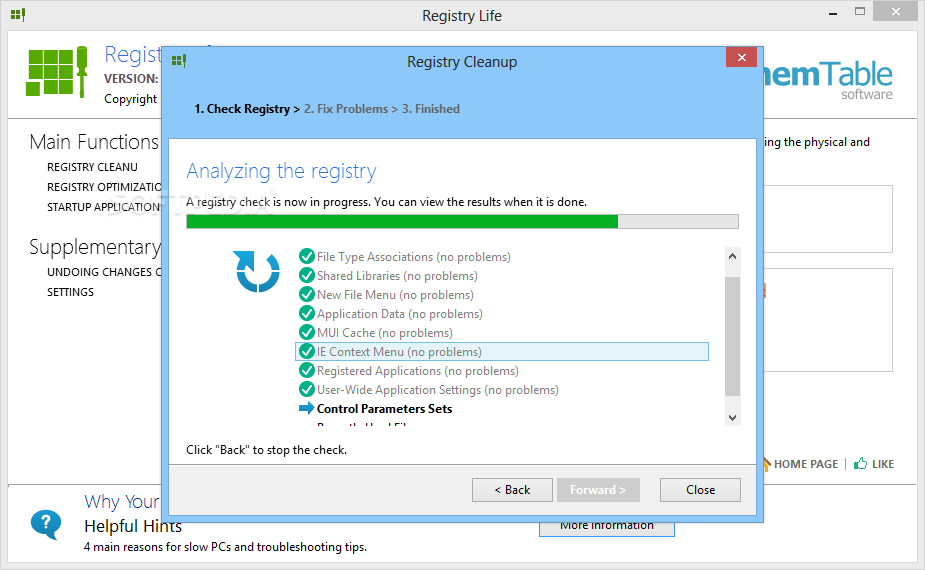
- Every two weeks, run the "Registry Cleanup" function to remove unnecessary entries.
- Once a month, use the "Registry Optimization" function to compress it and speed up the system.
- Before installing or removing large programs, clean the registry to reduce the accumulation of empty or corrupted entries.
- Before performing a major system update, create a backup of the registry via Registry Life as a precaution.
As reliance on computers in our daily lives increases, maintaining system performance becomes essential. Registry Life is an effective and free tool that helps users easily and safely enhance their device performance. Thanks to its simple interface and advanced functions, any user can benefit from it without needing deep technical expertise.

 File Name:
 Version:
 Full Version:
 Created By:
 License Type:
 Release Date:
 Languages:
 Tags:
Tags: