

If you're looking for a download program that allows you to handle virtual image files like ISO, BIN, or CCD, RedFox Virtual CloneDrive is one of the strongest free solutions available in 2025. This application lets you simulate a virtual drive on your computer so you can load any image file as if it were a real DVD or Blu-ray disc. The main idea is that the program operates as if you have an additional drive, but it's purely virtual, meaning you won't need physical CDs or DVDs to access the content of the files.
Many users face difficulties when trying to run ISO or BIN files without an active program that supports these formats, but with this practical solution, you'll be able to manage those files easily. Downloading the full version of RedFox Virtual CloneDrive takes just a few minutes, after which you can benefit from numerous features such as running games stored as images, installing large programs, or even accessing large media files without the need for discs.
What sets this application apart is that it is completely free and does not require any fees or subscriptions. It is also lightweight and does not consume much of your system's resources. Most importantly, it allows you to create up to eight virtual drives simultaneously, making it an ideal choice for users dealing with multiple image files at once. Thanks to its simple interface, you'll find that the process of downloading, installing, and running is straightforward and doesn't require advanced technical expertise.
So, if you're looking to download an effective program that provides you with all the tools to handle ISO, BIN, and CCD files, RedFox Virtual CloneDrive will be your best choice. In this article, we will cover everything you need to know about this application, starting from its features and installation and activation methods, through how to download the program via direct links, to frequently asked questions and technical requirements for running it on your computer. You'll find that using this download program will help you accomplish your tasks quickly and flexibly.

Introduction to the Program
What is RedFox Virtual CloneDrive?
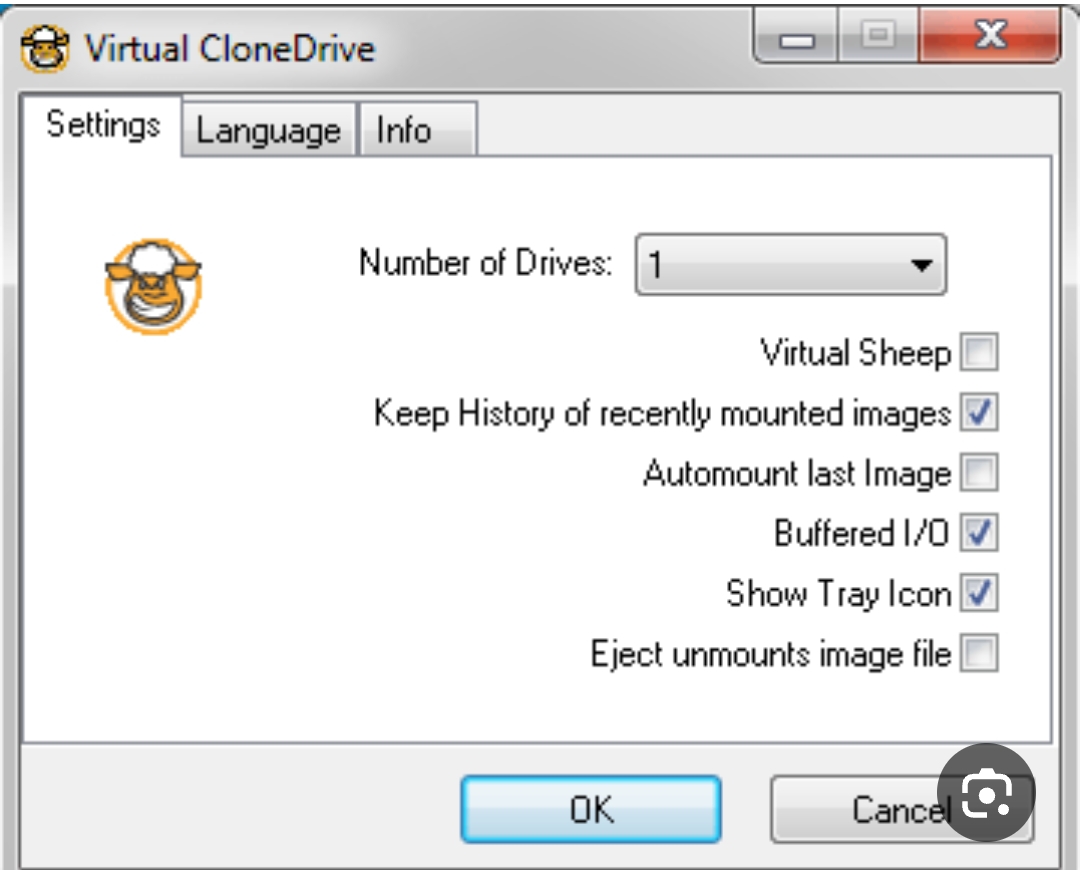
Before diving into the details of download features or installation steps, it's important to first clarify what this program is. RedFox Virtual CloneDrive is a free program that acts as a tool for creating virtual drives within the Windows system. Instead of relying on physical CDs or DVDs, you can simply download and install the program to allow you to run ISO files or other image formats as if they were real discs.
The great advantage here is that this application does not require any additional hardware or external tools. Everything is done within the system, and you can use it to run games, movies, or install software without needing to copy files to a physical disc.
Most Popular Uses of the Program in 2025
In 2025, reliance on disk simulation programs became increasingly essential for several reasons:
- Running old or new games distributed in ISO format online
- Installing large programs that can be several gigabytes in size and come as disk image files
- Accessing multimedia files like movies or music stored as disk images
- Saving time and effort as users no longer need to copy files to a physical disc
- Protecting original discs from damage by using a virtual copy
Thus, downloading the full version of Virtual CloneDrive has become a fundamental necessity for every user who frequently deals with virtual images.
Features of the Full Download
The program boasts many features that have made it one of the most popular programs in the disk simulation category.
Key Features
- Wide support for file formats like ISO, BIN, and CCD
- Ability to create up to 8 virtual drives simultaneously
- Integration with Windows Explorer so you can open files with a double click
- Completely free without any restrictions or annoying ads
- Easy to use for both beginners and professionals
- Lightweight and does not consume much memory or processing power
- Fast file loading and direct opening without complications
New Features in 2025
- Full performance improvement with Windows 11
- Better support for various image formats
- Fixes for previous bugs that caused installation issues
- Smoother interface to facilitate navigation between virtual drives
- Greater stability when working on multiple files simultaneously
These updates have made downloading the full version a more seamless experience for users.
How to Download via Direct Links
One of the most sought-after features by users is the ability to download the program via direct links without needing external sites or complicated steps.
Step-by-Step Download Instructions
1. Go to a trusted site that offers direct links
2. Click the Download button to start the download process
3. Wait for the Virtual CloneDrive program to finish downloading to your device
4. Go to the downloads folder, and you'll find the installation file ready
Tips to Avoid Issues During Download
- Ensure that your internet connection is stable.
- Avoid unofficial sites to prevent getting a fake version.
- Use reliable security software to scan the file after downloading.
- Always download the latest version for the best experience.

Installation and Activation After Download
After completing the download process, the next step is installation and activation.
Installation Method
- Click on the installation file you downloaded
- Follow the instructions that appear on the screen
- Select the folder where you want to install the program
- Click "Finish," and you'll find the program ready for use
How to Activate the Full Version
The great thing about this program is that it is completely free and does not require complicated activation. Once installed, you will have an automatically activated program that works without restrictions or trial periods.
Frequently Asked Questions (FAQ)
- Is the download free and safe?
- Yes, the program is completely free and safe, and you can download it via direct links without worry.
- Does it work on all operating systems?
- The program supports Windows systems from Windows 7 to Windows 11.
- Can I run more than one virtual drive?
- Yes, you can run up to 8 drives at the same time.
- Does it require high specifications?
- No, it is lightweight and works even on low-end devices.
Technical Requirements for Running the Program
- Operating System: Windows 7 / 8 / 8.1 / 10 / 11
- Processor: At least 1 GHz (2.4 GHz recommended)
- Memory: At least 2 GB (4 GB recommended)
- Free Disk Space: 200 MB or more
Previous Versions
Before the release of the 2025 version, there were several versions like 5.4 and 5.3 that were well-received by users but did not support some new file formats. The latest version came to address these issues.
User Experiences
Users on forums and tech sites have confirmed that downloading the full version of Virtual CloneDrive has helped them save a lot of time, as they can now run ISO files quickly without needing any physical discs.
More Frequently Asked Questions About the Program
- Can it be used to run large games?
- Absolutely, it is designed to handle virtual images of games.
- Does it support the Arabic language?
- The program relies on a simple interface that is easy to navigate even if it is not fully translated.
- Does it require an internet connection to work?
- No, once installed, the program is activated and works without needing the internet.
Conclusion and Download Motivation
In conclusion, downloading the full activated version of RedFox Virtual CloneDrive is the best choice for anyone looking to handle ISO and BIN files easily. The program combines speed, reliability, and lightweight performance, and it is free while providing direct download links.
Download Message
If you need an effective download program that supports virtual drives and gives you the freedom to run image files as if they were real discs, don't hesitate to download Virtual CloneDrive now and enjoy a smooth and secure user experience.

 File Name:
 Downloads:
 Version:
 Full Version:
 Created By:
 License Type:
 Release Date:
 Languages:
 Tags: