As visual content becomes increasingly vital in the digital age, having tools to download videos from the internet, especially from popular platforms like YouTube, is essential. Among these tools, the Tyrrrz YoutubeDownloader program stands out as an open-source, free, and user-friendly option. The latest version of the software marks a significant advancement in this project's journey, combining simplicity, high performance, and customizable settings to meet user needs.
Tyrrrz YoutubeDownloader Program
This is an open-source software specifically designed for downloading videos from YouTube. It is lightweight, easy to install, and free from any ads or annoying extra programs. Developed by the renowned programmer Tyrrrz, this project is built using C# with a simple interface based on WPF (Windows Presentation Foundation).
Main Features
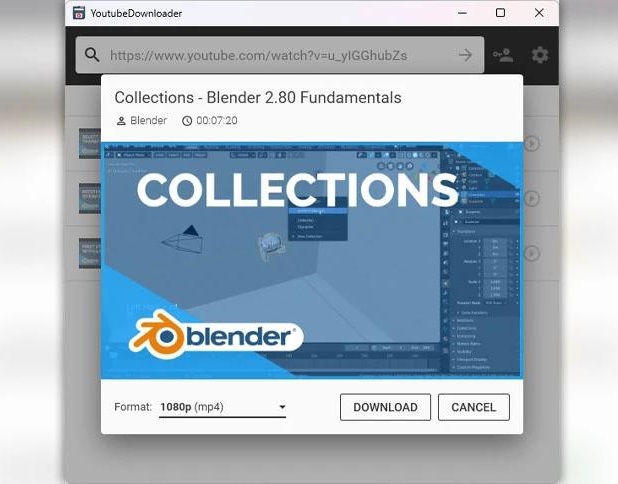
Sleek and Simple User Interface
The user interface has been refined in this version to be smoother, displaying all options in an organized manner without complexity.
Users can simply copy a YouTube video link and paste it into the program, then click the "Download" button.
Support for Multiple Video Qualities
The program supports downloading videos in various qualities, ranging from 144p to 1080p or higher (depending on the original video's availability).
You can also download audio only (in MP3 or M4A format) if the video isn't needed.
Playlist Download Support
One of the powerful features of YoutubeDownloader is the ability to download entire playlists with a single click, with the option to choose how many videos you want to download from the list.
Excellent Download Speed
The program utilizes the YoutubeExplode library, allowing for fast and efficient video analysis and downloading, reducing wait times compared to some other alternatives.
No Ads or User Tracking
Unlike many competing programs, YoutubeDownloader contains no ads, spyware, or prompts to upgrade to a paid version.
It is a fully open-source project, and its code can be reviewed on GitHub.
How to Use YoutubeDownloader
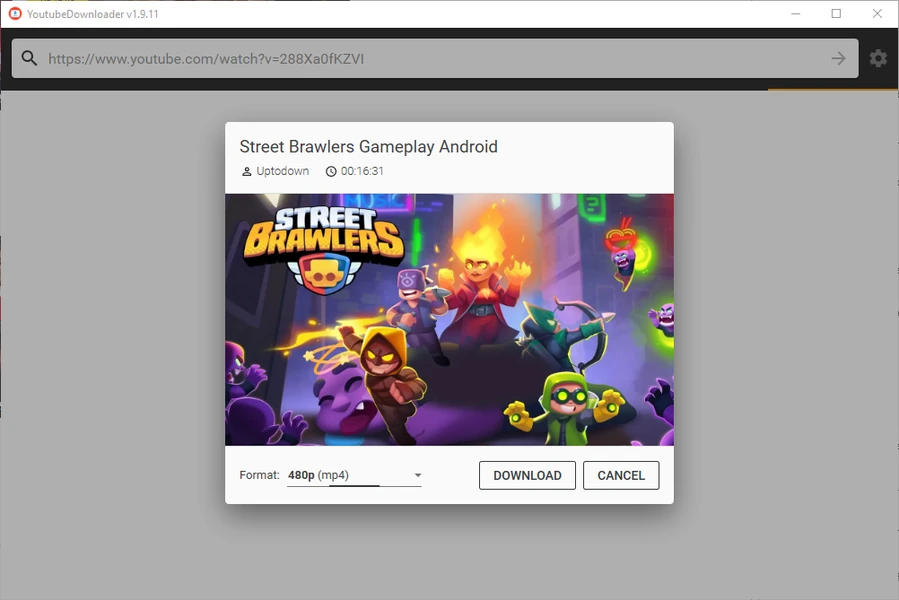
- The program can be downloaded from the official GitHub page or through trusted free software distribution sites.
- No complex installation is needed; just unzip the file and run the application directly.
- Download a Video
- Copy the video link from YouTube.
- Paste it into the link field in the program.
- Select the quality (audio only or video + audio).
- Click the download button.
- Download a Playlist
- Copy the playlist link.
- Paste it into the program.
- The program will load data for each video in the playlist, allowing you to choose what you want to download.
Notable Drawbacks
Despite its many features, there are a few points to note:
- The program is exclusively for Windows users, with no official version for macOS or Linux.
- It relies on YoutubeExplode, which means it could be affected by sudden changes in YouTube's content display methods.
- There are no advanced options for professional users, like automatic format conversion or embedded subtitles.
Legal Considerations
It's important to note that downloading videos from YouTube is subject to the platform's policies, which prohibit downloading copyrighted content without permission from the channel owner or the rights holder.
Therefore, it's best to use the program for downloading personal content or content available under an open license like Creative Commons.
Comparing Tyrrrz YoutubeDownloader with Other Programs
The Tyrrrz YoutubeDownloader program is not just a tool for downloading videos; it's a clear example of the power of open-source software in providing strong and practical alternatives to commercial programs. Whether you're a student wanting to download your lectures or a hobbyist collecting music clips for offline listening, this program will be your ideal companion. With ongoing support and updates from the developer, the program's future looks promising and bright.

When comparing Tyrrrz YoutubeDownloader to popular programs like 4K Video Downloader and YTD Video Downloader, Tyrrrz YoutubeDownloader stands out for being completely free and open-source. In contrast, 4K Video Downloader offers limited features in its free version and requires a paid version for full functionality, while YTD Video Downloader suffers from numerous ads and restrictions in its free version.
In terms of ease of use, Tyrrrz YoutubeDownloader provides an extremely simple interface, free from any complications or annoying pop-ups, making it suitable for all users, from beginners to professionals. Other programs, while offering more advanced graphical interfaces, often require more steps to complete the download process, especially when downloading playlists or selecting video quality.
Regarding support for audio-only downloads, all three programs offer this feature, but Tyrrrz YoutubeDownloader excels with its high-speed audio extraction without the need for external conversion, allowing users to easily choose the appropriate format. Meanwhile, YTD may require additional conversion tools, and 4K Video Downloader offers this feature but often within the limits of the free version.

 File Name:
 Downloads:
 Version:
 Full Version:
 Created By:
 License Type:
 Release Date:
 What's New:
 Languages:
 Tags:
Tags: