

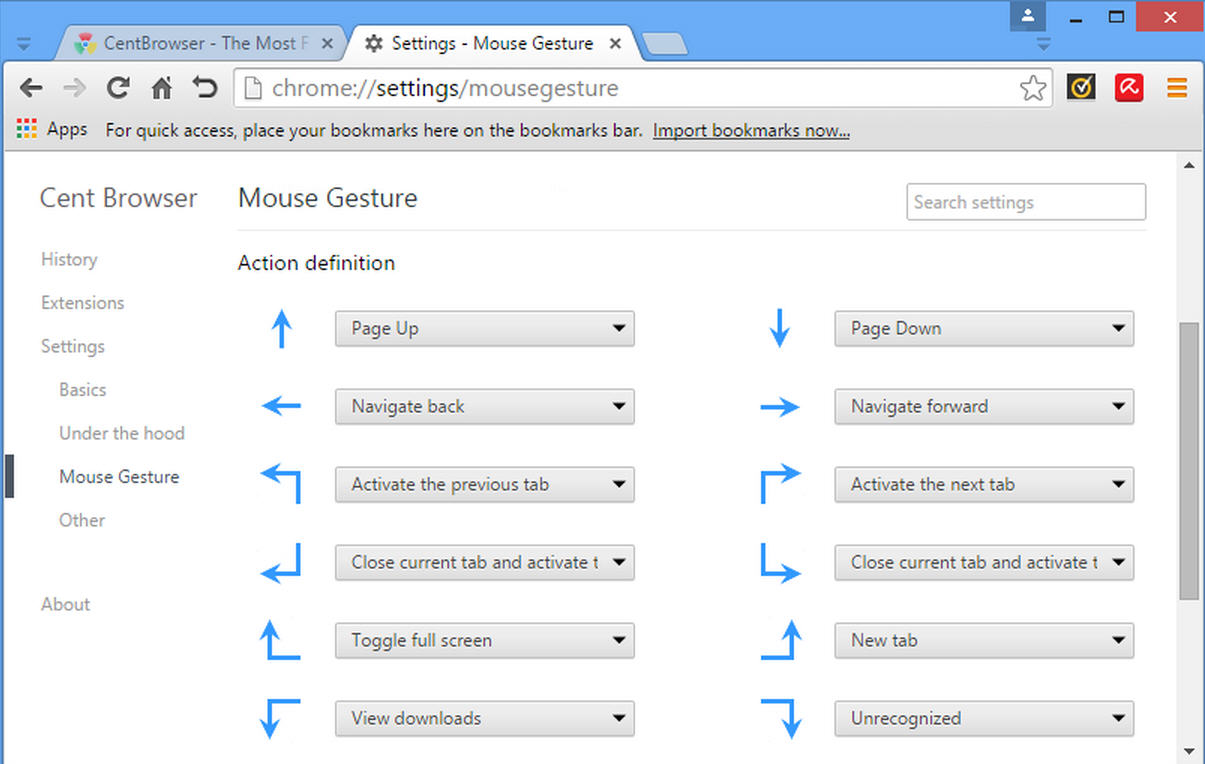
Overview of Cent Browser
This is another modified browser built on Google Chrome (Chromium Brewster). The application offers many features that distinguish it from similar browsers, such as gesture control with customizable advanced settings.
Cent Browser is an enhanced version of the Chromium web browser, incorporating many useful features, such as a scrollable tab bar, automatic memory optimization, slow session loading, mouse gestures, quick drag, and various other tab options. It makes your web browsing experience easier, more comfortable, and safer.
Additionally, the browser provides, for example, an incognito tab that allows users to view pages anonymously or a QR code generator to ensure easy internet access via mobile phones. You can also download the web browser Hidemyacc.
Features of Cent Browser
- Built on Chrome
- Memory optimization
- Scrollable tab bar
- Mouse gestures
- Special tab
- Privacy protection
- Super drag
- Fully portable
- Highly customizable
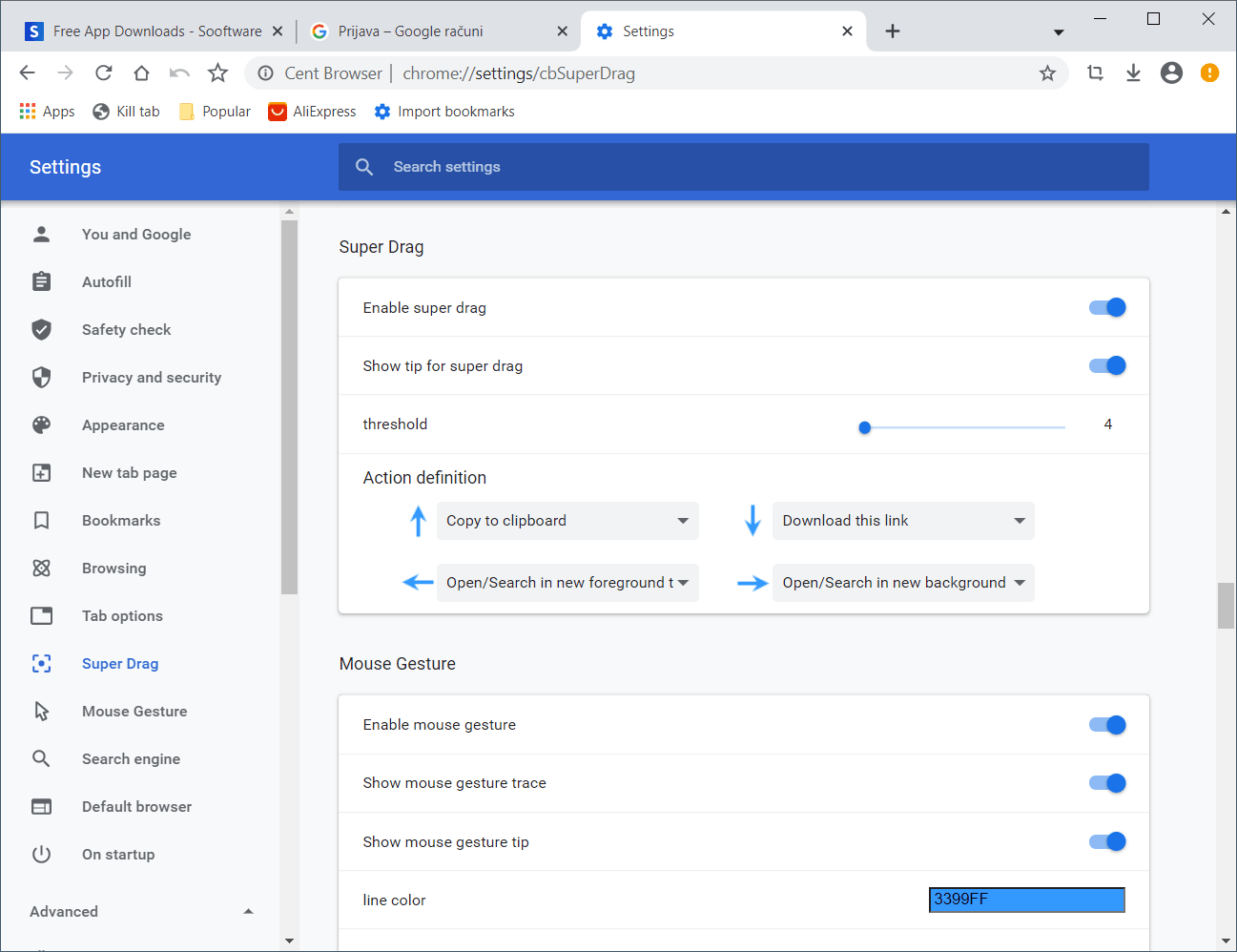
Performance Speed and Browsing Stability
One of the standout features of this browser is its high speed in loading pages, thanks to its reliance on the powerful Chromium engine. It also provides stability during browsing and consumes fewer resources than some competing browsers, making it a suitable choice for mid-range devices. Users here do not have to worry about freezes or slowness even when opening a large number of pages simultaneously. You can also download the browser MetaDock.
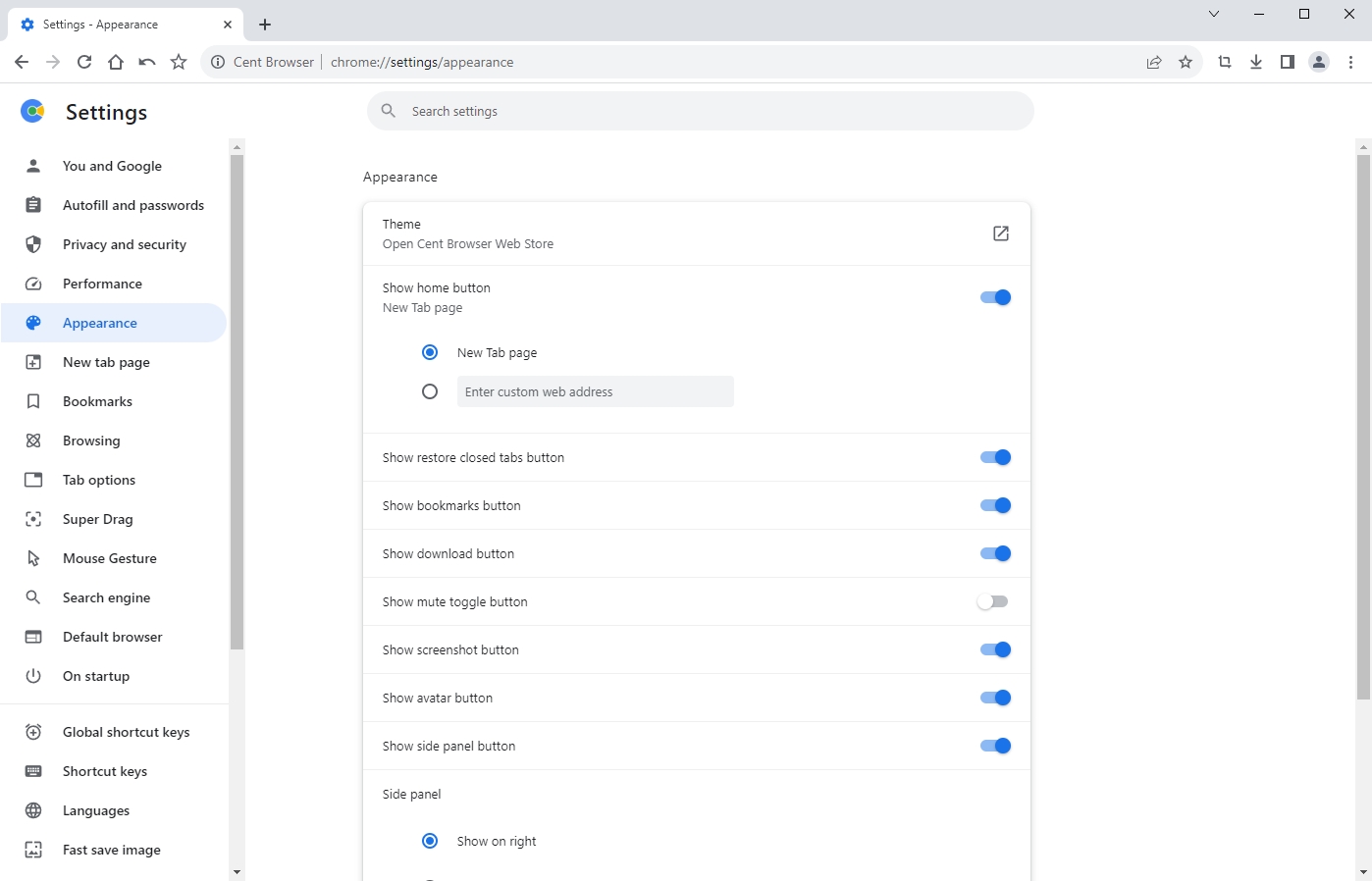
Customizable Interface
What sets Cent Browser apart from Chrome is its flexibility in customizing the interface. A sidebar can be added for quick access to favorites or history, and button placements can be adjusted according to user preference. This capability provides a greater sense of control and helps streamline daily tasks, especially for those who spend long hours browsing.
Smooth Scrolling and a More Comfortable Experience
The smooth scrolling feature makes navigating long pages more comfortable for the eyes. Instead of choppy scrolling, the browser offers a fluid motion that enhances the reading and browsing experience, especially when dealing with large articles or documents. You can also download the browser Octo Browser.
Tab Management Tools
Tab management is one of the key focuses of Cent Browser. It allows opening tabs in multiple rows, making navigation between them easier. It also provides options to group or pin tabs, which helps organize work better, especially when browsing multiple sites simultaneously.
Privacy and Security Protection
The browser supports privacy protection features such as incognito browsing, which prevents saving history and cookies. It also offers options to quickly delete browsing data with a single click, in addition to its automatic support for security updates from Chromium. These elements make the browsing experience safer and provide users with peace of mind.
Support for Extensions and Add-ons
Since Cent Browser is built on Chromium, it fully supports the Chrome Web Store. This means that all extensions and add-ons compatible with Chrome work seamlessly on Cent Browser. This point gives users great freedom to customize the browser according to their needs.
Additional Practical Features
Among the practical features is a tool for capturing screenshots directly without the need for external add-ons. The browser also supports mouse gestures to speed up commands, such as opening new tabs or going back to previous pages with simple movements. Additionally, data can be synchronized with a Google account, including passwords and bookmarks.
Advanced Download Support
One of the strong features of Cent Browser is that it offers an advanced download manager that allows complete control over files during download. Users can easily pause and resume downloads, a feature that may not work well in other browsers. The browser also allows splitting downloads to speed up download speed, saving time especially when downloading large files. Additionally, it displays downloads in an organized manner for easy access later.
Easy Link Copying and Conversion
The browser includes a practical tool for quickly copying links, whether for current pages or for multiple open tabs at once. Users can copy all active links in one window, making it easier to share or save them for later use. This feature is very important for students and researchers who need to gather sources quickly without wasting time manually copying links.
Multi-Account Browsing
Another powerful feature is the ability to switch between different accounts easily within the same browser. Users can open independent windows for each of their Google or social media accounts. This eliminates the need to use different browsers or log out frequently when managing multiple personal or professional accounts simultaneously.
Improved Memory Management
While Google Chrome consumes significant resources when opening a large number of tabs, Cent Browser addresses this issue with its smart memory management feature. The browser can temporarily suspend unused tabs to free up memory and then restore it when returning to them. This reduces the strain on the device and maintains smooth performance, especially when working on weaker computers.
Quick Navigation Between Sessions
The browser supports easily restoring previous sessions, allowing users to return to previously opened sites and tabs without losing any data. Additionally, multiple sessions can be saved under a specific name and retrieved when needed. This feature is beneficial for researchers and programmers who work on projects that require opening the same set of sites repeatedly.
Advanced Keyboard Shortcuts
Cent Browser offers a wide range of shortcuts that speed up the browsing process. For example, new tabs can be opened, closed, or navigated between using simple keys on the keyboard. It also allows users to customize these shortcuts to fit their working style, saving a lot of time during intensive browsing.
Built-in Night Mode
Another practical feature is the built-in night mode that makes browsing more comfortable for the eyes in dark environments. The night mode changes the background and text colors to reduce eye strain, which benefits users who spend long hours in front of the screen at night. Unlike some browsers that rely on external add-ons, this feature is integrated by default in Cent Browser.
Mouse Gestures
The mouse gestures feature makes executing commands faster and smoother. Users can draw a simple motion with the mouse to perform commands like going back to the previous page, reloading the page, or opening a new tab. This feature adds a modern touch and makes browsing more interactive, especially for those who prefer not to rely heavily on the keyboard.
Technical Details and System Requirements
- Supported Operating System: Windows

 File Name:
 Downloads:
 Version:
 Full Version:
 Created By:
 License Type:
 Release Date:
 Languages:
 Tags:
Tags:


