

ZHPCleaner is a free program designed to combat intruders that attack your browser. Its main purpose is to restore browser settings and eliminate browser redirects.
It aims to remove adware that displays pop-ups, unwanted programs, certain browser toolbars, and some legitimate but unnecessary software.
Its primary goal is to restore the original browser settings and remove browser redirects. It also targets adware that shows pop-ups, unwanted programs, and some toolbars.
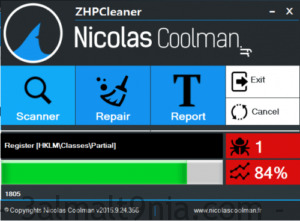
This program is primarily designed to fight online intruders that attack your web browsers, allowing you to easily restore proxy settings and remove redirects from your browsers.
Based on two main tasks (scan and clean), ZHPCleaner aims to eliminate malware, unnecessary programs, PUPs/LPls, spyware, and other pollution tools.
ZHPCleaner is simple and fast, requiring no installation and relying on running scripts. A change report is automatically generated after each scan and stored on both the desktop and user folder. ZHPCLEANER is completely free and works with all modern versions of Windows.
The program features an intuitive user interface that poses no challenges compared to other software. The interface consists of a small window that provides you with three tools: scan, repair, and report. As you might guess, you need to perform a scan first and then access the repair function to remove unwanted malware from your browser.
Once the scan is complete, you are provided with a summary report and preview. If you're unsure about what something is or whether you need it, you can use the right-click function to learn more before deletion. The report tool serves to save the results of the last scan so you can access them later.

 File Name:
 Downloads:
 Version:
 Full Version:
 Created By:
 License Type:
 Release Date:
 Languages: