

Download ASAP Utilities for Excel for free: ASAP Utilities serves as your personal assistant in the world of Excel, offering a variety of tools that help speed up your daily tasks. From sorting sheet tabs to exporting data and creating new worksheets, this program provides everything you need to enhance your performance. In this article, we will explore all aspects of ASAP Utilities to help you decide whether to download this fantastic tool.
Download ASAP Utilities for Excel for free

ASAP Utilities is considered one of the powerful add-ins for Excel, aimed at improving user experience and significantly increasing productivity. This program is specifically designed for Excel users who seek to enhance their work efficiency and reduce the time spent on repetitive tasks. If you work daily with Excel, ASAP Utilities is the right choice for you, combining simplicity with the ability to deliver effective results.
The capabilities of ASAP Utilities go beyond just adding new features; it actively contributes to speeding up daily operations, allowing you to focus on the more important aspects of your work. With the available toolkit, users can perform many tasks with just a single click, saving time and effort. Using ASAP Utilities feels like having a dedicated personal assistant, supporting you in completing your work efficiently and quickly.
Features of ASAP Utilities for Excel
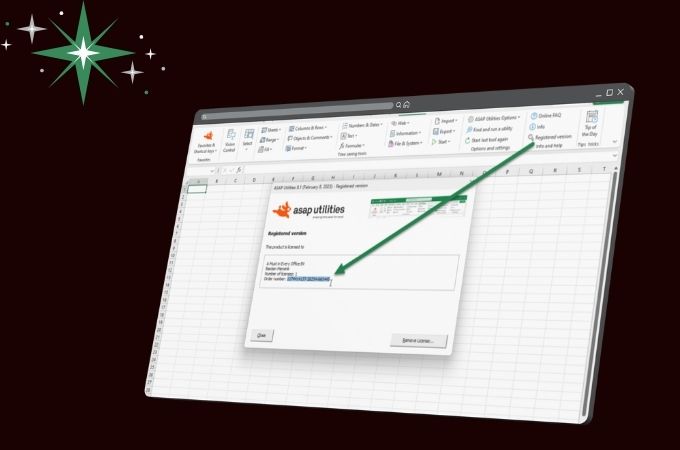
ASAP Utilities boasts numerous features that make it a standout tool for users. Among these features is the ability to sort sheet tabs by name or color, making it easier to organize data visually. Sometimes you may need to arrange your worksheets in a way that makes them easier to access, and that's exactly what ASAP Utilities provides.
The program also allows you to export worksheets as separate files, simplifying the process of sharing information with others. Imagine working on a project that requires you to send multiple worksheets to your colleagues; with ASAP Utilities, you can achieve this quickly and easily. These features, along with many other tools, make ASAP Utilities an ideal choice for anyone looking to improve their Excel experience.
Sort sheet tabs by name or color
The feature to sort sheet tabs by name or color is one of the important tools in ASAP Utilities, allowing you to organize worksheets in a way that makes them easy to access. You may sometimes find yourself working on a document with many worksheets, making it difficult to keep track of each one. But with this feature, you can arrange the sheets in a way that makes navigation easier.
Organizing data visually has a significant impact on your work efficiency, as you can quickly find the information you need. Imagine having a set of colored sheets, where each color represents a different type of data, making it easy to identify the content at a glance. ASAP Utilities gives you the ability to achieve this organization effortlessly.
Export worksheets as separate files
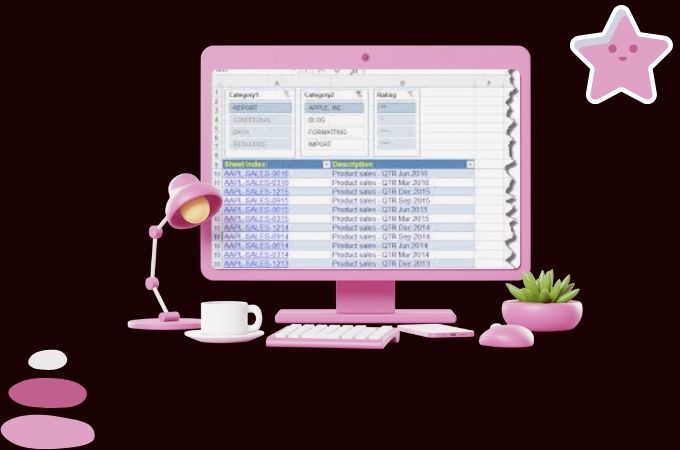 Export worksheets as separate files
The ability to export worksheets as separate files is one of the standout features of ASAP Utilities, helping you share information easily with colleagues or clients. Instead of sending a complete Excel file containing all sheets, you can simply export each worksheet as an independent file. This process is akin to dividing a book into chapters, allowing you to share each chapter separately with those who need it.
This not only simplifies the sharing process but also reduces clutter, allowing recipients to focus only on the information that matters to them. This feature is ideal for group activities that require collaboration among multiple individuals, enhancing communication and facilitating teamwork.
Create multiple worksheets quickly using auto-labeling
One of the great features offered by ASAP Utilities is the ability to quickly create multiple worksheets using auto-labeling. If you need to create a set of new worksheets for various purposes, this feature will save you time and effort. Instead of creating each sheet individually, you can use this tool to create several sheets at once, similar to planting seeds in a field where you sow them all at once and produce many plants.
This feature is perfect for users working on projects that require numerous sheets, such as preparing reports or databases. You can also easily customize the names of the new sheets, making data organization more effective. ASAP Utilities ensures that your processes are fast and smooth.
Copy worksheet page and print settings
The feature to copy worksheet page and print settings is a useful tool in ASAP Utilities, allowing you to easily copy worksheet page settings. If you've spent a long time setting up the page, such as margins and formatting, this feature helps you save time by copying those settings to other worksheets.
Protect multiple sheets at once
The ability to protect multiple sheets at once is an important feature offered by ASAP Utilities. If you work in an environment that requires data confidentiality, this feature allows you to protect several worksheets simultaneously, similar to locking a set of drawers to keep their contents secure.
This makes it easier for you to manage security more effectively, as you can apply uniform protection to all sheets that need securing. This feature enhances the security level of your data and helps you control access to sensitive information.
Insert before and after each cell in your selection
The feature to insert before and after each cell in your selection is one of the handy tools provided by ASAP Utilities. This feature allows you to easily add text or specific symbols to multiple cells at once, which is ideal when you need to add comments or special tags.
Visibility control: Quickly view workbooks and sheets and change their settings
The visibility control feature in ASAP Utilities allows you to quickly view workbooks and sheets and change their settings with ease. If you struggle with cluttered data displays, this feature helps you organize content in a way that makes it easy to navigate between different sheets.
The ability to control visibility greatly enhances your experience, allowing you to focus on important data without being distracted by unnecessary information. This feature is akin to organizing your desk, where you clear away clutter to see what is important clearly.
Select cells based on content, formatting, and more
The feature to select cells based on content and formatting is one of the powerful tools in ASAP Utilities, allowing you to choose cells that meet specific criteria, such as values or formatting. This feature is ideal when you need to sort data in large tables.
Advanced sorting, sorting by more than just values
The advanced sorting feature in ASAP Utilities gives you the ability to sort data based on multiple criteria, not just values. This feature makes it easy to organize information in a way that enhances your understanding and analysis of the data.
Deselect cells in your selection
The feature to deselect cells in your selection is one of the useful tools provided by ASAP Utilities. If you need to separate a group of cells you previously selected, this feature allows you to do so easily, similar to using a tool to dismantle complex components.
The ability to deselect cells makes it easier for you to manage data, allowing you to quickly and efficiently reorganize what you need. This feature enhances work flexibility and helps you maintain complete control over the data you are working with.
Apply formulas to selected cells
The feature to apply formulas to selected cells in ASAP Utilities allows you to use complex formulas easily. If you need to apply a specific formula to a group of cells, this feature makes it simple to do so, saving you time and effort.
Remove leading, trailing, and excessive spaces
The feature to remove leading, trailing, and excessive spaces is one of the important tools in ASAP Utilities. If you are working with data that contains unnecessary spaces, this tool helps you quickly clean the data, akin to dusting off an old piece of furniture.
Cleaning data enhances the accuracy of information and helps you achieve more reliable results. With ASAP Utilities, you can easily improve the quality of your data, boosting the efficiency of analysis and reporting.
File import and export tools (txt, CSV, dbf, xls, gif, jpg, html, etc.)
ASAP Utilities provides a range of file import and export tools, making it easy for you to handle various types of files. If you need to import data from a text file or export it to another format, these tools make the process smooth and straightforward.
Technical details and system requirements
For ASAP Utilities to work efficiently, certain technical requirements must be met. The program supports various versions of Excel, including Excel 2000, 2002/XP, 2003, 2007, 2010, 2013, 2016, and Excel 365, whether 32-bit or 64-bit.
It is important to ensure that you have the appropriate version of Excel before downloading the program, as this guarantees a smooth experience without any issues. The compatibility of ASAP Utilities with these versions makes it an ideal addition for users who utilize Excel in diverse work environments.
Conclusion
Downloading ASAP Utilities for Excel for free represents a feature-rich tool that significantly helps users enhance their Excel experience. With its multiple capabilities, users can handle data more efficiently and organized, positively impacting their productivity.
If you are looking for a way to speed up your daily operations in Excel and improve the quality of your work, ASAP Utilities is the perfect choice for you. Download it today and enjoy a unique user experience that makes working with data easy and enjoyable. With ASAP Utilities, you have the power to transform Excel into a powerful tool that meets all your needs.

 File Name:
 Downloads:
 Version:
 Full Version:
 Created By:
 License Type:
 Release Date:
 Languages:
 Tags:
Tags:

