


Download Andy Program
Download Andy 32-bit
Download Andy 64-bit
Download Andy Program
Download Andy
Download Andy Program 2025
Download Andy 32-bit
Download the lightweight version of Andy
Andy Emulator for PUBG
Best Andy Games
Andy has been updated to the latest version: Andy Android Emulator 47.260.1096
Fully-featured mobile operating system for desktop and cloud
Andy Emulator for low-end devices. Andy OS is a free mobile operating system emulator that runs on a Windows or Mac computer, as well as in the cloud, bridging the gap between mobile and desktop computing. It offers users compatibility with PCs, unlimited storage, and the ability to run most Android applications on their desktops. It also syncs your operations across devices, ensuring nothing is lost during the transition.
Flexible Solution
The Andy program allows you to run Android on computers, such as WhatsApp or Snapchat, through a Windows or Mac desktop.
It operates on Android OS 4.2.2 in a virtual machine, allowing you to run full-screen applications for an immersive experience or keep them open in a resizable window alongside Windows programs.
Andy is the lightest Android emulator for computers, providing a great simulation experience, including useful features like the ability to use your phone as a controller.
Download Andy from MediaFire for free, but there is also a professional version that allows you to use the same system on multiple devices, offering more compatibility, early access to the latest updates, and premium support.
How to Install Andy
After downloading the APK file, installation should not be an issue, although the program requirements are somewhat high.
To get Andy on your computer, you'll need a dual-core Intel or AMD CPU that supports virtualization, along with Windows 7 or higher, 3GB of RAM, 20GB of free disk space, and a powerful video card. Additionally, you'll need to enable virtualization in the BIOS.
Essentially, you'll need a reasonably new computer with at least 4GB of RAM to run this program smoothly. More RAM will be necessary if you want to allocate additional memory to Andy for better performance.
Download Andy from MediaFire
How Andy Works
After downloading the Andy program for free and installing it, you'll be greeted by the standard Android lock screen. Once you swipe the lock with your mouse or finger, the program will guide you through the usual first-time setup for Android and link your Google account automatically.
This program does not force you to run it at any specific screen size but instead allows you to resize it quickly. The Andy icon will also appear in the Windows taskbar, from which you can adjust the resolution.
Hovering your mouse over the bottom of your screen will give you access to some useful tools for switching between portrait and landscape modes and accessing the microphone and camera.
If you don't have a touch-enabled computer, you'll also set up the mouse and keyboard through this bar. There are also keyboard shortcuts for quicker and easier use, as well as options to customize the program to your liking.
Useful Features
Andy is unique because it allows you to turn your smartphone into a remote control, in which case it will mirror the Andy screen. This option is excellent for those applications that require a touchscreen.
Moreover, Andy does a lot to integrate your desktop with the Android operating system, allowing you to create shortcuts on your screen, copy and transfer files between devices via a shared folder, and receive notifications from your phone on your computer.
There is also a custom ADW launcher, meaning any new app you install will automatically be placed in a categorized folder on your home screen.
Gaming Performance
While Android emulators provide many new gaming opportunities, they are noticeably slow, and Andy is no exception. Loading even the simplest games takes a long time, and glitches often occur once that happens. This is true for most emulators; however, Andy seems to manage games with higher stability than others.
When it comes to other applications, performance will depend on your system specifications and the resources available to you, such as CPU speed and how much RAM you have.
Download Android Emulator for Windows 10
Is Andy better than BlueStacks?
BlueStacks is the older and more established of the emulators. Both offer support for gaming and controllers. However, Andy supports wireless devices as controllers, while BlueStacks only supports wired controllers.
Both are user-friendly and easy to set up. However, you may encounter issues enabling virtualization if it is not enabled by default on your processor.
Download Andy to run Android on your computer also has significantly more power than BlueStacks, at the cost of a bit of ease of use. With BlueStacks, there isn't much to the program beyond what you see. However, with Andy, you can allocate more virtual cores and assign more RAM to it. This gives you the ability to significantly optimize how it operates.
BlueStacks tends to have an edge in conversation due to name recognition. However, it can be argued that Andy is more agile and powerful. You can adjust the resources allocated to it, sync data to and from your phone, and even install third-party launchers.
Complete Experience
Although the Andy application functions as an emulator, it provides you with a complete experience of using the Android operating system on your computer. The program is fully customizable, allowing for great flexibility in use. If you're ready to tackle the challenging installation process and have the necessary software resources to run it, Andy can offer you a completely new experience in using your devices.
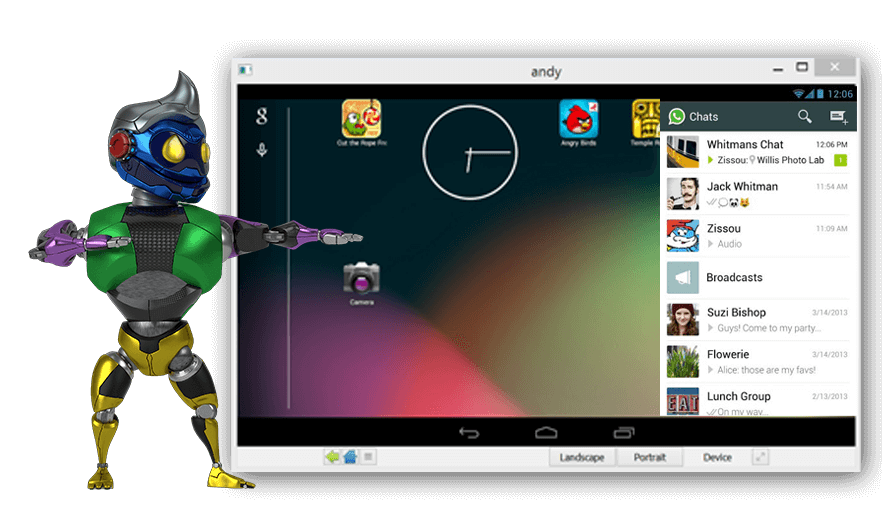
Features
Full Android User Interface
Windows 10, 8, and 7
macOS
Google Play Store
App synchronization on mobile
Phone as a controller
Android access to local file system
Multi-touch support
Cloud save in Android
Native X86 applications
ARM support
Sensor integration
OpenGL device support
Camera integration
Microphone integration
Device controller
Run applications from the desktop
Desktop push notifications
Developer support
Requirements to Run Andy Emulator
Dual core AMD or Intel CPU with Virtualization support
3GB of RAM; Andy uses less than 1GB while running apps
At least 10GB of free disk space
GPU with OpenGL 2.1 support
Windows 7 SP1 / Windows 8.1 / Ubuntu 14.04+ / OSX 10.8+
You may also check out the following articles:

 File Name:
 Downloads:
 Version:
 Full Version:
 Created By:
 License Type:
 Release Date:
 Languages: