

How to Download YouTube Shorts: With YouTube's growing popularity in the online world, YouTube Shorts are emerging as shining stars in the video realm. These short clips, lasting no more than sixty seconds, capture your attention in mere seconds and can easily convey messages to viewers in the clearest and quickest ways. Naturally, many of us want to keep such amazing clips, leading us to search for how to download YouTube Shorts?
If you want to download YouTube Shorts videos on Windows, Android, macOS, or any other device, you can use the methods outlined in this article.
Do you want to watch your favorite YouTube Shorts videos offline? With just a few clicks, you can save them directly to your smartphone.
To store YouTube Shorts for offline viewing or to download them, we will present you with a range of methods, allowing you to choose what suits you best.
Note: It's essential to keep in mind that downloading content using third-party software may violate the terms of service set by YouTube.
In this article, we will guide you through the process of downloading these videos to your mobile device with ease.
How to Download YouTube Shorts
Here, we will present a set of solutions that will help you download YouTube Shorts videos.
Method 1: Save YouTube Shorts Videos to Your Device Without Watermarks
You can download YouTube Shorts directly to your device using any application or website; however, this will result in a watermark that includes the account username.
Generally, videos without watermarks are preferred by any algorithm.
Therefore, to download YouTube Shorts without displaying a watermark, you will need to use additional software. You can download your YouTube Shorts by copying and pasting into any of these programs, all of which will work in the same way.
Save Tube
If you want to use the Save Tube program to download YouTube Shorts videos, follow the instructions below to make it easier for you to use and download the video.
You can get the video link by selecting the "Share" option on the video and then copying the URL for yourself:
Visit the SaveTube download tool; the good thing here is that you don't need an account to use SaveTube, as it is completely free to use for downloading YouTube Shorts.
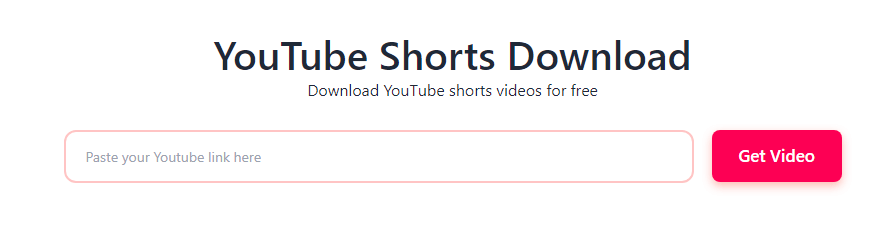
SaveTube Download Tool
To download the content, you will need to paste the URL of the YouTube Shorts into the tool.
Immediately after clicking the "Get Video" button, a new window will appear allowing you to choose the video file type you want. To save the video directly to your device, click the "Get Link" button and then select the "Download" option.
Publer
If you want to use Publer to get YouTube Shorts videos, follow the instructions below to facilitate your use and download the video.
Publer is a free third-party application that enables users to download YouTube Shorts using the URL.
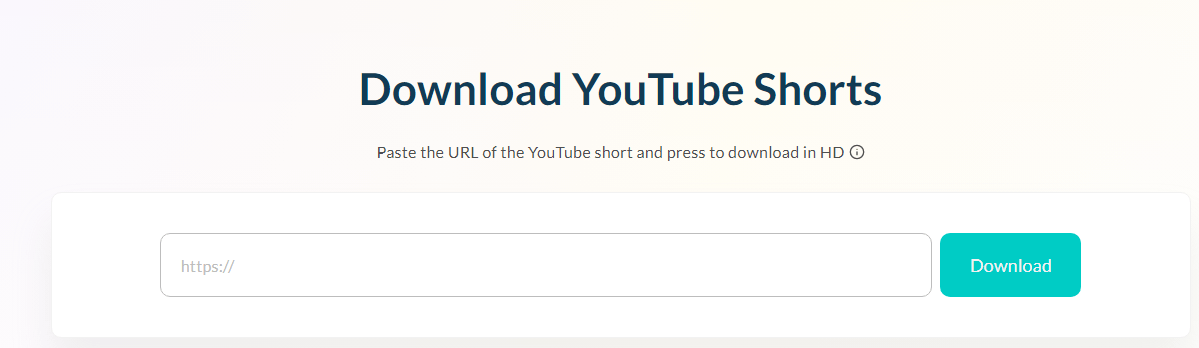
Publer Tool
This tool does not require users to have an account; just copy the shortened URL to YouTube and paste it into the tool, then click the "Download" button.
You have the option to download the file to your device or share it on any social media platforms.
Method 2: Download YouTube Shorts Videos on Your iPhone or Android Device via a Third-Party Website
Since YouTube does not provide a straightforward way to download Shorts videos directly to your smartphone's internal storage, you will need to use websites developed by third parties to save the videos to your mobile device.
To download YouTube Shorts on your iPhone or Android, follow these steps:
You can get the video link by selecting the "Share" option on the video and then copying the URL for yourself:
The next step is to open a web browser on your mobile device, such as Chrome or Opera.
You can paste the URL of the YouTube Shorts video and then go to SSYouTube.com.
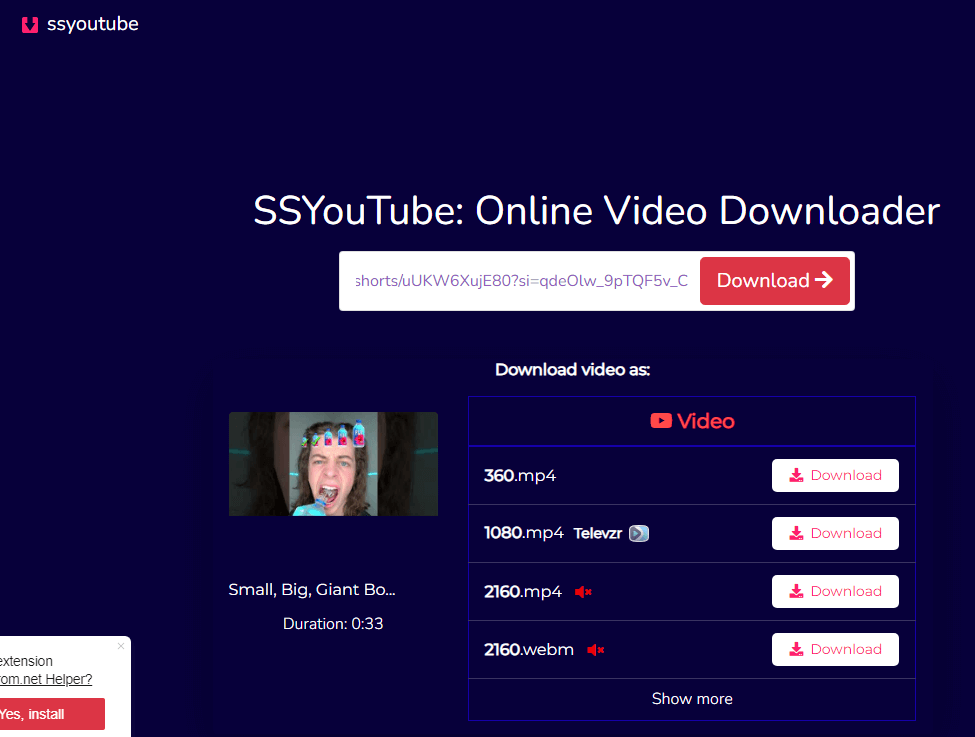
SSYouTube
To view the various formats of YouTube Shorts videos available for download, click the search button and then scroll down.
To save the video to your device, you can do so by clicking the "Download" option next to the format.
Frequently Asked Questions
Can I download YouTube Shorts directly from YouTube?
No, YouTube currently does not offer a built-in option to download Shorts videos directly from its platform.
How can I download YouTube Shorts videos to my device?
You can use external websites or applications that allow you to enter the URL of the YouTube Shorts video and download it to your device.
What are some reliable websites or apps for downloading YouTube Shorts?
There are many available websites and apps, such as SaveFrom.net or Y2mate.com, or apps like TubeMate (for Android) and Documents by Readdle (for iOS).
Are there any risks in using third-party websites or apps to download YouTube Shorts?
Yes, there can be risks such as malware or unwanted ads or violating YouTube's terms of service, so it's crucial to use reputable sites and apps and be cautious of any suspicious activity.
Is downloading YouTube Shorts legal?
Downloading YouTube Shorts videos for personal use is generally considered acceptable under YouTube's terms of service. On the other hand, distributing downloaded videos or using them commercially may violate copyright laws.
Can I download YouTube Shorts on my smartphone?
Yes, you can download YouTube Shorts videos on both Android and iOS devices using various apps designed for downloading videos from the internet.
How can I save YouTube Shorts videos for offline viewing?
YouTube currently allows users to save certain videos for offline viewing through the YouTube app; however, this feature may not be available for all Shorts videos.
Can I download YouTube Shorts videos on my computer?
Yes, you can download YouTube Shorts videos on your computer using online download tools or browser extensions that support video downloading.
Is there a limit to the number of YouTube Shorts videos I can download?
This depends on the service or app you are using; some may have restrictions on the number of downloads per day or per user account.
How can I ensure the quality of the downloaded YouTube Shorts videos?
Many download programs allow you to choose the video quality before downloading; selecting a higher resolution option will result in better video quality.
Can I download YouTube Shorts videos using a browser extension?
Yes, there are browser extensions available for Chrome, Firefox, and other browsers that allow you to download YouTube Shorts videos.
Can I download YouTube Shorts videos in HD or 4K quality?
The availability of HD or 4K quality depends on the original quality of the video uploaded by the content creator; some download programs allow you to select video quality before downloading, but it ultimately depends on the video's resolution on YouTube.
Can I edit or modify downloaded YouTube Shorts videos?
Yes, once you download a Shorts video to your device, you can use video editing software or apps to modify it according to your preferences. However, you must respect copyright laws in all cases.
Conclusion
In this article, we discussed how to download YouTube Shorts. Using the solutions mentioned above, you can easily download YouTube Shorts videos. You can do this by recording the video using the YouTube app or by uploading a video you previously recorded from your gallery.


