


The best program to repair DLL files. You’ve probably encountered messages like "Runtime Error," "DLL file missing," or "Try reinstalling the program to fix this issue." So, what’s the best solution in this case? The answer is that you can recover deleted, lost, or corrupted DLL files using DLL repair programs.
- Links to download pages are at the end of the article; click on View Download Links
What are DLL Files
Most users don’t know what a DLL file is. It stands for Dynamic-link library, which refers to dynamic linking files, and they are essential programming components in the Windows operating system. DLL files are simply codes written in various programming languages that can be called upon by executable programs "exe." Many applications on our computers utilize DLL files, and these files can be accessed by multiple programs simultaneously, directing the internal processes of applications to play all audio and video formats, display text, graphics, and more.
Top Program to Repair DLL Files: A List of the Best 8 Programs:
There are many DLL repair programs available. In this list, we have selected the best ones that can repair corrupted or lost DLL files.
1- DLL-files Fixer
This is an excellent program that finds missing DLL files, repairs and cleans your system, and removes corrupted DLL files, leading to improved performance of your device. DLL-files Fixer features an easy-to-use interface, making it accessible for average users. It works efficiently with Windows versions like XP, Vista, 7, and Windows 8.
2- DLL Suite
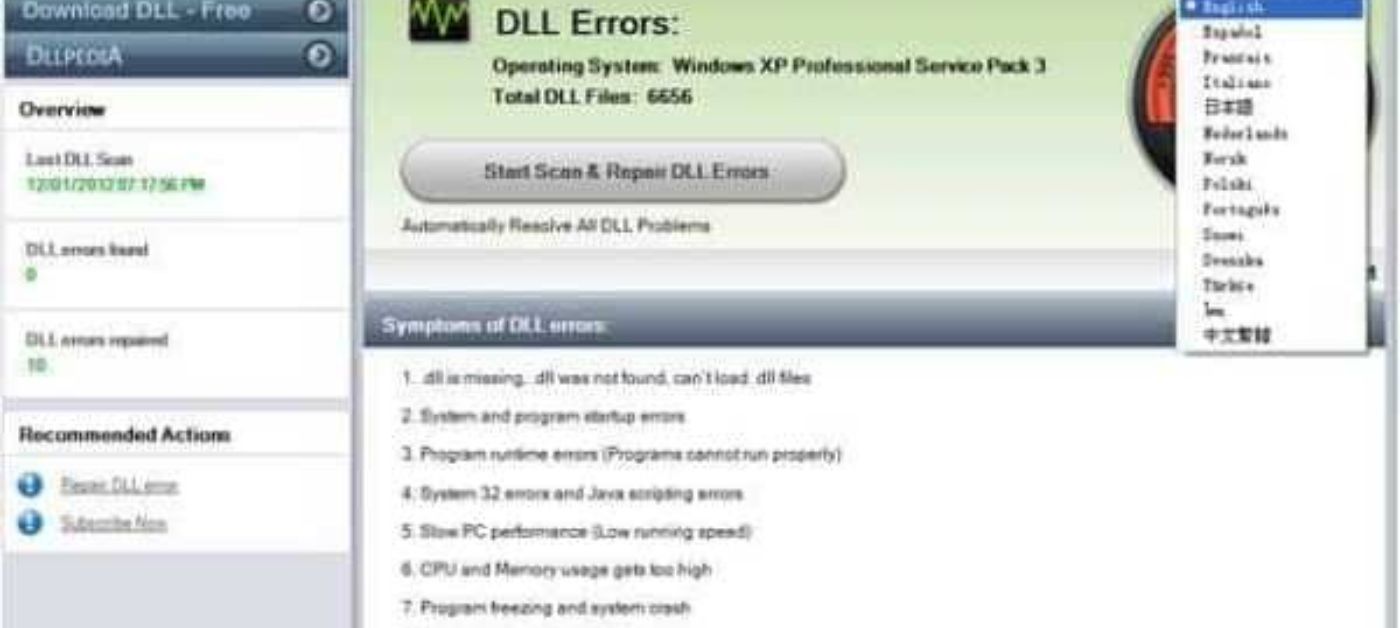
DLL Suite is a fantastic program that can find and repair corrupted DLL files, as well as recover lost DLL files and remove harmful or unknown EXE files from your system. It uses one of the largest DLL databases for all Windows versions, so it works efficiently with Windows 10, 7, and 8. DLL Suite allows for manual searching and repairing of DLL files, and it has a great feature of automatic backup to save changes for future recovery. It is continuously updated, but there are some downsides; sometimes DLL Suite fails to find many DLL files, leaving issues unresolved, and the email support is not as quick as some users would like.
3- DLL Helper
If you’re looking for a program that can easily search for missing DLL files on your computer, DLL Helper is perfect for you. This program is designed to identify any missing files on your device and replace them. It is packed with many features that make it one of the best DLL repair programs available. The program is user-friendly and allows you to quickly find and download missing DLL files in the right place using its search tool. It automatically decompresses and registers the missing DLL files, making it a safer and better option than searching for missing files manually. Additionally, the program only installs safe files on your device, ensuring that it fixes your issues securely. However, keep in mind that when you install the program, it may come with additional software.
4- Smart DLL Missing Fixer

This program detects missing files and repairs corrupted ones. It has a large database of DLL files, which helps it quickly find missing DLL files and place them back where they were stored. It works to repair and optimize the entire system, automatically removing all harmful files. The program performs automatic backups of the registry and system and features an easy-to-use interface that even average users can navigate. However, some DLL files may not be present in the database, and the scanning process can take a considerable amount of time.
5- Glarysoft Registry Repair
This amazing program is not just an ordinary tool; it can repair hidden, corrupted, or missing DLL files, improving overall system performance. Glarysoft Registry Repair acts like a website that helps you find a missing DLL file. When you receive a message like "Cannot find DLL file," you can type the name of the missing DLL file in the DLL-Files.COM search box. Glarysoft Registry Repair has many features, allowing you to understand the purpose of the file, ensuring that you download the correct one. However, you should note that you will have to download the file manually, meaning it won’t be restored in the correct location automatically, and the technical support for users is limited.
6- Speedy PC Pro
I love this exceptional program, but unfortunately, it is not free. However, it offers a one-month free trial where you can use all the features at no cost. The unique thing about SpeedyPC Pro is that it provides users with many computer optimization tools, such as a cache cleaner, unwanted file remover, duplicate file cleaner, and much more, in addition to its main task of scanning and repairing missing or corrupted DLL files. It also installs the missing files in the correct location within your computer.
7- DLL Tool
This program can detect any missing DLL files and restore them instantly. It also repairs all errors that occur in any DLL files, and it fixes errors in EXE, SYS, DRV, and FONT files as well. It blocks any harmful files, thus providing protection for your computer, helping you run Windows smoothly without any errors. A tip for all Windows users: if you’re facing a DLL issue with any of your games, DLL Tool will assist you in cleaning and speeding up your computer.
8- DLL Care
If you’re looking for an advanced program for your Windows computer, DLL Care is the best choice for you. Why? The program has an easy-to-use interface, and DLL Care automatically cleans your computer of corrupted DLL files and restores lost files, making your device run better than before. The program enhances your computer's performance and supports most Windows operating systems excellently, but not all features may work with the free version.
In this article, we learned about DLL files and provided a list of the best programs for repairing DLLs on Windows. We hope this list helps you find the best DLL repair program you might want to use. These programs have been tested and their performance verified, but if you have important data on your device, it’s advisable to keep a backup. Finally, we would love to hear your opinions about these programs and which one you think is the best based on your experience, so everyone can benefit. We welcome your suggestions and comments in the section below.


