


A program to convert images to video for the computer, have you ever tried to compile a collection of photos and turn them into videos? Visual content has a completely different impact compared to other forms; for instance, business owners can create a significant market impact using videos and standout product advertisements. Many people also prefer to create videos using unique photos from special occasions to impress their family and friends on social media.
- The download link is at the end of the article; click on View Download Links.
But what makes videos or animated images so special?
Videos and animated images convey the right message in the market within minutes. However, converting images into videos can be challenging if you are not fully familiar with the right tools. Therefore, we will share several programs with you today. There are many available programs, but we will explore the best image-to-video converter for computers in this article.
1- LightMV
This is a website accessible through various computer browsers like Mozilla, Safari, and Google Chrome, among others. LightMV is also available for mobile devices (smartphones running Android and iOS. This fantastic site can convert images into videos through a wide range of video templates available on the LightMV webpage. You can turn your photos into stunning video presentations in no time, and it also offers editing features that allow end-users to enhance the quality of the converted images.
Pros
- User-friendly interface
- Video editing option available
- Allows adding logos to the output
Cons
- Does not support adding multiple files to videos
- Requires an internet connection to access the site
2- Kapwing image to video
This is another online video maker compatible with PCs, mobile devices, and tablets. It features options that allow you to insert transitions and animations into the uploaded images, making them truly beautiful. The converted videos can be saved in MP4 and GIF formats of your choice, and Kapwing image to video lets you publish the created videos on various social media platforms.
Pros
- Allows you to choose the aspect ratio
- Trimming and resizing options available
Cons
- Requires an internet connection to access
3- Image to Video
With Image to Video, you can convert your photos into videos without spending too much time. It has a user-friendly interface and offers great features like adding text, music, emojis, and much more to the converted videos. You can combine up to 30 images into one video, and you also have the option to preview the converted videos before downloading them to your computer.
Pros
- Allows adding music to the created videos
- Allows adding text to the created videos
- You can preview the available videos
Cons
- Requires an internet connection
- Can combine a maximum of 30 images at a time
4- Picovico
If you need a web-based program that turns images into beautiful videos with aesthetic features, Picovico is the perfect choice. This image-to-video converter offers a wide range of uniquely themed video templates and allows you to add music to the created videos.
Pros
- Supports adding music to the created videos
- User-friendly interface
Cons
- Requires an internet connection
5- Wondershare DemoCreator
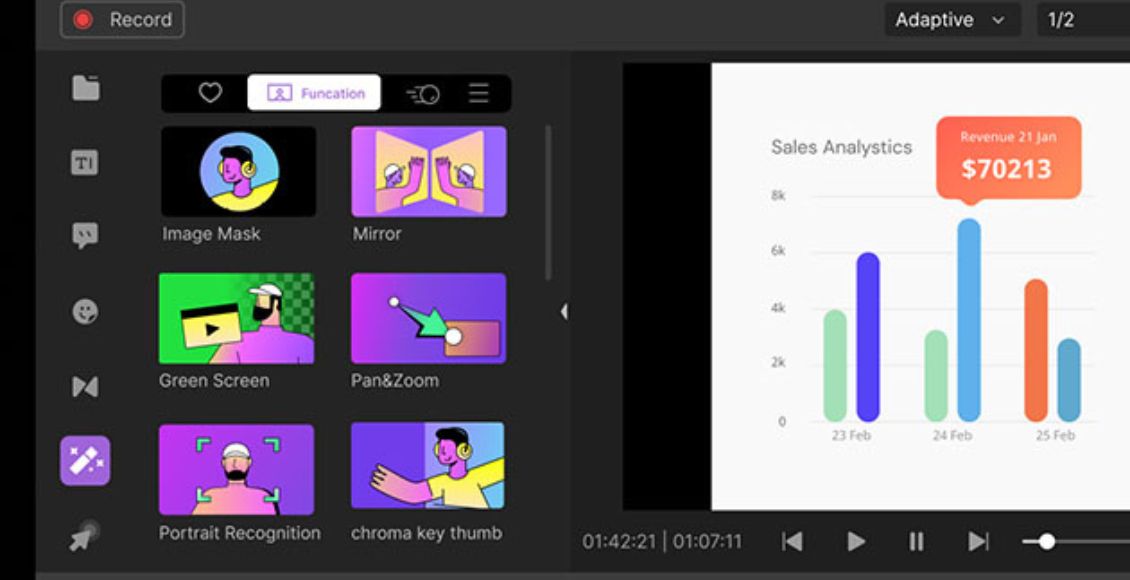
This is the best video converter available for both Mac and Windows. Wondershare DemoCreator is one of the cheapest programs with high quality and speed, allowing you to easily convert your images into videos. This tool offers a free trial version, but with many limitations. The paid version will enable you to convert images into 4K videos, copy discs, and record screens without issues. The paid version comes in three forms, with a lifetime license for the highest amount.
Pros
- 4K resolution
- High speed
- User-friendly
- Ability to burn discs
Cons
- Not supported on mobile devices
6- Clipchamp

Clipchamp is a program used to convert images into videos. It features an editor that allows you to crop images and resize them to different dimensions. This tool can also be used to insert multiple elements such as emojis, texts, overlays, backgrounds, and more into the created videos. Furthermore, Clipchamp offers features like royalty-free images and music clips that can be used when converting images into videos.
Pros
- Various transition effects available
- Gives you the option to edit (file parameters)
Cons
- Works only on Windows
7- MP3Care Photo to Video
This is a web-based tool used to convert JPEG and PNG images into video files, with the converted videos often in MP4 format. MP3Care Photo to Video allows you to combine 20 images into one video at a time and comes with an option that lets you set the time between images (range = 5 to 20 seconds).
Pros
- Converts both JPEG and PNG images
- Allows you to add multiple files to create the video
Cons
- Does not support video editing
- Allows a maximum of 20 images to be combined
So what features define the best program?
You have learned about the top 7 programs for converting images to video, and I believe you are familiar with some, if not all, of them. However, there are five key attributes that define the best image-to-video conversion application for computers:
- Storage space: The converted video should be small in size.
- Supports adding music to the converted videos.
- The tool should be free or low-cost for users.
- Offers video editing features.
- Should support multiple video formats (MP4, GIF, MOV, etc.)
Considering the features mentioned above for the best image-to-video converter for computers, it can be concluded that Wondershare DemoCreator is the best. It includes a user-friendly interface and is supported on both Mac and <a href="https://3almalt9nia.com/%d8%aa%d8%ad%d9%85%d9%8a%d9%84-%d8%A3%d8%af%d8%a7%d8%a9-%d8%aa%d9%81%d8%b9%d9%8a%d9%84-%d8%a7%d9%84%d9%88%d9%8a%d9%86%d8%af%d9%88%d8%b2-windows-by-goddy-3-


