

If you're looking for a professional tool to enhance video quality and save storage space without compromising visual details, downloading the PTE Video Optimiser is an ideal choice. This software is known for its high-efficiency video compression capabilities while maintaining image and sound quality, making it suitable for content creators, photographers, and users dealing with large video files. With its smooth interface and fast processing speed, the program allows you to quickly optimize your files for online display or storage on mobile devices. It's the perfect solution for achieving a balance between quality and size with simple steps and impressive results.
Overview of PTE Video Optimiser and Its Capabilities
PTE Video Optimiser is a standalone program developed by WnSoft, the same company that created PTE AV Studio, used for making professional slideshows. The version of Video Optimiser is specifically designed for those who want to enhance their videos quickly and easily without delving into complex software like Adobe Premiere or DaVinci Resolve.
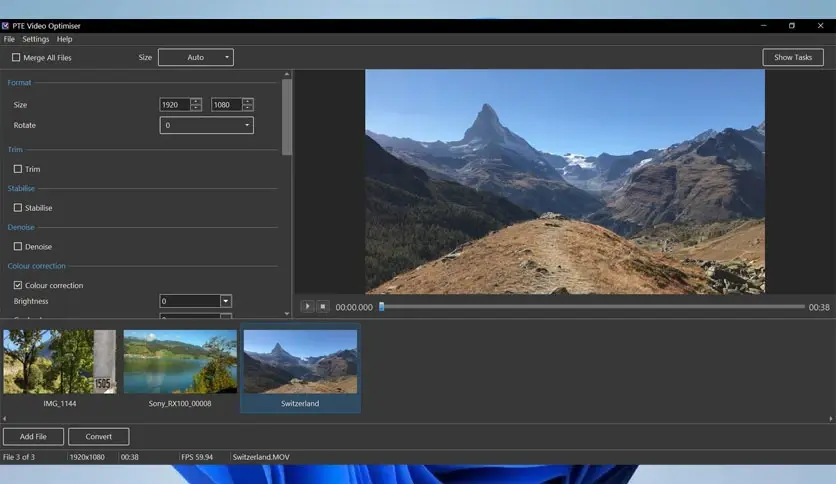
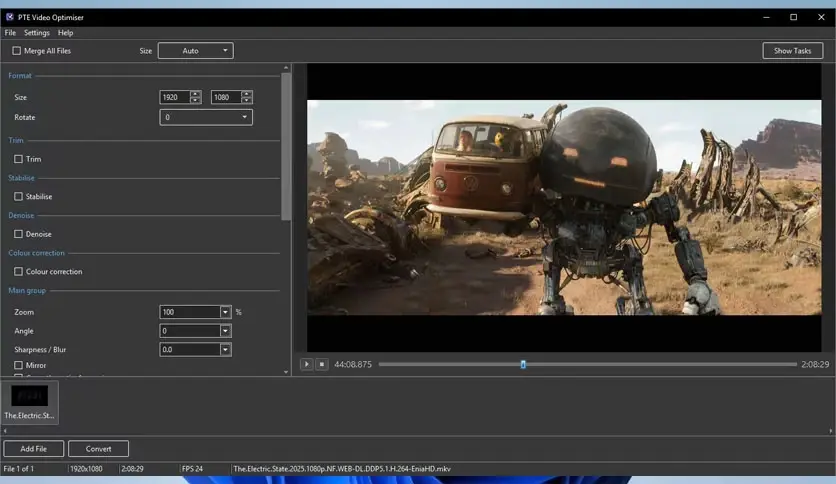
The program relies on automated technologies to analyze and improve video quality intelligently, whether in terms of stability, clarity, or lighting. It features a simple and user-friendly graphical interface, allowing anyone—even beginners—to enhance their videos in just a few minutes.
Uses of the Program
PTE Video Optimiser is designed to meet the needs of various groups, including:
- Creators of short videos for social media.
- Teachers and trainers who need to enhance the quality of recorded lessons.
- Ordinary people who keep family or travel footage and wish to improve it.
- Photography professionals looking for quick processing tools to complement their major software.
Drawbacks and Notes
Despite its many advantages, downloading the program does come with some limitations, such as:
- No version available for macOS or Linux.
- Lack of advanced editing tools like merging clips or adding music.
- No specialized support for audio editing.
- Limited customization for advanced users.
Features of the Full PTE Video Optimiser Download
Stabilizing Shaky Video
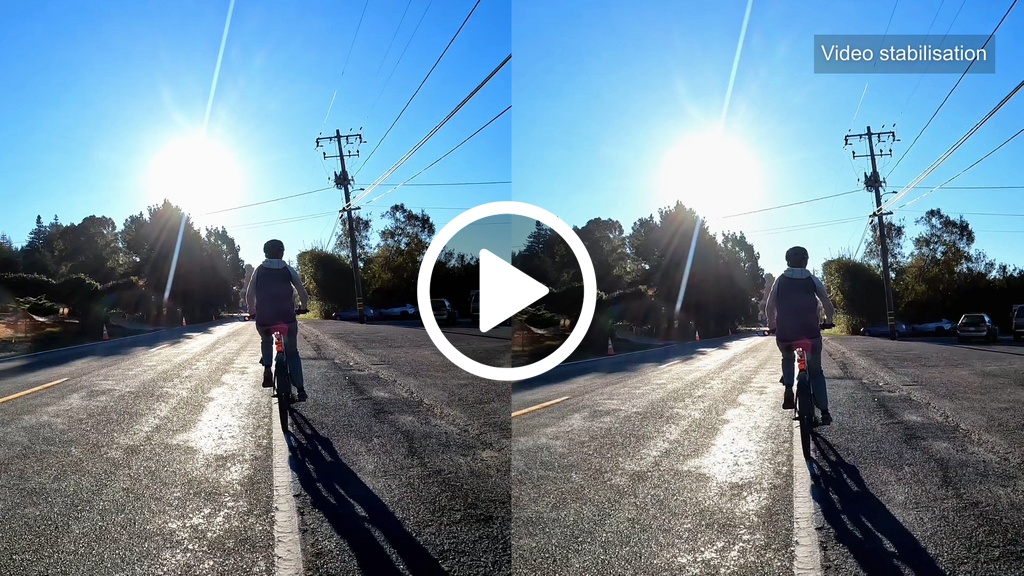
One of the main challenges faced by photographers, especially when using phones or cameras without optical stabilization, is shaking. These shakes can make the video uncomfortable to watch and may even lose its visual message. This is where the stabilization function in PTE Video Optimiser comes in, as the program analyzes each frame and applies precise adjustments to align the image and eliminate shakes. The result is a smooth and visually stable video, even if filmed while in motion.
Reducing Noise and Enhancing Image Clarity
When filming videos in low light or with modest cameras, digital noise often appears, which are unwanted spots or ripples in the image. The program uses dynamic algorithms to remove this noise without affecting the essential details, resulting in clearer and higher-quality video, enhancing the viewing experience.
Accurate Cutting and Scene Selection
Instead of using bulky editing software to define the start or end of a specific scene, the program allows you to easily set cut points, with instant preview of the result. This way, you can delete unwanted clips or extract specific parts for use in other presentations or projects without needing to re-convert the entire video.
Color Adjustment and Lighting Enhancement
Sometimes, a video may be too dark, overly saturated, or have incorrect white balance. This is where the color correction tools provided by the program come into play, including controls for brightness, contrast, color saturation, and white balance. These tools allow you to transform a dull video into visually appealing content with more accurate colors.
Reverse Video Effect
The program offers a simple tool to create a reverse video effect, which many content creators use to add creative touches or explain an idea in reverse. This feature can be applied with the click of a button, while fully maintaining image quality.
Batch Processing and Time Saving
The batch processing feature is one of the smart tools that allows you to apply the same enhancement settings to a large number of videos at once. This function is ideal for photographers or video producers working with multiple clips in the same project, or for those who want to quickly and efficiently standardize the quality of their videos.
Special Features That Distinguish the Program Download
What makes PTE Video Optimiser stand out is its ability to combine performance and ease of use; it doesn't consume much system resources, making it suitable for operation even on mid-range computers. It also provides regular updates that improve performance and add new options for great features:
- Support for high-quality videos up to 4K.
- High export speed thanks to the optimized processing engine.
- Ability to save settings as a template for later use.
Installation and Activation After Download
Licenses and Cost
The program is available in a free trial version that allows you to experience the basic functions. However, to save enhanced videos without watermarks or restrictions, you need to purchase a personal license. The price is quite reasonable, especially since payment is made only once without a monthly subscription, unlike many other editing programs.
Final Recommendations and Best Usage Practices
If you're looking for a practical tool to enhance videos without getting caught up in complexity, PTE Video Optimiser offers you everything you need with a simple interface and instant results. To get the most out of the program, here are some tips:
- Shoot your videos at the highest possible resolution to give the program better results during enhancement.
- Use the stabilization feature to correct any footage taken while walking or handheld.
- Try manually correcting colors after activating the instant preview, as this allows you to adjust lighting according to your scene accurately.
- Save your preferred settings as templates if you're working on a series of videos with the same processing.
- Use batch processing to save time if you have many files that need similar enhancements.
Quick Comparison with Alternative Tools
Although PTE Video Optimiser is an excellent choice for users seeking simplicity and speed, it's always beneficial to look at alternatives to understand the differences:
- Movavi Video Editor: Offers more comprehensive editing tools with an attractive interface but consumes more resources.
- Shotcut: An open-source program that supports multi-track editing, but is less smooth to use compared to PTE Video Optimiser.
- Adobe Premiere Elements: A powerful tool for beginners, but it is more expensive and

 File Name:
 Downloads:
 Version:
 Full Version:
 Created By:
 License Type:
 Release Date:
 Languages:
 Tags:
Tags:


