


NetLimiter Pro has been updated to the latest version: NetLimiter 5.3.19
NetLimiter Description
You can download NetLimiter Pro for free from our software library. If you're an experienced internet user, you’ve likely used at least one tool to manage your traffic. These tools are invaluable for managing your network connection and the applications that use it without your knowledge.
NetLimiter Pro 4.1.12.0 Crack is a powerful internet traffic control and real-time data monitoring tool for Windows. It includes a point that defines everything about your incoming and outgoing internet traffic. This application allows you to set data transfer rates for specific applications for downloading/uploading. Additionally, it can limit your individual connection and monitor traffic. This way, you can manage and restrict Wi-Fi speeds, routers, connections, websites, and more data-related products.
NetLimiter is a program that manages network traffic consumption. This software can be downloaded for free. After installation and launch, NetLimiter rus (64-bit) can monitor the behavior of every application with internet access, as well as control traffic and data transfer rates. You choose your own speed for receiving and sending data for any program or connection. Quickly and easily create rules for applications.
Limitless and unrestricted internet traffic.
Includes comprehensive online statistical tools.
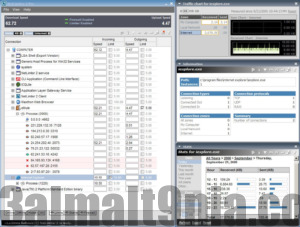
The main window of NetLimiter Pro Crack Keygen displays the total upload and download speeds for active processes in relation to your internet connections. It also shows you a list of all applications connected to the internet. You can set specific rules for any of these connections, such as limiting traffic, reducing speed, and data in megabytes.
Moreover, it comes with a scheduling feature that you can use if you want to restrict certain connections or block these applications. This is useful if your bandwidth is too high. A similar tool, DU Meter Crack, is a great alternative to NetLimiter. It tracks your monthly data usage. Furthermore, it includes real-time data and traffic measurement tools, along with long-term application statistics.
Installation requires a system restart, but the wait is worth it. In no time, you'll discover which applications are draining your internet connection and to what extent. The main application window displays the download and upload speeds for active processes and detailed information about incoming and outgoing connections.
NetLimiter Pro allows you to set specific rules for any of the designated connections, limiting traffic exchange for either incoming or outgoing only, and data to any amount of megabytes. Additionally, the scheduler is useful if you want to restrict certain connections for a period and avoid traffic congestion during peak hours.
If a new connection is draining your bandwidth significantly and you don’t want to take the time to restrict its access, you can simply terminate its activity. And if you’re unsure of what action to take regarding a specific connection, the whois, ping, and traceroute functions should be helpful, as they will provide you with more information about it.
Filtering should also be useful as you will be able to set specific traffic rules for a group of applications or a range of IP addresses. You can also specify user accounts that will be able to monitor or control the program settings and prevent unauthorized access to the application.
Last but not least, Net-Limiter Pro comes with its own firewall, and while it may not be as complex as a standalone firewall, it provides you with the essentials. This, along with the fact that the application interface is intuitive and easily customizable, makes it worth trying out.
NetLimiter is a monitoring and traffic control tool designed specifically for Windows. You can use NetLimiter to set download/upload transfer limits for applications or even a single connection and monitor internet traffic. Along with this unique feature, NetLimiter offers a comprehensive set of statistical tools for the internet. It includes real-time traffic measurement and long-term internet traffic statistics for each application. NetLimiter gives you complete control over the network on your computer. You decide where your application can connect and how fast those connections can be.
- Full control over internet bandwidth for applications and computers
- Strong connection blocker
- Long-term internet traffic statistics
- Fully customizable behavior using user-defined rules and filters
- And much more…
NetLimiter 4 Features
- No need to restart the operating system. Install .NET 4.5 framework if it's missing.
- Ability to limit bandwidth for applications, connections, and filters.
- Rule-based firewall to allow or block incoming/outgoing connections. Option to ask the user what to do.
- Monitor applications and network connections and filters.
- Firewall and rule editor.
- Filter network traffic.
- NetLimiter client can connect to another device running NetLimiter.
- Long-term traffic statistics.
- Priority rule to prioritize specific traffic using a simple interface.
- Allow or deny user control over NetLimiter or monitor it.
- Real-time traffic graph for the specified application, connection, or filter.
- Option to start/stop the rule at a specific time.
- Programmatic access to NetLimiter functions.
- Support for IPv6 protocol.
NetLimiter Pro is a powerful network utility that allows you to control your network, block an application or allow it to use the network, etc. NetLimiter acts as a network controller and monitoring application, functioning like a firewall but with advantages such as the ability to restrict an application when using the network. It provides you with real-time monitoring and statistics at a lower cost to deploy, but it can manage more than one computer. The software allows administrators to maintain multiple copies of configuration files with additional features including the ability to work as remote management, firewall, and filtering.
NetLimiter Pro Full Crack comes with an enhanced interface and a new network usage statistics module that is better, modern, and complete, either in diagram or table form. It’s more than just powerful applications for shaping and monitoring traffic, but it also has firewall functionality. It gives you complete control over the network on your computer. You can allow your application to connect or not, and how fast those connections can be.
Network Monitor:
NetLimiter displays a list of all applications connecting over the network, their connections, transfer rates, and more.
Bandwidth Shaper:
You can use NetLimiter to set download or upload rate limits for applications or connections or groups of them. With limits, you can easily manage the bandwidth of your internet connection (bandwidth shaper or bandwidth controller).
Statistical Tool:
This feature allows you to track your internet traffic history since you installed NetLimiter.
Additional Network Information:
NetLimiter provides you with additional information such as WHOIS, traceroute, etc.
Rule Scheduling Program:
Remote management, personal firewall, running as a WinNT service, user rights, scheduling, advanced rule editor and scheduling, traffic management based on area.
What’s New:
New Features
German, Russian, and Brazilian Portuguese translations
IP address for location database
In relative quotas, you can create rules for both directions
Minor fixes
Unzip Password: 123
You may also like

 File Name:
 Downloads:
 Version:
 Full Version:
 Created By:
 License Type:
 Release Date:
 What's New:
 Languages:
