

You can download Sysinternals Suite for free from our software library. Sysinternals Suite is a collection of technical tools for configuring, optimizing, testing, diagnosing, and troubleshooting Windows operating systems. Its application is vast, as it covers many areas of the operating system. For instance, the utility controls autostart, Process Monitor keeps track of all activities in the file system, and PageDefrag optimizes and defragments the registry.
Sysinternals Suite brings together all the troubleshooting tools for Windows Sysinternals in a single package.
This includes Autoruns, which remains the most detailed way to view all programs configured to run during Windows startup and various system applications.
You get Process Explorer, a supercharged version of Task Manager that provides a wealth of information about the programs running on your PC, what they're doing, and the resources they're consuming.
With the free "Sysinternals Suite," you get a toolkit for your PC with over 70 useful tools and system programs from Microsoft. These free utilities help you analyze your Windows system and error messages, control network processes, reduce registry size, and optimize the Windows system. For instance, you can use "Process Explorer" to see which programs and processes are activated at system startup. The "RAMMap" module provides an analysis of the computer's memory. You also get a Windows Task Manager alternative and with "Disk2vhd," you have the option to create VHD image files from drives to integrate them into programs like "Virtual Box." Additionally, the practical desktop extensions for "Sysinternals Suite" make everyday Windows use more convenient. For example, you can enlarge the desktop with the "ZoomIt" magnifier and draw on it with a pen. "Sysinternals Suite" is primarily suitable for professionals, as the tools are all in English and often only work in command-line mode. Many tools are available in both 32-bit and 64-bit versions. Sysinternals Suite is a comprehensive collection of very useful utilities from the well-known tools by Mark Russinovich. The Sysinternals troubleshooting tools have been compiled into one set.
The Sysinternals website, created by Mark Russinovich, has been offering lightweight and efficient system tools for years. Since being acquired by Microsoft, Sysinternals continues its journey on Microsoft's TechNet site. For users who want to use their Sysinternals tools anywhere, which can be extremely useful, SysInternalsSuite offers, as its name suggests, all applications within a single ZIP archive.
Among other things, you'll find classics like Process Explorer, which allows for in-depth analysis of Windows processes, Autoruns (to control applications at system startup), the famous Rootkit Revealer, and dozens of other utilities of all kinds: DiskView for a graphical representation of the disk, BgInfo to decorate the background with system information, or ZoomIt, a virtual magnifier. For those unfamiliar with Sysinternals tools, they don't stand out with a particularly elegant interface but do exactly what's required of them. Similarly, the compilation is not tied to any start menu, as applications are provided as executable files.
This file contains troubleshooting tools and individual help files. It does not include non-troubleshooting tools like the Blue Screen of Death screensaver or NotMyFault.
Sysinternals tools play a crucial role in Microsoft Product Support Services, as evidenced by the growing collection of Microsoft Knowledge Base (KB) articles that reference them.
The Sysinternals website was established in 1996 by Mark Russinovich and Bryce Cogswell to host advanced system tools and technical information.
The Sysinternals troubleshooting tools have been compiled into one set. This file contains individual troubleshooting tools and help files. It does not include non-troubleshooting tools like the BSOD screensaver or NotMyFault. The Sysinternals Suite is a package of many Sysinternals Utilities like AccessChk, Autologon, Ctrl2Cap, DiskView, Disk Usage (DU), LogonSessions, PageDefrag, ProcessExplorer, PsLogList, PsPasswd, RegMon, RootkitRevealer, TCPView, VMMap, and ZoomIt.
Microsoft acquired Sysinternals in July 2006. Are you an IT specialist or developer? You'll find Sysinternals utilities to help you manage and troubleshoot Windows systems and applications.
Sysinternals Suite is a useful and effective tool for configuring, optimizing, testing, and troubleshooting Windows operating systems. This program provides useful tools for almost any topic and post in Windows and compiles them. For example, there's a small tool for managing startup programs that allows you to remove unwanted programs from the startup system. We have the professional and advanced ProcessExplorer application that can extend the running process.
The power that Windows Task Manager gives you by default isn't even 10% of what this program offers. This tool has many options for stopping or what are called executable processes, which differ from those in Windows Task Manager. Here you can see the hardware consumption for each system, including memory, processor, network (download/upload), and more, with processes displayed in a single system. For example, for Chrome, each tab is a different format, and the program shows all settings related to Chrome, tree view, and parent-child mode.
The application spectrum for this package is very broad because its utility covers many areas of the operating system. For example, the Autoruns Startup utility controls, Process Monitor monitors all processes in the file system, and PageDefrag optimizes and defragments the registry.
Sysinternals Suite is a compressed archive file containing many different support applications. Each application is standalone, but a few have dependencies on other files in the Sysinternals directory. Each application runs directly from the executable file with no installation.
Sysinternals Suite offers tools that work on a wide range of Microsoft Windows operating systems from Windows NT to Windows 8. Some tools may encounter compatibility issues with certain operating systems. As mentioned before, if you're not sure what a tool does, it's best to research before experimenting too much. There's also a primer file that gives you a brief description of what each tool does.
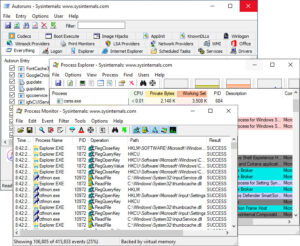
Features of Sysinternals Suite
Process Monitor provides an effective way to zoom in on a specific application. Have you ever had problems with a program that keeps crashing for no apparent reason, for example? Process Monitor can log all hard drive, registry, and other actions, often helping you figure out the cause and possibly fix it.
There's also RootkitRevealer, a simple tool for detecting malware; TCPView, a way to watch your computer's network connections in real-time; PageDefrag, a tool for defragmenting the swap file and registry; and many other programs, totaling 66 in one ZIP file.
Many of these programs are not intended for computer beginners. And there's no front-end interface to help less experienced users find their way. However, these are some of the best troubleshooting tools for Windows in the world, so if you're interested in trying to solve computer problems, it's a must-download. Go and get a copy right away.
AccessChk v6.15 - This update for AccessChk, a tool that shows what access users or groups have to resources including files, directories, registry keys, global objects, and Windows services, fixes a crash when passing long strings on the command line. Parameters that were previously limited by MAX_PATH characters now have no length restrictions.
RAMMAp v1.61 - This update for RAMMap, a utility that analyzes and displays physical memory usage, fixes issues with the Processes tab under Windows 11 and improves the user interface on high-DPI displays.
Sysmon v13.34 - This Sysmon update improves performance for tracking UDP network events (general NetworkConnect option), resolves a rare system hang (blue screen) when monitoring ProcessCreate events, and addresses memory/handle leaks with ImageLoad events with multiple exception statements.
The Sysinternals Suite package includes the following tools:
AccessChk, AccessEnum, AdExplorer, AdRestore, Autologon, Autoruns, BgInfo, CacheSet, ClockRes, Contig, Coreinfo, Ctrl2Cap, DebugView, Desktops, DiskExt, DiskMon, DiskView, Disk Usage (DU), EFSDump, FileMon Handle, Hex2 LDMDump, ListDLLs, LiveKd, LoadOrder, LogonSessions, NewSid, NTFSInfo, PageDefrag, PendMoves, PortMon, ProcessExplorer, Process Monitor, ProcFeatures, PsExec, PsFile, PsGetSid, PsInfo, PsKill, PsList, PsLoggedOn, PsLoggedOn, RegDelNull, RegJump, RegMon, RootkitRevealer, SDelete, ShareEnum, ShellRunas, SigCheck, Streams, Strings, Sync, TCPView, VolumeID, WhoIs, WinObj, VMMap, ZoomIt.
You might also like:
Complete Glary Utilities Pro with Activation Crack for Maintenance, Cleaning, and Speeding Up PC
Download Complete Advanced SystemCare Ultimate with Activation Crack
Download Complete System Mechanic Pro for PC with Activation Crack

 File Name:
 Downloads:
 Version:
 Full Version:
 Created By:
 License Type:
 Release Date:
 Languages:
 Tags:
Tags:
