

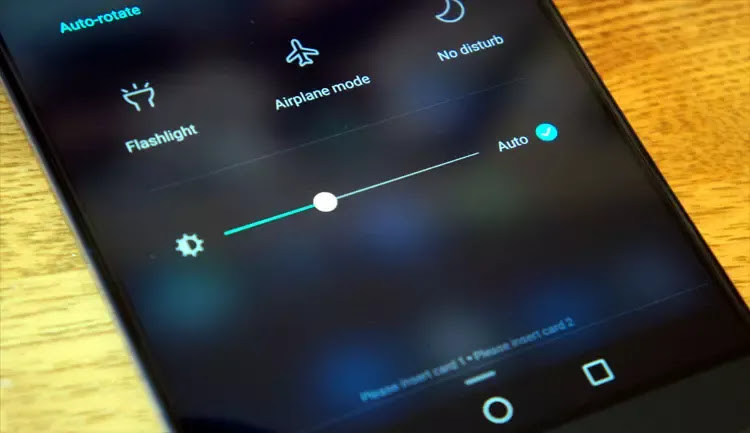
Screen brightness control apps for Android in 2024: Excessive smartphone use can often lead to eye strain, blurred vision, and headaches. To mitigate the risks of eye damage and protect your eyes, all you need is to use the best screen brightness control app for your Android phone.
To help you find the most suitable app, we have selected a range of the best Android apps for screen brightness control.
Best Screen Brightness Control Apps for Android in 2024
Here are our top picks for the best screen brightness control apps for Android in 2024. Let's check them out:
1. Night Screen
Anyone looking to reduce their Android screen brightness below the default minimum should install the Night Screen app without delay. It applies an overlay filter that acts as a dimmer for the screen light, providing relief from eye strain during the night.
Key Features of Night Screen
- Fast, intuitive, and easy to use
- Automatically adjusts screen brightness to the minimum.
- Includes a blue light filter to help people sleep better at night.
- Supports a dim and transparent navigation bar.
2. Dimly
Many people wonder: what is the best Android app for brightness control? The simple answer is Dimly. With this amazing app, you can easily adjust your screen brightness and protect your sensitive eyes from the radiation emitted by blue light.
Key Features of Dimly:
- A lightweight app with a simple user interface.
- Dims the backlight.
- Blue light filters for better sleep at night.
- Automatic stop timing.
3. Lower Brightness Screen Filter
The next screen brightness control app on our list is called "Lower Brightness Screen Filter."
Developed by Wormhole Space, it gives you the flexibility to adjust the screen brightness percentage from (0-100%), which is ideal for watching videos online, chatting with friends, reading books, and more.
Key Features of Lower Brightness Screen Filter
- Clear and easy to use.
- Allows you to reduce screen brightness below the phone's minimum.
- The app starts working automatically after a reboot.
- Lets you adjust the brightness level according to your needs.
4. Night Shift
If you're looking for screen brightness control apps for Android in 2024 that can do more than just set your screen to warm light, Night Shift might be the best app for your needs. It offers a range of user-friendly features that not only protect your eyes from strain and fatigue but also help you save battery life.
Key Features of Night Shift:
- The night filter helps reduce blue light.
- 24-hour eye protection.
- Prevents eye strain with just one click.
- Extends your smartphone's battery life by at least 15%.
5. Display Brightness Level
Are you looking for a way to control screen brightness on Android phones? If yes, all you need is the Display Brightness Level app.
Display Brightness Level is one of the sleek apps that properly configures device brightness settings, making it one of the best screen brightness control apps for Android in 2024.
Key Features of Display Brightness Level
- Users can easily control screen brightness.
- Allows users to create custom brightness profiles according to their requirements.
- Protects your eyes from harm and saves your phone's battery.
- Relatively lightweight app, completely free of annoying ads.
6. Light Delight – Blue Light Filter
One of the most globally recognized options for the best screen brightness control apps for Android in 2024 is Light Delight – Blue Light Filter. The app features an intuitive and user-friendly interface that acts as a low brightness filter aimed at protecting your eyes from harmful blue light radiation.
Key Features of Light Delight – Blue Light Filter
- Includes over 10 filters for glare, blue light, and low brightness.
- Users can reduce the intensity of blue light emitted from their phones using the temperature control option.
- Users can dim screen brightness directly from the notification bar.
- Helps reduce your phone's energy consumption by 30%.
7. Brightness Control & Dimmer
If you want to make your Android screen darker than the minimum brightness, you should try "Brightness Control & Dimmer."
Despite being a free app, its performance in protecting your vision from high-intensity blue light is exceptional, making it one of the best Android apps for screen brightness control.
Key Features of Brightness Control & Dimmer
- Allows users to reduce screen brightness below the device's minimum (e.g., -75%, -50%, etc.)
- Adjusts screen brightness with just one click.
- Protects your eyes in dark or low-light conditions.
- The brightness controls in the app are much easier than the default Android settings.
8. CF .lumen
CF .lumen is a fantastic app you can use to adjust screen brightness. The app intelligently adjusts color by processing gamma values directly, unlike other apps that use a colored transparent overlay.
The automatic adjustment of the phone also changes based on location and time, and you can customize some stylish options according to your preferences. Options like forcing sleep in dark mode and forcing day mode at night can be easily modified using this app.
Key Features of CF .lumen
- You can adjust brightness according to your preferences.
- The app has a Freeload setting that provides users with professional features at no extra cost.
- The app's interface is very simple, making it easy for beginners to use.
- Customize the theme according to your requirements.
9. Twilight
Twilight is another great app that can be used to adjust your mobile screen brightness. The app automatically adjusts the light according to the time frame and does so in a way that does not strain your vision.
After sunset, the program softens the screen temperature using blue light filtering. The app has a free version and a professional version, and you can choose the version according to your needs and requirements.
Key Features of Twilight
- The professional version of the app provides perfect brightness adjustment according to ambient lighting.
- You can also customize and adjust the settings to suit you.
- The app uses blue light filtering that softens bright light that can affect the eyes, making your screen comfortable to look at.
- The app's interface is also simple and can be easily modified by any user.
10. Auto Screen Dimmer
Are you looking for a fully automated brightness control app? If so, Auto Screen Dimmer is perfect for you. The app can automatically adjust your phone's screen brightness based on ambient light. It uses your smartphone's ambient light sensor to set the brightness level, making it an easy-to-use and effective screen brightness control app for Android in 2024.
Key Features of Auto Screen Dimmer:
- You can schedule screen filter times, and with the scheduling mode, you can easily enable/disable the screen filter according to the scheduled time.
- Allows you to remove screen filters from screenshots.
- Lets you adjust the sensitivity of the ambient light sensor to find the right brightness level.
11. Lux
Lux is a fantastic app you can use to adjust screen brightness. Like Twilight, this app also provides blue light filtering to give you a comfortable color for your eyes on your mobile screen.
The setup requires no guidance, and moreover, the Lux wizard is very clear. The automatic backlight adjustment makes it one of the best among the


