

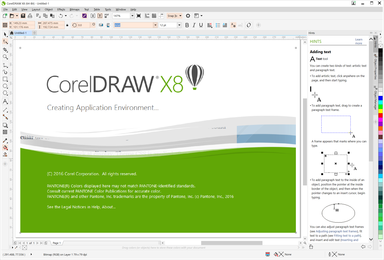
What's new in CorelDRAW for 2024: Graphic design tools are essential for turning creative visions into reality. CorelDRAW Graphics Suite 2024 offers advanced design features and enhancements that push the boundaries of creativity to the max. With tools like Painterly Brush and extensive improvements, CorelDRAW continues to advance in graphic design.
What is CorelDRAW and what are its uses?
CorelDRAW is a vector graphic design software developed by Corel Corporation. It is primarily used for creating illustrations, logos, brochures, and business cards. It specializes in vector graphics, allowing designers to create scalable and high-quality designs.
CorelDRAW uses vector graphics made up of mathematical equations that define lines, curves, and shapes. This makes them infinitely scalable without any loss of quality, unlike raster graphics that rely on pixels and can lose clarity when resized.
Advantages of Vector Graphics:
Scalability without loss of quality.
Small file sizes for complex illustrations.
Ideal for logos, icons, and detailed designs.
Uses of CorelDRAW
CorelDRAW is a versatile tool for both professionals and amateurs. Here are some of the key uses of this software.
1) Creating a Poster in CorelDRAW
Designing posters in CorelDRAW is easy and enjoyable, thanks to its intuitive interface and rich design tools. Create stunning posters for events, promotions, or art projects using vibrant templates, customizable text, and a variety of color options.
2) Creating Basic Shapes for Everyday Use
The shape tools in CorelDRAW allow you to create custom graphics for everyday use. From geometric shapes to versatile icons, CorelDRAW simplifies the creation of graphicsfor presentations, documents, or web graphics.
3) Making an Invitation Card
With CorelDRAW, creating custom invitation cards is a breeze. Choose from a variety of templates, customize layouts, and add thematic elements to match any occasion. The design tools ensure that each card is a unique piece of art.
4) Converting Raster Images to Editable Objects
CorelDRAW's ability to convert raster images into editable objects allows for precise adjustments and seamless scalability. Designers can enhance raster images and adapt them to broader design contexts.
5) Integrating CorelDRAW with External Software
CorelDRAW integrates smoothly with other software, enhancing collaborative workflows. You can share data using editing tools, vector-based software, and publishing platforms to streamline your creative process.
6) Creating Vector Illustrations
CorelDRAW allows designers to create detailed vector illustrations with clarity. Its intuitive tools simplify the process of creating complex artwork, logos, or scalable graphics.
7) Creating Logos
The vector tools in CorelDRAW are perfect for logo design, providing precise control and creative freedom. Its canvas layouts and extensive design elements ensure that logos align with brand identity.
8) Creating Professional-Looking Documents
Combine design and document creation tools in CorelDRAW to produce marketing materials and much more. The software ensures that documents maintain a professional appearance.
9) Using Text Creatively
The text tools in CorelDRAW allow designers to turn typography into visual art. You can experiment with various fonts, effects, and integrations to create eye-catching designs that make every word a masterpiece.
10) Creating Social Media Graphics
CorelDRAW helps in creating stunning social media graphics tailored for different platforms. From attention-grabbing posts to shareable infographics, CorelDRAW enhances digital branding through creative visuals.
Painterly Brush Tool
CorelDRAW Graphics Suite 2025 introduces the Painterly Brush tool, featuring 100 realistic pixel-based brushes powered by Corel Painter technology. This tool combines the realistic effects of pixel strokes with scalability and the non-destructive nature of vector editing. CorelDRAW allows for seamless customization of each brush stroke using vector curve tools, enabling designers to transform vector designs into artwork with precision.
What's new in CorelDRAW for 2024
AI-Powered Vector Tools: New AI-based enhancements allow for more accurate tracing and processing of vector graphics, streamlining workflows and improving design precision.
Expanded Collaboration Features: Updates to cloud-based CorelDRAW tools make real-time collaboration easier for remote teams, with improved file sharing and version control.
Enhanced Template Library: A significantly expanded library of templates meets the needs of various industries, allowing users to kickstart projects quickly with professionally designed layouts.
Improved Performance: The software now features faster rendering speeds and enhanced performance for handling large and complex files, ensuring smooth operation even on lower-end systems.
New Printing Tools: Advanced printing options include OpenType fonts and improved font management for more creative text designs.
Customizable Workspace: Enhanced workspace customization options allow designers to tailor the interface to their preferences, boosting productivity.
What are the system requirements for CorelDRAW?
To run CorelDRAW smoothly, ensure your computer meets the minimum system requirements.
Basic requirements (CorelDRAW Graphics Suite 2024):
Windows 10/11 or macOS.
64-bit Intel or AMD processor with multi-core support.
8 GB of RAM (16 GB recommended).
4 GB of free storage space.
Graphics card compatible with OpenCL 1.2 or higher.
Frequently Asked Questions
What are the key features of CorelDRAW that make it suitable for designing logos and posters?
CorelDRAW offers powerful vector tools and a vast library of fonts and custom design elements to create unique and professional images. Its precise tools ensure intricate details for logos, while layout options make poster compositions visually appealing.
How does CorelDRAW simplify the process of creating vector graphics and complex illustrations?
CorelDRAW simplifies vector drawing with advanced tools, a user-friendly interface, and customizable options. Its smooth workflow ensures that designers can efficiently bring complex ideas to life.
Can CorelDRAW seamlessly integrate with other software for collaborative design workflows?
Yes, CorelDRAW integrates with many software applications, allowing for smooth data exchange and collaborative workflows. Designers can leverage the strengths of multiple tools to enhance creativity and efficiency.
Is CorelDRAW suitable for beginners?
Yes, CorelDRAW is beginner-friendly, offering easy-to-use tools and a clean interface. It also provides tutorials and help guides for new users. However, like any design software, it requires training to master its advanced features.
Tips for getting started:
Explore the CorelDRAW learning center for tutorials.
Start with simple projects, like basic shapes and text.
Experiment with tools like the shape tool, pen tool, and fill tool.
What file formats does CorelDRAW support?
CorelDRAW supports a wide range of file formats for import and export, making it compatible with other design tools and workflows.
Supported formats include:
Native formats like .CDR (CorelDRAW files).
Industry-standard formats like .PDF, .AI (Adobe Illustrator), .SVG, and .EPS.
Image formats like .PNG, .JPEG, .BMP, and .TIFF.
How does CorelDRAW compare to Adobe Illustrator?
Both CorelDRAW and Adobe Illustrator are powerful vector design tools, but there are differences in usability, features, and pricing.
CorelDRAW features:
More affordable subscription plans and perpetual licensing.
Intuitive tools like LiveSketch for freehand drawing.
Integrated tools for page layout and multi-page document design.
Adobe Illustrator features:
Seamless integration with other Adobe Creative Cloud tools.
Larger community and educational resources.
Superior compatibility with industry-standard workflows.
Can CorelDRAW be used for web design?
Yes, CorelDRAW can be used for web design, especially for creating assets like icons, banners, and web graphics. However, it is not a dedicated web development tool.
Web design features:
Export designs in web-friendly formats like .PNG and .SVG.
Create responsive layouts using scalable vector assets.
Use the pixel preview feature to see how designs will look on screens.
Conclusion
In this article, we discussed what's new in CorelDRAW for 2024. CorelDRAW Graphics Suite 2024 empowers designers with tools that redefine creativity and productivity. From professional logo design to eye-catching social media graphics, CorelDRAW proves to be indispensable across various design fields. Its powerful features and seamless integration make it an ideal solution for designers worldwide, offering endless opportunities for creativity.


