Download Epic Pen Full Version
The Epic Pen software has been updated to the latest version: Epic Pen Pro 3.12.160
Epic Pen Description
Epic Pen is a fun program that allows you to draw on your screen with a pen, regardless of the environment, such as the desktop, active application, Start menu, taskbar, or anything else. It also supports a highlighter tool, eraser, screenshot capture tool, and keyboard shortcuts. No prior experience with drawing software is necessary.
Epic Pen is a user-friendly yet powerful tool for desktop annotations on Windows. You can draw, write, and highlight directly on most Windows desktop applications, including presentation software, web pages, videos, creative studios, and even games. Epic Pen allows you to draw or write on your screen without interacting with the underlying program. This means you can comment on almost anything!
Epic Pen Pro is a program that can be used to draw in any open application window or file. At first glance, the functionality of this tool may seem limited, but that’s not entirely true. Epic Pen can be used in a variety of situations, such as presentations or screen recordings, when you need to highlight or emphasize something important for clarity on the screen.
This program is also useful for making artistic comments or simply drawing on the desktop. Users can utilize pencil or highlighter tools and an eraser to undo or adjust all actions. You can change the thickness of the highlighter or pencil, as well as the color. The palette is not extensive, but it offers a range of basic colors: green, red, white, pink, brown, blue, etc. The "work" created can be literally "quickly" hidden and opened using the Hide Ink feature.
Epic Pen is a utility that allows you to scribble, draw, or write anywhere in Windows, whether in Windows itself or in third-party programs.
It’s a very handy tool for presentations, video lessons, or any other situation where you need to showcase something.
Its interface is very simple and straightforward, resembling a toolbox of an image editor like PhotoShop, for example. This toolbox can be hidden if necessary.
It even allows you to save the images drawn on the screen for later use.
In addition, the application provides shortcut keys to switch between tools. The possible combinations are shown in the pop-up hint. This application requires minimal RAM and is stored in the system tray. Users can select a series of actions from the menu that appears when right-clicking on the desired icon. Recommended commands include activating shortcut keys, saving content, and exiting the application. The command is very simple - no configuration settings are required.
Installation and Interface
Setting it up is quick and easy, with the only notable aspect being that it requires you to install the .NET Framework.
As for the interface, the tool adopts a small vertical bar with a modern look and buttons for all actions, which can be minimized to make it non-intrusive.
Drawing Tools and Keyboard Shortcuts
You can select a pen or highlighter for drawing after choosing your preferred color and pen size, return to pointer mode to continue normal computer activity, erase drawings, undo actions, clear the screen, as well as capture the entire screen and save the image as a PNG file.
It’s worth noting that the eraser does not work in the classic way of holding down the mouse button and dragging the eraser over the unwanted areas you want to remove. Instead, you can simply click on a line to make it disappear.
Keyboard shortcuts are supported to toggle the visibility of Epic Pen, select the pointer, pen, highlighter, eraser, undo actions, clear the screen, capture screenshots, and also to increase or decrease the size of the pen. These shortcut keys can be reassigned to suit your preferences. Meanwhile, settings can be remembered for future sessions or reset to default.
Evaluation and Conclusion
It had a minimal impact on computer performance in our tests, using low CPU and RAM. In conclusion, Epic Pen comes with intuitive options to turn your screen into a drawing board.
Epic Pen is a fun application that allows you to draw on the screen with a pen, regardless of the environment, such as the desktop, active application, Start menu, taskbar, or anything else. It also supports a highlighter tool, eraser, screenshot capture tool, and keyboard shortcuts. No prior experience with drawing software is necessary.
It’s useful for digital screen recordings or presentations where you need to highlight or annotate various elements. There’s a drawing tool, highlighter, and additional eraser options to clear the screen.
In addition to the many functions provided through the floating toolbar, you can instantly hide or show custom content at any time. You can invoke all basic functions using shortcut keys, which is essential during a presentation. Furthermore, it is relatively light on system resources and can be left running in the background. Overall, it’s a simple yet effective tool that can be useful in many situations. Check out Epic Pen if you need this functionality.
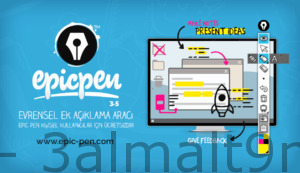
Epic Pen 2025 Pro Features
Easy to Use
No complicated menus
A simple interface with a clean visual style and no confusing buttons or options. Epic Pen is for everyone!
Support
Customization to fit you
Fully supports custom shortcut keys that can be used alongside the program's standard shortcuts.
Lightweight Installation
With no performance impact
A small, lightweight installer with no hidden options, perfect for businesses and academic computers.
With a Click
Smoothly navigate between programs
Once you make a modification on the screen, you can easily return to the desktop.
Pencil Pressure
For Wacom Devices
It has full pressure sensitivity support for brush size when used with drawing tablets and other pressure-sensitive input devices.
Touch Compatible
Multi-touch input
The ultimate companion for touch devices including interactive whiteboards and Windows tablets.
- Epic Pen is for everyone!
- Fully supports custom shortcut keys that you can use in conjunction with standard program hotkeys.
- A small, lightweight installer with no hidden junk, perfect for businesses and academic computers.
- Once you make a modification on the screen, you can quickly return to the desktop.
- It has full pressure sensitivity support for brush size when used with drawing tablets and other pressure-sensitive input devices.
- The ultimate companion for touch devices, including interactive whiteboards and Windows tablets.
Unzip Password: 123
Programs You Might Like:
Download Duplicate Photos Fixer Pro Full Version with Activation Crack
Download Lightroom 2022 Activated with Portable Version – Adobe Photoshop Lightroom Classic 2022
Download Photo Editing Software – ON1 Photo RAW
Download Photoshop 2022 Full Version with Activation – Adobe Photoshop 2022 with Activation

 File Name:
 Downloads:
 Version:
 Full Version:
 Created By:
 License Type:
 Release Date:
 Languages:
 Tags:
Tags: